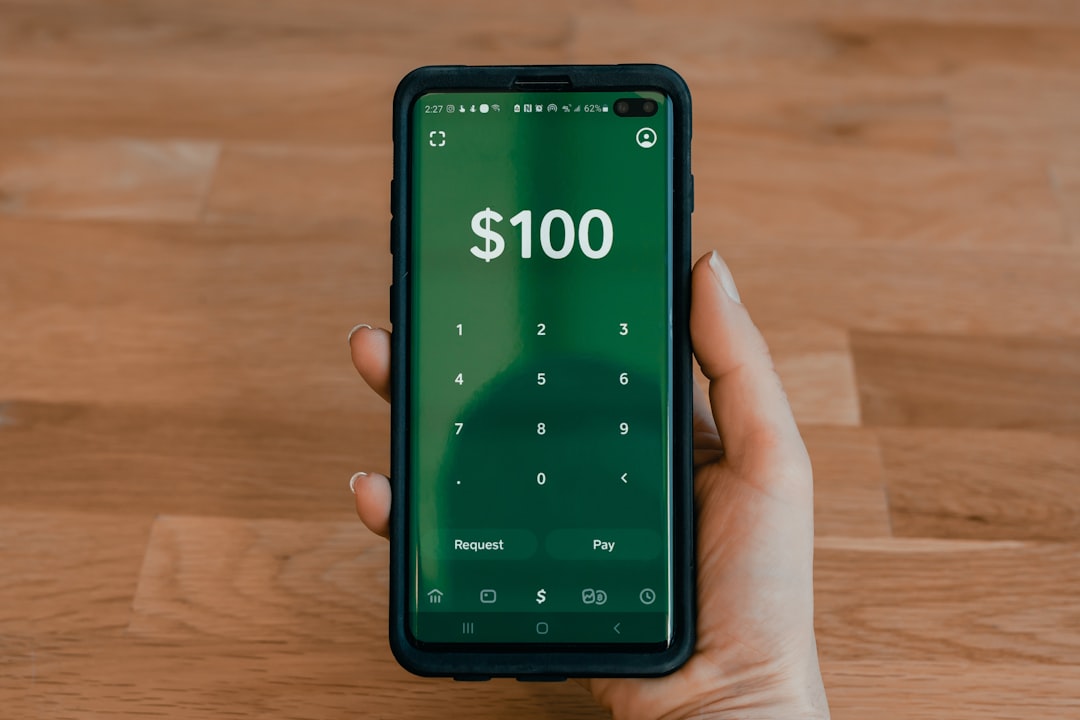
So, you are ready to say goodbye to Cash App. Maybe you switched apps. Maybe you want fewer accounts. Maybe your phone is starting to look like a tiny bank zoo. Whatever the reason, deleting a Cash App account is not hard. You just need to do it in the right order.
TLDR: To delete your Cash App account permanently, first move all money out of it. Cancel any pending payments, sell or transfer any Bitcoin or stocks, and download records you may need. Then open Cash App, go to Support, choose Account Settings, and select Close Your Cash App Account. After Cash App confirms the account is closed, you can delete the app from your phone.
First, Know This Important Thing
Deleting the app is not the same as deleting your account.
This is the big one. If you only remove Cash App from your phone, your account still exists. It is like taking the front door off a house and saying the house is gone. Nice try. But no.
To permanently close your Cash App account, you must close it inside Cash App first. Then you can remove the app. That is the clean way.
Also, Cash App may keep some information for legal and security reasons. Most financial companies must do this. So “permanent” means your account is closed and you cannot use it anymore. It does not always mean every record vanishes from the universe like a magic trick.
Before You Delete Your Cash App Account
Do not rush. Closing a money app is a little like moving out of an apartment. You need to check the drawers. You need to grab your socks. You need to make sure you did not leave pizza in the oven.
Here is what to do first.
1. Cash Out Your Balance
If you have money in Cash App, move it to your bank account.
- Open Cash App.
- Tap your balance.
- Tap Cash Out.
- Choose the amount.
- Pick Standard or Instant.
- Confirm the transfer.
Standard transfers are usually free, but they may take a few business days. Instant transfers are faster, but a fee may apply.
Wait until the money lands in your bank account. Do not close the account while money is still moving. That is how stress gremlins are born.
2. Cancel Any Pending Payments
Check for pending payments. If a payment is not complete, let it finish or cancel it if possible.
To check activity:
- Open Cash App.
- Tap the Activity tab.
- Look for anything marked Pending.
If you see something odd, contact Cash App Support before closing the account.
3. Handle Bitcoin and Stocks
If you use Cash App for Bitcoin or stocks, do not forget them. Tiny investments still count. Even the lonely little stock worth $2.13 deserves attention.
You may need to sell your stocks or Bitcoin. You may also be able to transfer Bitcoin to another wallet. Rules and options can change, so check inside the app.
Make sure everything is settled before you close the account.
4. Save Your Records
This step is boring. It is also smart.
You may need your Cash App history for taxes, budgeting, refunds, or proof of payment. Download or save anything important before you close the account.
You can usually view activity in the app. You may also be able to access statements or tax forms through Cash App’s website, depending on your account and activity.
Future you may be very thankful. Future you may even do a tiny dance.
5. Stop Direct Deposits
If you get paychecks, benefits, or other direct deposits through Cash App, change them first. Switch your direct deposit to a bank account or another service.
Do this before closing your Cash App account. You do not want your paycheck floating around like a confused balloon.
6. Check Your Cash Card
If you have a Cash Card, it will stop working when your account closes. So do not plan to use it after deleting the account.
Also check for saved payments linked to that card. This may include:
- Streaming services.
- Food delivery apps.
- Online stores.
- Subscriptions.
- Gaming accounts.
Update those payment methods before you close Cash App.
How to Delete a Cash App Account Permanently
Once your balance is empty and your loose ends are tied, you can close the account. The app may look slightly different depending on your device and version. But the path is usually very similar.
Follow these steps:
- Open Cash App on your phone.
- Tap your profile icon.
- Scroll and tap Support.
- Choose Something Else if needed.
- Tap Account Settings.
- Select Close Your Cash App Account.
- Read the instructions on the screen.
- Confirm that you want to close the account.
Cash App should then guide you through the final steps. You may get a confirmation by email or text. Keep that confirmation. It is your “I really did it” receipt.
What Happens After You Close the Account?
After your account is closed, you should not be able to send or receive money with it. Your $Cashtag should stop working. Your Cash Card should also stop working.
If someone tries to send money to your old account, it should not go through. But tell friends and family before you close it. Otherwise, Aunt Linda may still try to send you birthday money there. Aunt Linda means well.
You should also remove Cash App from your phone after the account is closed.
To delete the app:
- On iPhone, press and hold the app icon, then tap Remove App.
- On Android, press and hold the app icon, then tap Uninstall.
Again, only do this after closing the account. App deletion alone is not enough.
Can You Delete Cash App Without Logging In?
Maybe. But it is harder.
If you cannot log in, try to recover access first. Use the phone number or email linked to your account. If that does not work, contact Cash App Support.
You may need to prove the account belongs to you. Be ready to provide details like:
- Your legal name.
- Your email address.
- Your phone number.
- Your $Cashtag.
- Linked bank or card details.
Do not share passwords or sign-in codes with random people. Cash App Support will not ask for your password. Scammers will. Scammers are like raccoons in sunglasses. Sneaky. Annoying. Not invited.
Can You Reopen a Deleted Cash App Account?
Sometimes you may be able to create a new account later. But your old account may not be restored exactly as it was.
Your old $Cashtag may not be available. Your history may not return in the app. Your old card will not magically wake up and start buying tacos again.
So, before you close the account, be sure you are done with it. If you only need a break, you might remove linked cards or turn off notifications instead.
Will Closing Cash App Delete Your Personal Data?
This is where things get a bit grown-up.
Cash App is a financial service. That means it may be required to keep some records. These records can help with fraud prevention, taxes, legal rules, and security.
You can close your account permanently. But Cash App may still retain certain information for a period of time. This is normal for banks and payment apps.
If you want to ask about your personal data, contact Cash App Support. You may be able to submit a privacy request, depending on where you live and what laws apply.
Common Mistakes to Avoid
Let us dodge the banana peels.
- Do not just uninstall the app. That does not close the account.
- Do not leave money in the account. Cash out first.
- Do not forget Bitcoin or stocks. Check all tabs.
- Do not ignore pending payments. Let them finish or resolve them.
- Do not lose tax records. Save statements before closing.
- Do not close before changing direct deposit. Your money needs a new home.

What If Cash App Will Not Let You Close the Account?
If the app will not let you close your account, there is usually a reason. It may be a pending transaction. It may be a balance. It may be a security review.
Try these fixes:
- Make sure your balance is $0.
- Check for pending deposits or payments.
- Sell or transfer investments if needed.
- Update the app to the latest version.
- Restart your phone.
- Contact Cash App Support.
Be patient. Money apps can be picky. They are like cats with calculators.
How to Contact Cash App Support
The safest way is through the app.
- Open Cash App.
- Tap your profile icon.
- Tap Support.
- Choose the issue that fits best.
- Follow the prompts.
You can also use the official Cash App website for support information. Be careful with search results. Fake support numbers are common. Never give your sign-in code to anyone. Never send money to “verify” your account. That is not support. That is a trap wearing a fake mustache.
Quick Final Checklist
Before you hit the final close button, run through this list:
- Balance cashed out.
- Bank transfer completed.
- Pending payments resolved.
- Stocks and Bitcoin handled.
- Direct deposits moved.
- Subscriptions updated.
- Statements saved.
- Cash Card no longer needed.
- Support contacted if anything looks strange.
If every item is done, you are ready.
Final Thoughts
Deleting a Cash App account permanently is simple when you follow the right order. First, clean out the account. Then close it through the Support menu. Finally, remove the app from your phone.
Think of it like leaving a party. You grab your jacket. You say goodbye. You make sure you are not leaving your wallet on the snack table. Then you go.
That is it. No drama. No mystery. Just a few taps, a little checking, and a clean exit from Cash App.