Choosing the right live chat or chatbot plugin for a WordPress site is an important business decision, not just a design preference. The best tools can help you respond faster, qualify leads, reduce support tickets, and guide visitors toward the right product or service. For many websites, a reliable chat solution becomes one of the most visible parts of the customer experience, so it should be selected with care.
TLDR: The best live chat and chatbot plugin for your WordPress site depends on your support volume, budget, automation needs, and existing tools. LiveChat, Tidio, HubSpot, Crisp, Zendesk, and Intercom are among the strongest options for different use cases. If you want a simple, affordable solution, Tidio or Crisp may be ideal; if you need advanced sales and support workflows, HubSpot, Zendesk, or Intercom are better suited.
Why Live Chat and Chatbots Matter for WordPress Websites
Modern website visitors expect quick answers. If they cannot find pricing, shipping details, booking information, or technical guidance quickly, they may leave and choose a competitor. A live chat widget gives users a direct way to contact your team, while a chatbot can answer common questions even when no one is available.
For WordPress businesses, this is especially valuable because many sites are built to generate leads, sell products, book appointments, or provide support. A well-configured chat plugin can improve the user experience while giving your team better visibility into visitor behavior.
However, not all chat plugins are equal. Some are built mainly for small businesses, while others are designed for enterprise-level customer service. Some focus on automation, while others prioritize human agent workflows. Before installing a plugin, it is important to understand what each platform does well.

What to Look for in a WordPress Chat Plugin
Before comparing specific tools, consider the criteria that matter most. A trustworthy live chat or chatbot plugin should offer a strong balance of reliability, usability, compliance features, and integration options.
- Ease of setup: The plugin should be easy to install and configure without requiring advanced development skills.
- Chatbot automation: Look for automated responses, lead qualification, routing rules, and conversation workflows.
- Human handoff: A good chatbot should allow users to move from automated replies to a real person when needed.
- Mobile responsiveness: The chat widget must work properly on phones and tablets.
- Integrations: Check compatibility with CRM systems, email marketing tools, ecommerce platforms, and help desk software.
- Data protection: Review privacy settings, consent options, and compliance support for regulations such as GDPR.
- Reporting: Useful analytics can show response times, conversion performance, visitor behavior, and customer satisfaction.
- Pricing transparency: Make sure the plan you choose includes the specific features you need.
1. LiveChat
LiveChat is one of the most established live chat solutions for WordPress. It is known for reliability, a polished interface, and strong support features. Businesses that care about professional customer communication often choose LiveChat because it offers a stable experience for both agents and visitors.
The WordPress plugin makes it relatively simple to add the chat widget to your site. From there, agents can manage conversations through a clean dashboard. LiveChat also supports canned responses, file sharing, chat transcripts, tags, and customer satisfaction ratings.
Best for: Established businesses that want a dependable live chat platform with professional support workflows.
Key strengths:
- Clean and reliable chat interface
- Strong agent tools for support teams
- Helpful reporting and analytics
- Integrations with CRMs, help desks, and ecommerce tools
Potential drawback: LiveChat is not the cheapest option. Smaller websites with limited support needs may find more affordable alternatives.
2. Tidio
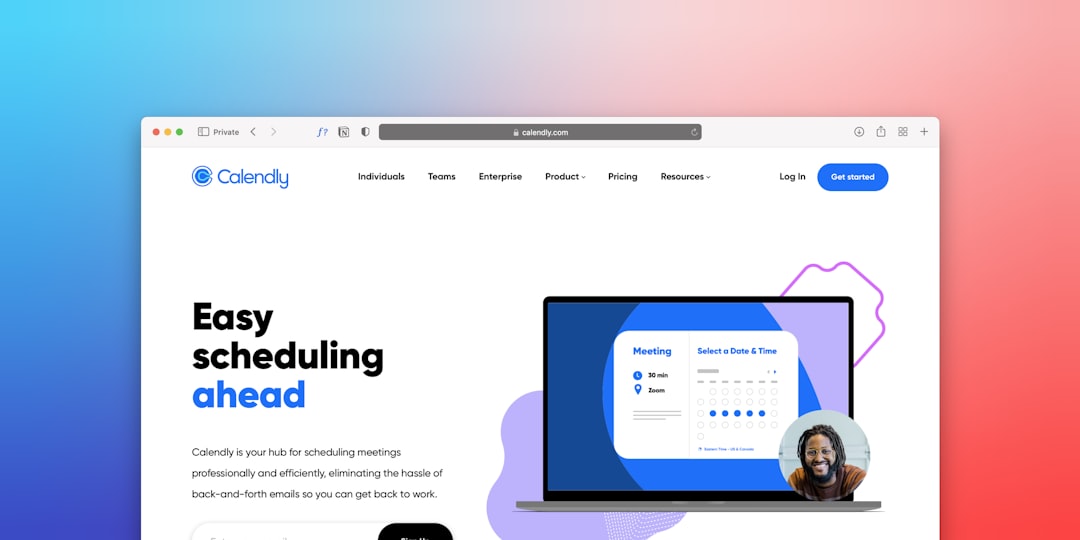
Tidio is a popular choice for small and medium-sized WordPress websites because it combines live chat, chatbot automation, and email communication in a user-friendly package. It is particularly appealing for ecommerce stores, service businesses, and lead generation websites.
Tidio’s chatbot builder allows you to create automated flows for common situations, such as welcoming visitors, offering discounts, recovering abandoned carts, or answering frequently asked questions. The interface is approachable, which makes it suitable for site owners who do not have technical experience.
Best for: Small businesses and online stores that want an affordable mix of live chat and automation.
Key strengths:
- Easy WordPress installation
- Beginner-friendly chatbot builder
- Useful ecommerce automation features
- Free plan available for basic needs
Potential drawback: Advanced automation and higher usage levels may require paid plans, so review pricing carefully as your website grows.
3. HubSpot Live Chat
HubSpot Live Chat is a strong option for businesses that want chat connected to a broader customer relationship management system. The biggest advantage is that conversations can be stored directly in HubSpot CRM, giving sales and support teams a clearer picture of each contact.
This is especially useful for companies that rely on inbound marketing, lead nurturing, and sales pipelines. You can use chat to capture visitor details, qualify leads, book meetings, and route conversations to the right person. HubSpot also offers chatbot functionality, although the level of automation depends on the tools and plan you use.
Best for: Businesses that want live chat connected to CRM, marketing, and sales workflows.
Key strengths:
- Native integration with HubSpot CRM
- Good for lead capture and sales conversations
- Contact history and conversation records
- Strong ecosystem of marketing and sales tools
Potential drawback: HubSpot can become more complex as you add more features. It is best suited for businesses willing to invest time in setup and process design.
4. Crisp
Crisp is a versatile customer communication platform that works well for startups, SaaS businesses, agencies, and growing WordPress sites. It offers live chat, chatbots, shared inbox functionality, knowledge base tools, and customer engagement features.
One of Crisp’s advantages is its clean interface. It feels modern without being overwhelming. Teams can manage conversations across channels, automate parts of the support process, and maintain a more organized communication history.
Best for: Startups and growing teams that want an elegant all-in-one communication tool.
Key strengths:
- Modern live chat experience
- Shared inbox for team collaboration
- Chatbot and automation capabilities
- Good balance of features and usability
Potential drawback: Some of the most useful features are available only on paid plans, so the free version may be too limited for active support teams.
5. Zendesk Chat
Zendesk is a well-known name in customer service software, and its chat capabilities are best suited for organizations that need structured support operations. If your WordPress site is part of a larger customer service system, Zendesk can be a strong choice.
Zendesk Chat integrates with the broader Zendesk Suite, which includes ticketing, help center content, customer data, reporting, and automation. This makes it particularly useful for companies that need to manage a high volume of support requests across multiple channels.
Best for: Businesses with serious customer support operations and existing help desk needs.
Key strengths:
- Strong ticketing and support ecosystem
- Good for larger teams
- Robust reporting and workflow tools
- Suitable for multi-channel customer service
Potential drawback: Zendesk may be more than a small business needs. It can require careful setup to get the most value from the platform.
6. Intercom
Intercom is a premium customer messaging platform used by many software companies, technology businesses, and growth-focused teams. It combines live chat, automation, product messaging, help center content, and customer engagement tools.
Intercom is particularly strong for businesses that want to guide users throughout the customer journey. For example, it can help with onboarding, feature announcements, support conversations, lead qualification, and account-based messaging. Its chatbot and automation features are powerful, but they are best used by teams that have a clear strategy.
Best for: SaaS companies, technology businesses, and teams focused on customer engagement and lifecycle messaging.
Key strengths:
- Advanced messaging and automation
- Strong customer segmentation
- Useful for onboarding and product support
- Professional, high-quality user experience
Potential drawback: Intercom is often more expensive than simpler chat plugins. It is usually best for businesses that can justify the cost through sales, retention, or support efficiency.
7. JivoChat
JivoChat is a practical option for WordPress site owners who want live chat, phone, email, and social messaging in one place. It is often used by small businesses, consultants, online stores, and service providers that want a straightforward communication platform.
JivoChat includes real-time visitor monitoring, proactive chat invitations, and team communication tools. It is not as advanced as some enterprise platforms, but it offers a useful set of features at a reasonable cost.
Best for: Small businesses that want a cost-effective multi-channel communication tool.
Key strengths:
- Simple installation and setup
- Multi-channel communication options
- Visitor monitoring
- Good value for smaller teams
Potential drawback: Businesses with complex automation requirements may need a more advanced platform.
8. Olark
Olark is a straightforward live chat tool with a focus on simplicity and useful reporting. It is a good fit for businesses that primarily want human-to-human chat rather than a highly complex chatbot system.
Olark offers chat transcripts, automation rules, team management, and integrations with several business tools. It is especially suitable for companies that want to understand customer questions and improve website content based on real conversations.
Best for: Teams that want reliable live chat without unnecessary complexity.
Key strengths:
- Simple and focused live chat features
- Useful conversation transcripts
- Good reporting capabilities
- Easy to train support staff
Potential drawback: It may not be the best option if advanced AI chatbot automation is your main priority.

How to Choose the Right Plugin
The best plugin depends on the role chat will play on your website. If your main goal is answering occasional visitor questions, a lightweight tool such as Crisp, JivoChat, or Olark may be enough. If you run an ecommerce store and want automation for cart recovery or product questions, Tidio is worth considering.
If your business depends heavily on sales pipelines, customer data, and marketing automation, HubSpot is a strong candidate. For structured support departments, Zendesk may be the better fit. If you need advanced customer engagement and have the budget for a premium tool, Intercom can be excellent.
When making a decision, avoid choosing based only on the number of features. A plugin with many features is not always better if your team will not use them. The right choice is the one that fits your workflow, budget, technical ability, and customer expectations.
Implementation Best Practices
After choosing a plugin, take time to configure it properly. A poorly implemented chat widget can frustrate visitors instead of helping them. Keep the widget visible but not intrusive, and make sure it does not block important content on mobile screens.
- Set realistic availability hours: If your team is not online 24/7, make that clear.
- Create helpful automated greetings: Avoid aggressive messages that interrupt the browsing experience.
- Use saved replies carefully: Templates save time, but responses should still feel relevant and human.
- Monitor performance: Track response times, missed chats, conversion rates, and customer satisfaction.
- Review transcripts: Real chat conversations can reveal gaps in your website content or product information.
Final Recommendation
For most WordPress site owners, Tidio and Crisp offer the best balance of usability, features, and cost. For companies with more advanced sales and marketing needs, HubSpot Live Chat is a serious option because of its CRM integration. For larger support teams, Zendesk provides the structure and reporting needed to manage customer service at scale.
There is no single best live chat or chatbot plugin for every WordPress site. The right solution should support your business goals, protect the user experience, and give your team the tools it needs to respond professionally. Start with your real requirements, test the platform carefully, and choose the plugin that helps you build trust with visitors from the first conversation.