Your SaaS content is like a busy kitchen. Some pages are cooking. Some are burning. Some are just sitting in the fridge, forgotten since 2021. A SaaS content audit helps you find what is working, what is wasting space, and what can drive more trials, demos, and paid users.
TLDR: A SaaS content audit reviews your website content to improve SEO, conversions, and user experience. You check traffic, rankings, intent, quality, and business value. Then you decide what to update, merge, delete, or promote. Done well, it turns your content library into a growth machine.
Why SaaS Content Audits Matter
SaaS websites grow fast. Blog posts. Feature pages. Comparison pages. Help docs. Landing pages. Suddenly, you have hundreds of URLs.
That sounds great. But more content does not always mean more growth.
Old posts may target weak keywords. Product pages may have unclear messaging. Blog posts may bring traffic but no signups. Some pages may compete with each other in Google. That is called keyword cannibalization. Scary name. Very real problem.
A content audit helps you clean the mess. It shows you where to focus. It also helps marketing, SEO, sales, and product teams work from the same map.
Step 1: Set a Clear Goal
Do not audit content just because someone said, “We should probably audit content.” That is how spreadsheets become haunted.
First, choose your main goal.
- Increase organic traffic
- Improve demo requests
- Boost free trial signups
- Support sales enablement
- Reduce outdated content
- Improve rankings for product keywords
Your goal changes how you judge each page. A top-of-funnel blog post may not drive demos today. But it may bring new people into your world. A comparison page, however, should be closer to conversion. It needs to work harder.
Step 2: Build Your Content Inventory
Next, collect every important URL on your site. Yes, every one. Think of this as putting all your socks on the bed before organizing the drawer.
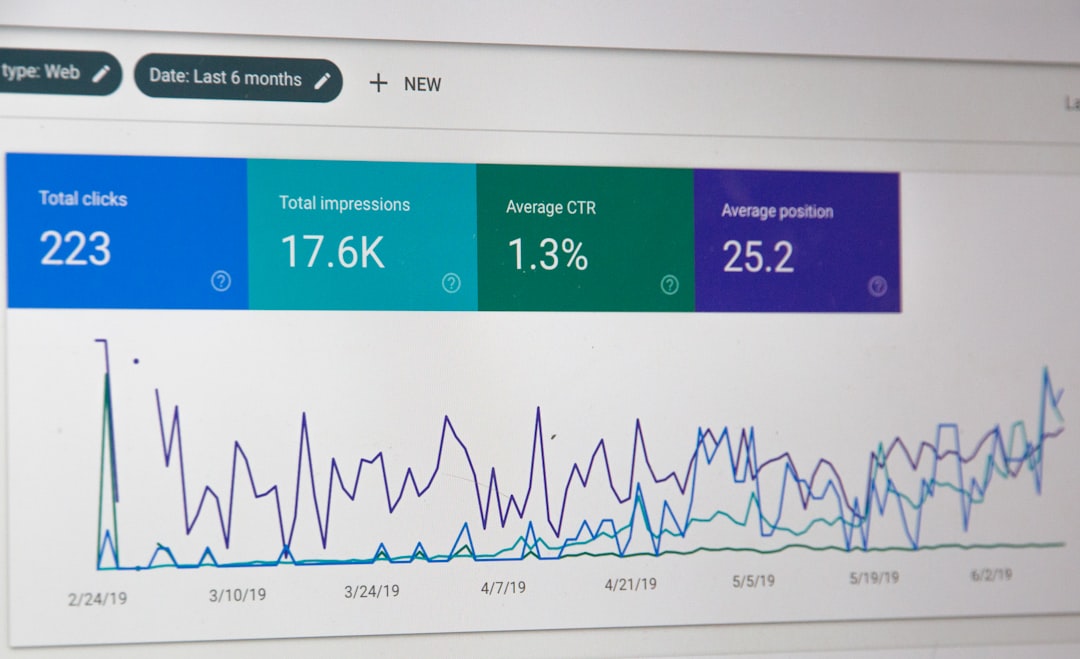
Use tools like Google Search Console, Google Analytics, your CMS, and an SEO crawler. Add the URLs to a spreadsheet.
Include columns like:
- URL
- Page type
- Title tag
- Meta description
- Target keyword
- Monthly organic traffic
- Conversions
- Backlinks
- Last updated date
- Content owner
For SaaS, it helps to label content by funnel stage.
- Top funnel: educational posts and guides
- Middle funnel: templates, use cases, and solution pages
- Bottom funnel: pricing, comparison, alternatives, and demo pages
Step 3: Check SEO Performance
Now comes the detective work. Look at each page and ask simple questions.
- Does this page get organic traffic?
- Does it rank for useful keywords?
- Is traffic growing or falling?
- Does the title match search intent?
- Are there internal links pointing to it?
- Is the content better than the pages ranking above it?
Search intent is huge. If someone searches “best project management software,” they likely want a comparison. If your page is a general article about productivity, it may not rank well. Google is picky. Users are pickier.
Also check for pages stuck on page two of Google. These are golden snacks. A good update can push them to page one. That can create big traffic gains without writing something new.
Step 4: Review Conversion Performance
Traffic is nice. But SaaS companies need action. Trials. Demos. Signups. Upgrades. Newsletter subscribers. Something.
Look at conversion data for each page. Ask:
- Does the page have a clear call to action?
- Is the CTA matched to the funnel stage?
- Do users click anything important?
- Does the page send visitors to product pages?
- Is there proof, like testimonials or customer logos?
A beginner guide does not always need a “Book a demo now!” button screaming at visitors. That can feel like proposing marriage on a first date. Try softer CTAs, like a checklist, calculator, newsletter, or related product guide.
Bottom-funnel pages are different. They should make the next step obvious. No treasure hunt. No confusing buttons. No “learn more” repeated twelve times. Be clear.

Step 5: Score Content Quality
Now read the content. Yes, with human eyes. Robots can help, but they miss weird stuff.
Check for:
- Accuracy: Is the information still true?
- Depth: Does it answer the full question?
- Clarity: Is it easy to read?
- Originality: Does it say something useful or new?
- Trust: Does it show expertise?
- Product fit: Does it connect naturally to your SaaS?
Many SaaS posts are too generic. They sound like they were written by a toaster in a blazer. Add examples. Add screenshots. Add product use cases. Add expert quotes. Show real workflows. Make it feel alive.
Step 6: Find Content Gaps
A content audit is not only about fixing old pages. It also shows what is missing.
Look at competitors. What keywords do they rank for that you do not? What topics do your sales team explain again and again? What questions appear in demos? What objections slow deals down?
Great SaaS content often comes from customer pain. Not from random keyword lists.
Common gap ideas include:
- Comparison pages
- Alternative pages
- Industry use cases
- Role based landing pages
- Integration pages
- Templates and checklists
- ROI calculators
- Implementation guides
These pages can bring qualified traffic. They can also help sales teams. Double win.
Step 7: Choose an Action for Each Page
Now give every page a job. Do not leave it floating in spreadsheet soup.
Use four simple actions:
- Keep: The page performs well and stays accurate.
- Update: The page has potential but needs work.
- Merge: Similar pages compete or repeat the same idea.
- Remove: The page is outdated, weak, and has no value.
Be careful with deleting pages. Check backlinks and traffic first. If a page has links, redirect it to a stronger related page. Do not just toss it into the void.
For updates, write notes. Be specific.
- Improve title tag
- Add product examples
- Refresh statistics
- Add internal links
- Improve CTA
- Add FAQ section
- Match search intent better
Step 8: Prioritize the Work
You cannot fix everything this week. Unless you have a clone army. Most teams do not.
Prioritize pages by impact and effort.
High impact, low effort pages should go first. These include pages ranking in positions 5 to 20, pages with high traffic but weak CTAs, and bottom-funnel pages with outdated messaging.
High impact, high effort pages come next. These may need a full rewrite, new design, expert input, or product screenshots.
Low impact pages can wait. Some can be removed. It is okay. Not every page is a legend.

Step 9: Improve Internal Linking
Internal links are like little roads through your website. They help users move. They help Google understand your content.
During the audit, find pages that need more links. Link from high-traffic blog posts to product pages. Link from guides to templates. Link from feature pages to case studies. Use clear anchor text.
For example, “time tracking software for agencies” is better than “click here.” Google likes clues. So do humans.
Step 10: Track Results After Changes
An audit without tracking is just a very fancy to-do list.
After updates go live, monitor results. Give SEO changes time. Usually, check progress after 30, 60, and 90 days.
Track:
- Organic clicks
- Keyword rankings
- Conversions
- Engagement
- Internal link clicks
- Demo or trial assisted conversions
Some pages will jump fast. Others will move slowly. Some will flop. That is normal. Use the data to keep improving.
Make It a Habit, Not a Panic Button
Do a full SaaS content audit once or twice a year. Review key pages every quarter. High-value pages, like pricing, comparisons, and feature pages, deserve extra attention.
Content is not a “set it and forget it” machine. It is more like a garden. Water it. Trim it. Pull weeds. Add fresh ideas. Watch it grow.
A simple audit can reveal hidden wins. Better rankings. Better messaging. Better conversions. And fewer dusty blog posts lurking in the shadows.
Start small. Pick 20 important pages. Score them. Fix the obvious issues. Then keep going. Your future pipeline will thank you.