Pick Lightroom for fast drama. Pick Capture One for deeper color control. Low-angle shots already make people, cars, pets, and buildings feel huge. The editor you choose decides if that power looks clean or turns into a muddy mess. Lightroom also has AI masking tools, like Select Subject and Select Sky, which help speed up edits [source: Adobe].
TLDR: Lightroom is the easier choice if you want bold low-angle photos fast, especially for social posts and client galleries. Capture One is better if you care about skin tones, rich color, and precise studio edits. For example, a wedding shooter editing 60 low-angle dance floor photos may finish about 20% faster in Lightroom because of quick masks and presets. A fashion shooter may prefer Capture One when one hero image needs perfect color and clean shadows.
Why low-angle shots feel so dramatic
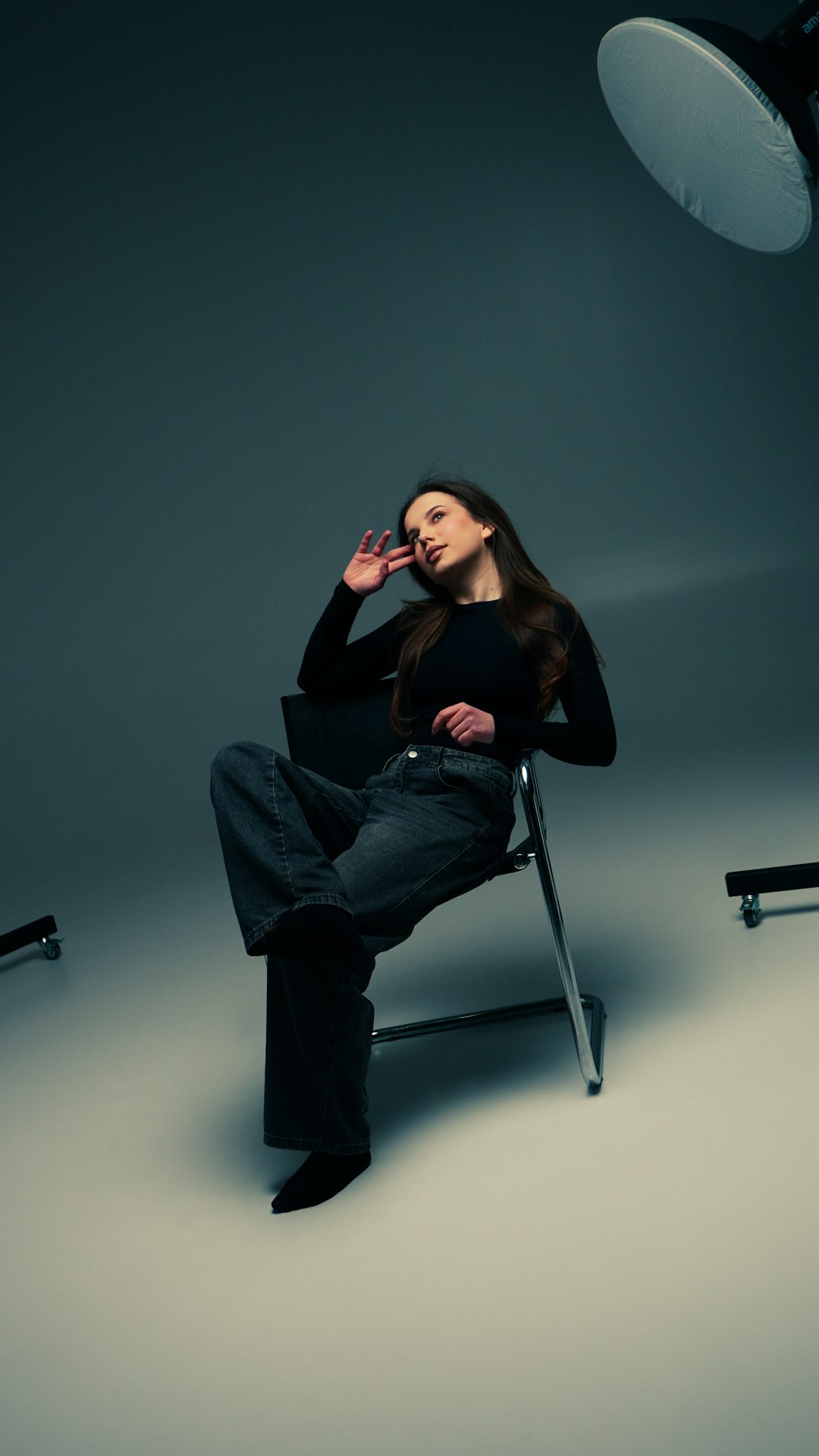
A low-angle shot is simple. Put the camera low. Aim up. Suddenly, the subject looks taller, stronger, and more intense.
That is the magic.
A bike looks faster. A dog looks like a movie star. A skyscraper looks like it is about to swallow the moon. Even your friend holding coffee can look like a superhero, which is both funny and useful.
But there is a problem. Low-angle photos often have tricky light. Skies go bright. Faces go dark. Lines bend. Shadows get heavy. Your camera may also catch dust, pavement, shoes, and weird nose angles. Nice.
This is where editing matters.
Lightroom: fast, friendly, and great for big batches
Lightroom is the “get it done” editor. It feels simple. The layout is clean. Most tools sit where you expect them.
For low-angle photos, Lightroom shines in these areas:
- AI masks: Select the sky, subject, face, or background fast.
- Presets: Apply a punchy look to many images at once.
- Cloud sync: Edit on a laptop, tablet, or phone.
- Sharing: Great for online galleries and fast delivery.
Say you shot a skateboarder from the ground. The sky is too bright. The board is sharp. The face is dark. In Lightroom, you can mask the sky, pull down highlights, then mask the subject and lift shadows. Done. Add contrast. Add a bit of clarity. Boom. Poster energy.
Honestly, it feels like Lightroom was built for people who have 200 photos waiting and only one coffee left.
But it is not perfect.
The color tools can feel a little blunt. Skin tones may need extra care. Heavy edits can sometimes look “crispy.” You know the look. Too much texture. Too much clarity. Suddenly Grandpa looks carved from tree bark.
Capture One: richer color and serious control
Capture One feels more like a studio tool. It has a steeper learning curve. It also gives you very fine control over color, layers, and tethered shooting. Many pro photographers like it for fashion, portraits, and product work. Capture One lists tethering and color editing as core features on its site [source: Capture One].
For low-angle photos, Capture One is strong in these areas:
- Color Editor: Adjust one color range without wrecking the rest.
- Layers: Build edits with more control.
- Skin tones: Smooth color shifts in faces and hands.
- Tethering: Shoot straight into the app in a studio.
Imagine a low-angle fashion image. The model is standing above the camera. The coat is red. The sky is pale blue. The skin has a green tint from nearby grass. Capture One lets you target those colors with care. Fix the skin. Deepen the coat. Cool the sky. Keep it classy.
The catch is that Capture One can feel fussy at first. Some tasks take more clicks. Expect to waste time on panels until muscle memory kicks in. It can feel like the software is saying, “Oh, you wanted simple? That is cute.”
Drama starts with masks
Low-angle shots often need local edits. Global sliders are not enough.
If you darken the whole photo, the subject may sink into shadow. If you brighten the whole photo, the sky may explode into white soup. Masks let you edit parts of the image.
Lightroom wins for speed here. Its subject and sky masks are fast. You can stack masks and refine them without much stress. This is great for sports, weddings, events, and travel shots.
Capture One wins for careful control. Its layers feel more manual. That can be slower. But for one special image, slower can be better.
Simple rule:
- Need 50 strong edits today? Use Lightroom.
- Need 1 polished image for a campaign? Use Capture One.
Color: punch vs polish
Low-angle shots love bold color. A sunset sky. A bright jacket. Neon signs. Wet pavement. Big color makes the angle feel even larger.
Lightroom gives quick punch. Vibrance, saturation, color mixer, and grading are easy to use. You can make a dull street shot feel bold in seconds.
Capture One gives polish. Its color tools feel more exact. You can shift blues without hurting skin. You can warm shadows without making the whole photo orange. This matters for portraits because nobody wants radioactive cheeks.
It drives me crazy that color edits can go bad so fast in low-angle shots. One slider too far, and the sky turns fake. Capture One helps prevent that. Lightroom helps fix it fast.
Fixing distortion and strange lines
Low-angle photos often bend reality. Buildings lean. Poles tilt. Heads stretch. Feet look huge. Sometimes that is fun. Sometimes it looks like the lens had a panic attack.
Lightroom has easy geometry tools. Upright controls can fix lines quickly. This is great for architecture shots, interiors, and street scenes.
Capture One also has correction tools. They work well. But Lightroom feels faster for quick vertical fixes. If your photo has tall buildings shot from sidewalk level, Lightroom is usually less annoying.
Still, do not fix every line. Low-angle drama often comes from exaggeration. If you straighten everything, the mood may die. Keep a little weirdness.
Sharpening, noise, and gritty shadows
Low-angle photos are often shot in harsh light or low light. That means noise. That means crunchy shadows. That means pain.
Lightroom has strong noise reduction and sharpening. Its AI Denoise can rescue high ISO files better than older tools. For event shooters, that is huge.
Capture One handles detail very nicely too. It can make files feel crisp but not harsh. Many photographers like how RAW files open in Capture One before heavy editing even starts.
For gritty street shots, either app works. For clean commercial work, Capture One may feel smoother. For a fast night shoot with 300 images, Lightroom may save your sanity.

Workflow: where the real fight happens
Editing is not only about sliders. It is about time.
Lightroom is better for cataloging, batch edits, mobile work, and sharing. If you shoot often, this matters. You can import, cull, rate, edit, export, and post without much friction.
Capture One is better when the shoot is controlled. Studio portraits. Product shots. Fashion sets. Tethered sessions. It gives you more control while shooting and editing.
Here is a simple user case:
- Street photographer: Lightroom is the better fit.
- Wedding photographer: Lightroom is faster for volume.
- Fashion photographer: Capture One may win.
- Beginner: Lightroom is easier.
- Color perfectionist: Capture One is tempting.
Best basic edit for low-angle drama
Use this quick recipe in either app:
- Crop low and bold. Keep the subject powerful.
- Fix the sky. Lower highlights. Add a little contrast.
- Lift the subject. Use a mask. Brighten the face or main shape.
- Add contrast. Keep it strong, not dirty.
- Tune color. Make one or two colors stand out.
- Sharpen carefully. Do not turn skin into gravel.
- Add a subtle vignette. Just enough to pull the eye in.
So, which one should you choose?
Choose Lightroom if you want speed, simple tools, AI masks, mobile editing, and fast delivery. It is the safer pick for most low-angle shooters.
Choose Capture One if you want refined color, strong studio workflow, and careful layer-based edits. It rewards patience.
The fun answer is this: Lightroom is your fast scooter. Capture One is your tuned race car. Both can make dramatic low-angle images. One gets you there quicker. The other gives you more control over the ride.
If you are new, start with Lightroom. If you already know what bothers you about color, skin, and shadows, try Capture One. Your knees will still hurt from crouching on the ground. Sadly, no software fixes that.