For event teams, Rosterfy is usually the stronger pick for large volunteer and credential-heavy programs, while When I Work is better for paid hourly teams that need fast rosters, time clocks, and shift swaps. Both sit in the scheduling software category, but they solve different workforce problems. When I Work says it is used by more than 200,000 workplaces, which shows its reach in hourly staff scheduling [source: When I Work].
TLDR: Rosterfy fits events with hundreds or thousands of workers, especially volunteers, contractors, ambassadors, and temporary crews. When I Work fits cafés, venues, retail teams, and event operators that manage regular hourly staff. For example, a stadium staffing team with 650 workers across 42 gates may save the most time with Rosterfy’s role matching and check in tools, while a 35 person catering company may get more value from When I Work’s shift swaps and mobile time clock. If your main pain is “who is approved, trained, checked in, and assigned,” pick Rosterfy; if it is “who works Tuesday at 4 p.m.,” pick When I Work.

What Rosterfy Does Best
Rosterfy is built for event workforce programs where the worker journey matters before the schedule even starts. That includes registration, screening, role assignment, availability, training, communication, attendance, and reporting.
This matters for major sports, festivals, expos, charity events, and councils. A volunteer may apply weeks before the event. They may need approval, documents, training modules, and a badge. Rosterfy treats that process as part of workforce planning, not as an afterthought.
- Best fit: large events, volunteer programs, seasonal crews, public venues, community programs.
- Strong points: onboarding, worker profiles, role matching, check in, communications, event reporting.
- Weak point: it can feel heavier than needed for small teams with simple weekly shifts.
The catch is that a smaller operator may spend extra time setting up fields, workflows, and user groups. That power is useful, but only if the event is complex enough to justify it.
What When I Work Does Best
When I Work focuses on clear staff scheduling. It is made for managers who need to build rosters, confirm availability, reduce no shows, and track hours. The product feels closer to classic employee scheduling tools than full event workforce management software.
That is not a bad thing. In many cases, simpler is better. If you run a venue bar, catering crew, box office, security desk, or touring hospitality team, you may not need volunteer applications or program level reporting. You need staff to see shifts, claim open slots, swap shifts, and clock in without calling the manager five times.
- Best fit: hourly employees, small venues, food service, retail, recurring event teams.
- Strong points: mobile scheduling, availability, shift swaps, time clock, attendance tracking.
- Weak point: it is not as deep for volunteer recruitment, training status, and event credential workflows.
Honestly, it feels like some teams buy too much software here. If the whole job is posting 80 shifts a week and approving swaps, a lighter staff scheduling tool may beat a full event workforce system.
Rosterfy vs When I Work: The Practical Difference
The real difference is not “which platform has scheduling.” Both do. The real question is what happens before and after the roster is published.
- Before the shift: Rosterfy is stronger for applications, screening, training, and matching people to roles.
- During the shift: both can support attendance, but Rosterfy is better suited to event check in at scale.
- After the shift: Rosterfy gives better program reporting for event managers; When I Work gives useful payroll and time data for hourly teams.
- Daily use: When I Work is faster for routine weekly scheduling.
Think of Rosterfy as a control center for a broad event labor pool. Think of When I Work as a clean scheduling and time tool for known employees.
Where Other Scheduling Platforms Fit
Rosterfy and When I Work are not the only options. Deputy, Homebase, Sling, Connecteam, Humanity, and similar tools compete in staff scheduling. Some are stronger for payroll links. Some are stronger for compliance. Some are better for chat and task updates.
There is also a separate group of tools for appointments, bookings, and sales intake. If your team is comparing staff schedules with client booking flows, this list of appointment booking and routing platforms may help clarify the difference. For email timing and absence workflows, this email scheduling and automation guide covers a different but related need.
How to Choose Without Wasting Money
Use a simple test. List your next event. Count the people, roles, locations, shift types, and approval steps. Then score the risk.
- Under 50 regular staff: When I Work is likely enough.
- 50 to 300 mixed staff: compare both closely, especially if training or check in is needed.
- 300 plus workers or volunteers: Rosterfy usually deserves serious review.
- High compliance needs: check permissions, audit records, document storage, and reporting before buying.
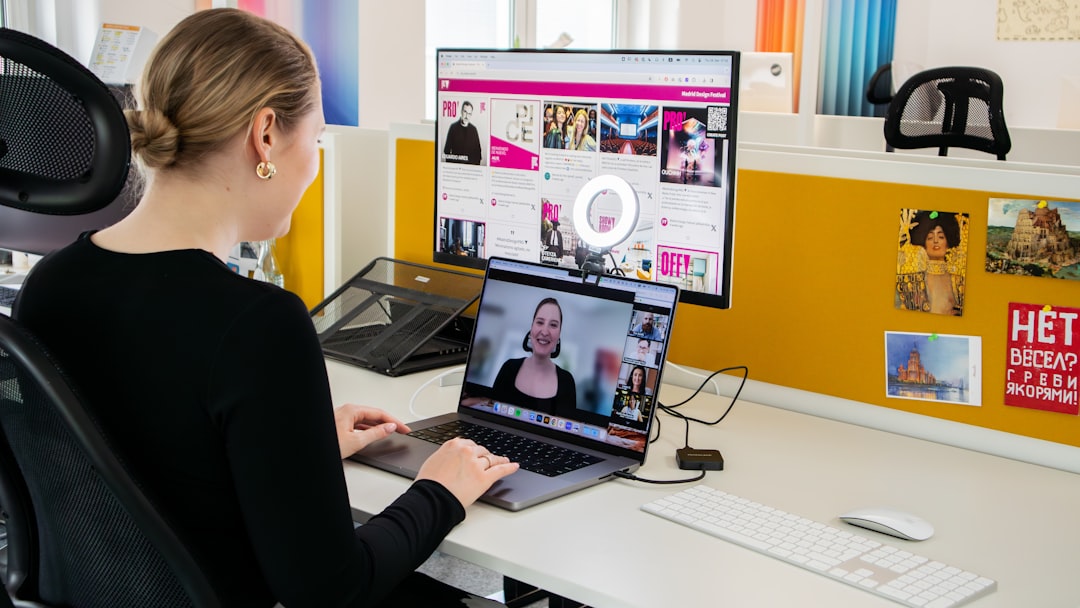
Also test the mobile app with real workers, not just managers. Ask five staff members to accept a shift, update availability, and find their start time. If two of them get stuck, expect support calls on event day. That is where weak scheduling software gets expensive.
Final Recommendation
Choose Rosterfy if your event workforce includes volunteers, casual labor pools, role approvals, training steps, and large scale check in. It is built for planned programs with many moving parts.
Choose When I Work if your priority is quick shift planning, staff availability, time tracking, and fewer roster messages. It is a practical choice for smaller event operators and paid hourly teams.
The best platform is the one that removes admin without adding new admin. Test that first. Pricing matters, but a missed shift at a major event costs more than a monthly licence.