The best shadcn/ui components for SaaS applications are Forms, Data Tables, Dialogs, Sheet, Sidebar, Tabs, Card, Command, Dropdown Menu, and Toast. They solve the parts users touch most: signing up, filtering records, opening settings, switching sections, and reading metrics. shadcn/ui is also widely adopted, with its GitHub repository showing more than 90,000 stars [source: GitHub].
TLDR: A SaaS product can move faster by building its core interface around shadcn/ui Forms, Data Tables, Dialogs, Sidebar, and Card components. For example, a B2B billing app could use a Data Table for 10,000 invoices, a Dialog for refunds, and Toast for payment status updates. If a team cuts custom UI work by even 30%, a two-week dashboard sprint can often shrink by several days. The result is a cleaner product with fewer odd UI gaps.
shadcn/ui works well for SaaS because it is not a locked component library. It gives teams copyable code, Tailwind styling, and strong defaults. Developers can own the components instead of fighting a black box. That matters when product teams need forms, billing tables, account settings, and admin screens that keep changing.

1. Forms for signups, settings, and billing flows
Forms are the first place many SaaS products lose users. A bad form makes signup feel harder than it is. shadcn/ui pairs well with React Hook Form and Zod, which helps teams build clean validation, error states, and field rules.
Common SaaS form use cases include:
- Signup forms with email, password, and workspace name.
- Billing forms for tax IDs, company data, and plan changes.
- Profile settings with avatars, names, roles, and time zones.
- Admin forms for permissions and invite links.
Honestly, it feels like many apps still make users guess what went wrong after a failed submit. shadcn/ui form messages fix that with clear labels, field descriptions, and inline errors. A good SaaS form should not make a user scroll back up just to find the problem.
2. Data Tables for records, users, and reports
Data Tables are central to SaaS. Almost every product has lists: customers, invoices, tickets, projects, orders, leads, or files. shadcn/ui’s Data Table pattern, often used with TanStack Table, helps teams add sorting, filtering, pagination, column views, and row actions.
A strong Data Table should include:
- Search for fast record lookup.
- Filters for status, owner, role, plan, or date.
- Bulk actions for export, delete, assign, or archive.
- Column controls so users can hide noise.
- Row menus for edit, duplicate, suspend, or view details.
This is where shadcn/ui shines. It gives the structure without forcing a fixed design. A customer success team might filter 4,200 accounts by renewal date and health score. A finance team might export failed payments in two clicks. Small details like sticky headers and clear empty states save real time.

3. Modals and Sheets for focused actions
Dialog and Sheet components are ideal for quick SaaS tasks. Dialogs fit confirmations, invites, edits, and upgrade prompts. Sheets work better for side panels, profile details, and longer forms.
It drives teams crazy when a simple “edit user” action sends people to a full new page. It adds friction. It also breaks context. A Sheet can keep the table visible while the user edits one record on the side.
Good modal use cases include:
- Confirming destructive actions, such as deleting a workspace.
- Inviting users without leaving the team page.
- Editing records from a table row.
- Showing upgrade prompts when a limit is reached.
For SaaS teams, the rule is simple. Use Dialog for short, focused actions. Use Sheet when the user needs more room or context.
4. Sidebar, Command, and menus for product movement
SaaS apps need clear paths between dashboards, reports, billing, teams, and settings. The Sidebar, Dropdown Menu, Command, and Breadcrumb components handle this well.
A Sidebar works best for larger products with many sections. Dropdown Menu fits account controls, workspace switchers, and row actions. Command is great for power users who want fast search across pages, records, and actions.
A clean app menu should:
- Show the current section clearly.
- Group related pages together.
- Keep billing and settings easy to find.
- Support keyboard shortcuts when possible.
For teams building admin tools, the Command component can feel like a cheat code. It lets users jump to “Create invoice,” “Invite teammate,” or “Open account settings” without hunting through menus.
5. Dashboard interfaces with Cards, Charts, Tabs, and Toast
Dashboards need fast reading. shadcn/ui works well here because Card, Tabs, Badge, Skeleton, Progress, and Toast can be combined into a clear system.
A useful SaaS dashboard often includes:
- Cards for key metrics such as MRR, churn, trials, or active users.
- Tabs for switching between weekly, monthly, and yearly views.
- Badges for plan status, risk level, or ticket priority.
- Skeleton loaders so loading states feel less broken.
- Toast messages for saves, errors, exports, and sync status.
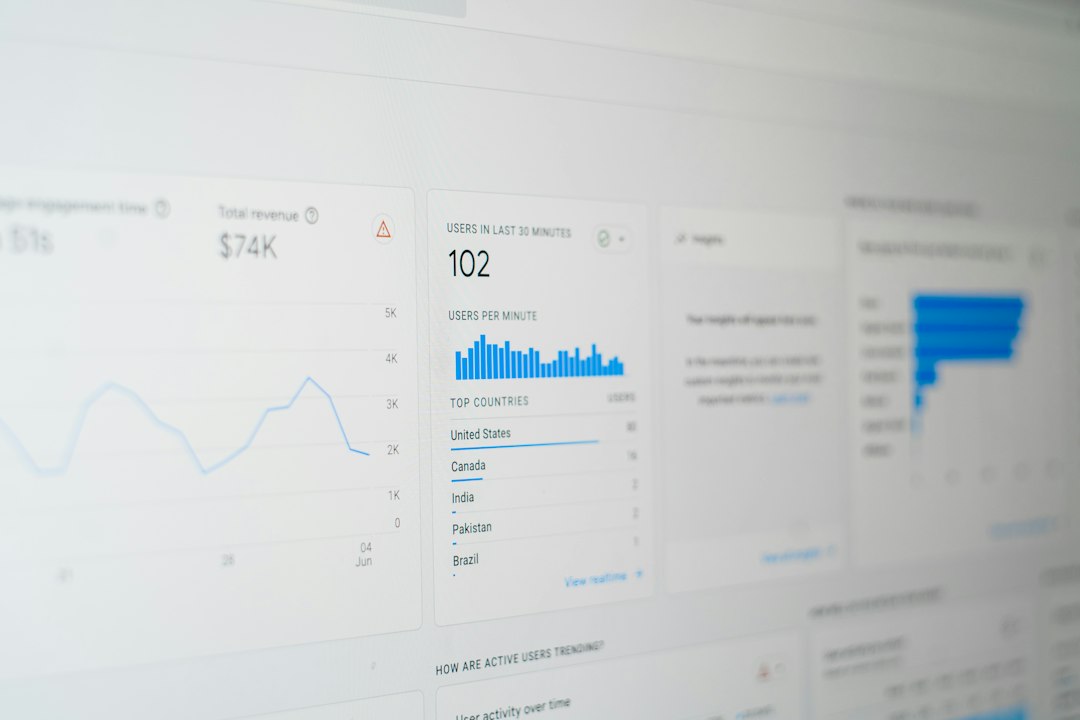
The best dashboards do not show everything. They show what helps the user act. A founder wants revenue and churn. A support lead wants open tickets and response time. A sales manager wants pipeline and close rate. shadcn/ui gives teams the blocks to shape those views without starting from scratch.
Best component mix for a SaaS MVP
For a SaaS MVP, the smartest stack is simple: Form, Button, Input, Select, Data Table, Dialog, Sheet, Sidebar, Card, Tabs, Dropdown Menu, Toast, and Skeleton. That set covers most user flows. It also keeps the interface consistent from day one.
Teams should not install every component at once. They should start with the flows users touch daily. Signup. Dashboard. Main table. Settings. Billing. Then they can add richer pieces when the product needs them.
FAQ
Is shadcn/ui good for SaaS applications?
Yes. It is especially strong for dashboards, admin panels, account settings, billing pages, and data-heavy tools.
Which shadcn/ui component should a SaaS team build first?
Forms should usually come first. Signup, login, settings, and billing all depend on them.
Are shadcn/ui Data Tables hard to customize?
They take some setup, but they are flexible. Teams can control columns, filters, actions, and styling.
Should SaaS apps use Dialog or Sheet for editing data?
Dialog is best for short tasks. Sheet is better for longer edits where users still need page context.
Can shadcn/ui be used for enterprise dashboards?
Yes. Its components can support complex layouts, role-based menus, large tables, and detailed reporting screens.