Search visibility is not created by a single setting, a clever title, or an installed add-on. For bloggers, especially those using platforms such as Blogger, SEO depends on a disciplined combination of technical setup, content quality, keyword targeting, internal linking, page performance, and measurement. A reliable plugin SEO Blogger approach means using the right tools while understanding that tools support strategy; they do not replace editorial judgment or consistent optimization.
TLDR: Blogger does not offer the same plugin ecosystem as WordPress, but it can still be optimized effectively with SEO-friendly templates, meta tag adjustments, analytics tools, structured data, and careful content planning. The most important priorities are keyword intent, clean site structure, fast loading pages, mobile usability, and regular performance monitoring. Use tools to identify issues, but focus on publishing authoritative, useful content that meets search intent.
Understanding SEO on Blogger
Blogger remains a practical publishing platform for personal blogs, niche websites, and small content projects. However, its simplicity can create confusion around SEO. Many users search for a plugin SEO Blogger solution expecting a one-click optimization tool. In reality, Blogger does not support plugins in the same way that WordPress does. Instead, optimization usually relies on template customization, third-party tools, widgets, scripts, and disciplined publishing practices.
This is not necessarily a disadvantage. A lightweight Blogger site can perform well if it has a clean theme, fast pages, clear navigation, and high-quality content. The key is to avoid treating SEO as a decorative feature. Search optimization should be part of how you plan articles, structure your blog, write headings, manage images, and review performance data.

Essential SEO Tools for Blogger
Because Blogger lacks a large built-in plugin marketplace, external tools are especially important. The following tools can help you make informed decisions and avoid guesswork.
- Google Search Console: This is essential for every Blogger site. It shows search queries, indexing status, crawl issues, Core Web Vitals, mobile usability problems, and page performance. It also allows you to submit your sitemap and inspect individual URLs.
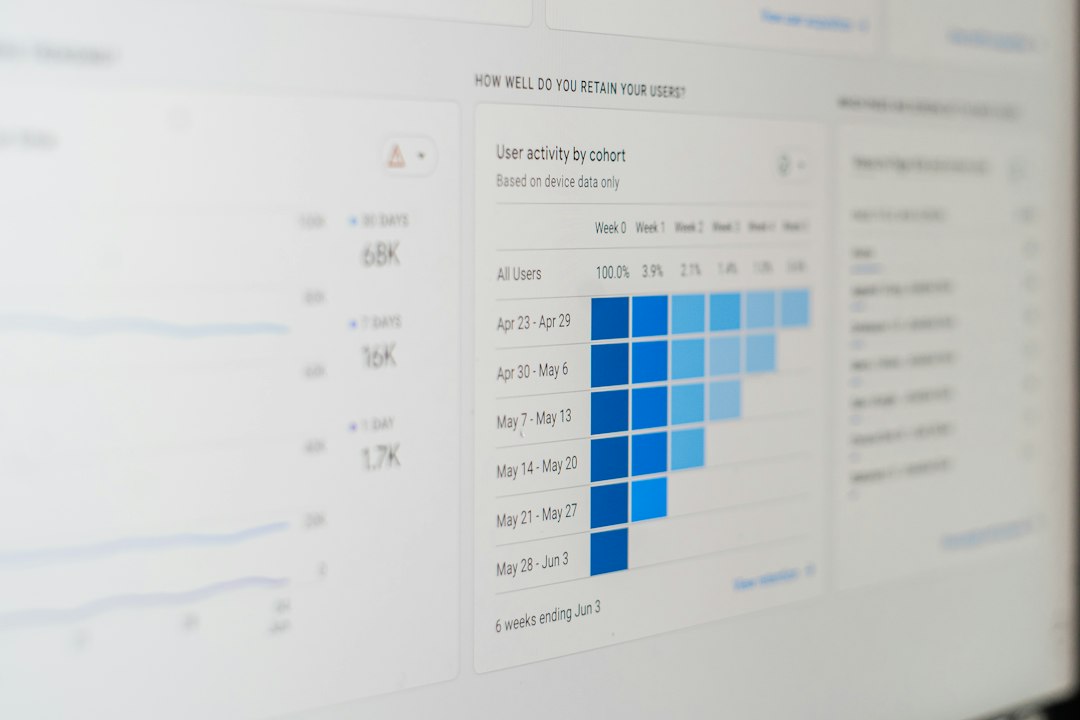
- Google Analytics: Analytics helps you understand audience behavior, traffic sources, engagement, and conversions. While Search Console explains how people find you in search, Analytics shows what they do after they arrive.
- Keyword research tools: Tools such as Google Keyword Planner, Semrush, Ahrefs, Ubersuggest, or similar platforms can help identify search demand, keyword difficulty, related queries, and content opportunities.
- Page speed testing tools: Google PageSpeed Insights, Lighthouse, and GTmetrix can reveal performance issues related to images, scripts, theme code, and layout stability.
- Schema testing tools: Google’s Rich Results Test and Schema Markup Validator help confirm whether structured data is implemented correctly.
These tools are valuable because they provide evidence. Without data, optimization becomes subjective. A serious SEO process should be based on measurable performance, not assumptions about what looks good or sounds popular.
Choosing an SEO-Friendly Blogger Template
Your Blogger template has a direct effect on SEO. A poorly coded theme can slow down pages, create confusing heading structures, generate duplicate elements, or display poorly on mobile devices. Before investing time in content, make sure your template is technically sound.
An SEO-friendly Blogger template should be responsive, lightweight, easy to navigate, and cleanly coded. It should use one clear h1 per page, support readable fonts, avoid excessive animations, and load content without unnecessary scripts. Mobile performance is especially important because Google predominantly evaluates websites from a mobile-first perspective.
When selecting or editing a template, avoid adding too many widgets. Social feeds, sliders, decorative counters, heavy ad scripts, and unnecessary pop-ups can slow the site and harm user experience. A professional blog should prioritize speed, clarity, and trust.
Meta Titles and Descriptions
Meta titles and descriptions remain fundamental. They influence how your pages appear in search results and can affect click-through rate. In Blogger, post titles often become title tags automatically, but you should still write them carefully.
A strong SEO title should be specific, accurate, and aligned with search intent. It should include the main keyword naturally, preferably near the beginning, without sounding forced. For example, instead of writing “My Thoughts About Blog Growth”, a better title might be “Blog Growth Strategies for New Bloggers: Practical SEO and Content Tips”.
Meta descriptions should summarize the value of the article in a compelling but honest way. They do not directly guarantee higher rankings, but they can help users decide whether your page is relevant. Avoid misleading claims. A trustworthy snippet attracts the right visitor and reduces disappointment after the click.
Keyword Research and Search Intent
Keyword research is not simply about finding high-volume phrases. The more important question is: what does the searcher want? This is known as search intent. A person searching for “best SEO tools for Blogger” likely wants recommendations, comparisons, and practical instructions. A person searching for “how to add meta description in Blogger” wants a step-by-step tutorial.
Before writing a post, identify the primary keyword, related secondary keywords, and the likely intent behind the query. Then review the pages already ranking for that keyword. Look at their structure, depth, media, examples, and freshness. Your goal is not to copy them, but to produce something more useful, clearer, and more trustworthy.
Use keywords naturally in the title, introduction, headings, image alt text, and body content. Avoid keyword stuffing. Search engines are sophisticated enough to understand context, synonyms, and topic relationships. Repeating the same phrase unnaturally can make your writing look manipulative and reduce reader confidence.

Content Optimization Strategies
High-quality content remains the foundation of sustainable SEO. Blogger sites that publish thin, generic, or duplicated articles rarely perform well over time. Each post should serve a clear purpose and answer the reader’s question thoroughly.
Use a logical structure with descriptive headings. Start with a clear introduction, explain the main points in an organized order, and include examples where appropriate. For serious topics, cite reputable sources or refer to official documentation when necessary. This improves credibility and helps readers verify important claims.
Formatting also matters. Long, dense blocks of text can discourage readers. Use short paragraphs, bullet points, bold emphasis, and meaningful subheadings. However, formatting should support readability, not create visual clutter. A professional article should feel calm, organized, and easy to scan.
It is also wise to update older content. SEO is not a one-time action. Information changes, competitors improve their pages, and search behavior evolves. Review important posts periodically to refresh outdated instructions, add new examples, improve internal links, and update screenshots if needed.
Image SEO for Blogger
Images can improve comprehension and engagement, but they must be optimized. Large uncompressed images are one of the most common reasons blogs load slowly. Before uploading, resize images to the dimensions actually needed and compress them using reliable image compression tools.
File names should be descriptive. Instead of uploading an image named IMG_9044.jpg, use a meaningful name such as blogger-seo-dashboard.jpg. In Blogger, add alt text that accurately describes the image. Alt text supports accessibility and helps search engines understand visual content.
Do not use images only for decoration. Charts, screenshots, process diagrams, and examples are more valuable because they help readers understand the subject. A serious SEO article should use visuals to clarify information, not merely to fill space.
Internal Linking and Site Structure
Internal links help both readers and search engines discover related content. They distribute authority across your site and clarify topical relationships. For example, an article about Blogger SEO tools could link to related posts on keyword research, image compression, sitemap submission, and content planning.
Use descriptive anchor text. Instead of writing “click here,” use text such as learn how to submit a Blogger sitemap. This gives readers and search engines better context. However, avoid over-optimizing anchor text by repeating the same exact keyword across every link.
A clear navigation menu is also important. Categories, labels, and archive pages should help users find content easily. If your site covers multiple subjects, organize them logically. A confusing structure can weaken user trust and make crawling less efficient.
Technical Optimization
Technical SEO on Blogger includes indexing, sitemap management, robots.txt settings, canonical tags, HTTPS, mobile usability, and page speed. Blogger automatically handles some of these elements, but not all configurations are perfect for every site.
Enable HTTPS to protect visitors and improve trust. Submit your sitemap in Google Search Console, typically using a Blogger sitemap URL. Check whether important pages are indexed and whether low-value pages are appearing unnecessarily. If you customize robots.txt, do so carefully. Incorrect rules can block search engines from crawling important content.
Structured data can also improve search appearance. Depending on your template, Blogger may include some schema markup, but it is worth testing. Article schema, breadcrumb schema, and organization or website schema can help search engines interpret your content more accurately.

Measuring Results and Improving Over Time
SEO improvement should be measured over weeks and months, not hours. Track impressions, clicks, average position, click-through rate, indexed pages, and engagement metrics. Look for patterns. If a page receives many impressions but few clicks, the title and description may need improvement. If visitors arrive but leave quickly, the content may not satisfy intent.
Create a simple review routine. Once a month, examine your top pages, declining pages, and new keyword opportunities. Identify posts that can be expanded, combined, redirected, or updated. This disciplined process is often more effective than constantly publishing new articles without maintaining old ones.
Common Mistakes to Avoid
- Relying on tools alone: Tools can identify issues, but they cannot replace useful content and clear thinking.
- Using overloaded templates: Heavy themes can damage speed and user experience.
- Ignoring mobile users: A blog that works poorly on phones will struggle to build trust.
- Publishing duplicate content: Rewriting the same ideas repeatedly can weaken your site’s authority.
- Chasing keywords without intent: Ranking for the wrong audience rarely creates meaningful results.
Final Thoughts
A successful plugin SEO Blogger strategy is less about finding a magical plugin and more about building a reliable optimization system. Blogger can perform well in search when it is supported by a fast template, properly configured metadata, strong content, optimized images, internal links, and consistent measurement.
The most trustworthy approach is also the most sustainable: publish content that genuinely helps readers, maintain technical quality, and use data to guide improvements. SEO is a long-term discipline. When tools, strategy, and editorial standards work together, a Blogger site can earn visibility, credibility, and lasting organic traffic.