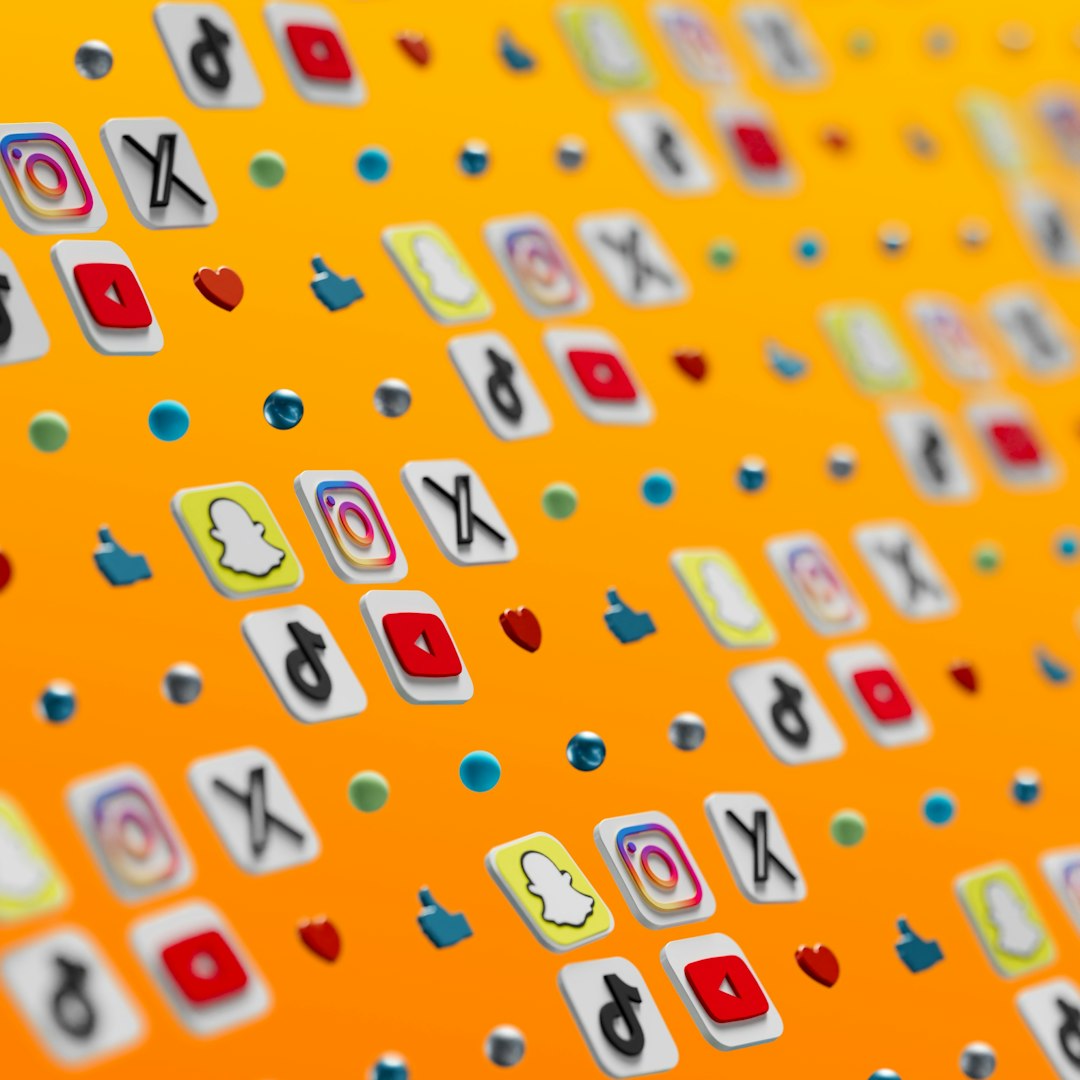
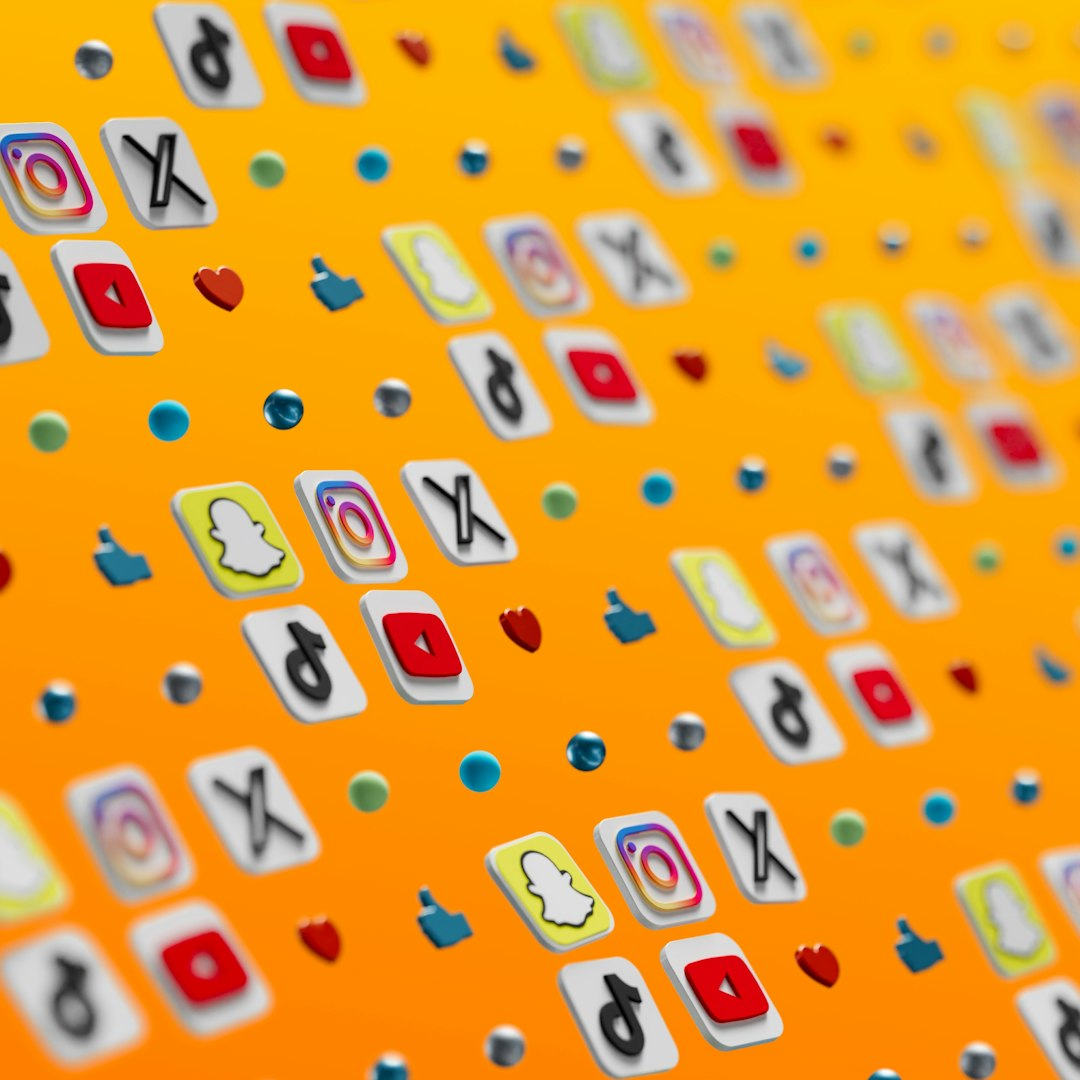
3D social media icons are having a big moment. They are bright. They are bouncy. They feel like tiny toys living on your screen. For designers, they are a fun way to make apps, websites, pitch decks, and brand kits feel more alive.
TLDR: 3D social media icons are getting softer, shinier, cleaner, and more playful. Designers are using glass effects, clay styles, bold colors, and tiny animations to make icons stand out. The best icons still stay simple, clear, and easy to recognize. A good 3D icon should feel fun, but it should never confuse the user.
Why 3D Social Media Icons Are So Popular
Flat icons are still useful. They are clean and fast. But 3D icons add more feeling. They can look friendly. They can look premium. They can look futuristic.
People scroll fast. Very fast. A flat icon may get missed. A chunky 3D icon can catch the eye. It can say, “Hey, look over here!” without shouting too much.
Another reason is simple. Modern screens are better. Colors are richer. Details look sharper. This makes 3D icons more practical than before. Designers can now use texture, shadows, and depth in a smooth way.
There is also a playful side. Social media is about connection. It is about sharing. It is about quick reactions. A 3D icon feels more touchable. It feels ready to tap.
1. Soft Clay Icons
One of the biggest trends is the soft clay look. These icons look like they were made from digital modeling clay. They have smooth corners. They have gentle shadows. They feel warm and handmade.
This style is great for friendly brands. It works well for education, wellness, creators, kids products, and community platforms. It also makes social media icons feel less corporate.
The clay style often uses:
- Rounded shapes
- Soft shadows
- Matte surfaces
- Pastel colors
- Simple details
The key is to avoid too much detail. Clay icons should feel simple. If they get too busy, they lose their charm.
2. Glossy Bubble Icons
Glossy bubble icons are shiny and fun. They look like candy. Or balloons. Or soft plastic buttons from a toy store.
This trend uses bright highlights. It uses smooth reflections. It often has a strong light source. The icon looks polished and cheerful.
Glossy 3D icons are great for bold landing pages. They also work well in app onboarding screens. They can make a dull interface feel exciting.
But be careful. Too much shine can become noisy. The icon still needs to be readable. The social media logo should stay clear.
A good glossy icon has:
- One clear main shape
- One or two strong highlights
- Clean shadows
- High contrast
- A simple background
3. Glassmorphism and Clear Icons
Glassmorphism is still loved by many designers. In 3D social media icons, it creates a clear, frosted, glass-like look. Icons feel light. They feel modern. They feel a little futuristic.
This style works well with dark backgrounds. It also looks great with colorful gradients behind it. The glass effect bends color and light in a pretty way.
Clear icons are often used in tech designs. They fit well in dashboards, crypto products, finance apps, AI tools, and premium brand systems.
To make them work, use strong contrast. A glass icon on a pale background can vanish. Nobody wants to hunt for a social button. Keep the outline visible. Keep the logo readable.
4. Inflated Puffy Shapes
Puffy icons look like soft air-filled objects. Think pool toys. Think cushions. Think friendly blobs with a logo on top.
This trend is playful. It feels casual. It is great for brands that want to feel young and relaxed. It is also useful for social media campaigns, influencer kits, and event pages.
Puffy icons often use large forms and minimal detail. The main power comes from shape, color, and light. The icon should look like it could bounce across the screen.
Designers love this style because it feels happy. It makes digital objects look less cold. It adds personality fast.
5. Miniature Object Icons
Another fun trend is turning social media icons into tiny objects. A message icon may look like a little mailbox. A video platform icon may sit on a tiny TV screen. A chat icon may become a 3D speech bubble toy.
This style adds story. It makes the icon feel like part of a mini world. It can be very cute when done well.
Use this trend for hero sections, illustrations, and campaign graphics. It may not be best for tiny navigation menus. Small icons need to be simple. Mini objects need space to shine.
6. Bold Gradient Colors
Gradients are not new. But in 3D icons, they feel fresh again. A smooth gradient can help show depth. It can make the icon look lit from within.
Popular combinations include:
- Pink and orange
- Purple and blue
- Lime and teal
- Red and magenta
- Yellow and peach
Gradients can make icons feel energetic. They are great for social media because the space is already colorful. A strong gradient can match that mood.
Still, use them with care. If every icon has too many colors, the set can look messy. Pick a color system. Repeat it. Let the icons feel like a family.
7. Dark Mode Friendly Icons
Dark mode is everywhere. Many users prefer it. So designers now create 3D social media icons that look great on dark backgrounds.
These icons often use glowing edges. They use brighter highlights. They may include soft neon reflections. The shadows are deep, but not muddy.
A good dark mode icon should feel crisp. It should not melt into the background. The logo shape should still be easy to spot.
Try these tips:
- Use a bright rim light
- Add a soft glow
- Keep the logo shape bold
- Avoid black on black
- Test the icon at small sizes
8. Clean 3D App Button Sets
Some 3D icons are wild. Others are calm. Clean 3D app button sets are a more practical trend. These icons look like polished buttons. Each one has the same size, angle, and style.
This is useful for interface design. It keeps things neat. A set of social icons should not feel random. The user should know that each icon belongs to the same group.
For a clean set, control the design rules. Use the same corner radius. Use the same shadow direction. Use the same camera angle. This creates harmony.
Consistency may sound boring. It is not. It is what makes a design feel professional.
9. Tiny Animated 3D Icons
Movement is a huge trend. 3D social icons are not just sitting still anymore. They wiggle. They pop. They spin. They bounce when clicked.
Animation can make a page feel alive. It is perfect for hover effects. It is also great for loading screens, product tours, and social sharing areas.
But keep movement small. A tiny bounce is charming. A wild spin can be annoying. Users came to do something. Do not distract them too much.
Good micro animations include:
- A soft hover lift
- A small click press
- A smooth shadow shift
- A gentle rotation
- A quick sparkle effect
The best motion feels natural. It should help the user. It should not steal the show.
10. Isometric Social Icons
Isometric design gives icons a fixed 3D angle. It feels tidy and structured. It is perfect for illustrations, maps, dashboards, and tech layouts.
Isometric social media icons feel more organized than freeform 3D icons. They can show depth without looking too playful. This makes them useful for business brands that still want some visual fun.
The isometric trend works best in sets. One icon alone can look nice. A whole set can look amazing. It creates a little system that feels smart and balanced.
11. Mixed 2D and 3D Styles
Not every icon needs to be fully 3D. A popular trend is mixing flat logos with 3D containers. For example, the logo stays flat and simple. The button behind it becomes soft, shiny, or raised.
This is a smart approach. It keeps the brand mark readable. It also adds depth without making the icon too complex.
This style works well for real social platforms because their logos are already familiar. You do not want to redesign them so much that users feel lost.
12. Retro 3D Icons
Retro 3D is back. Think early web buttons, jelly shapes, old game menus, and shiny desktop icons. The style feels nostalgic. It is a little silly. That is part of the fun.
Retro icons often use strong outlines, high gloss, big shadows, and bright colors. They can make a design feel playful and bold.
This trend is great for music, fashion, gaming, and creator brands. It is not always right for serious industries. But when it fits, it really pops.
13. Minimal 3D Icons
Minimal 3D icons are simple, calm, and elegant. They use depth in a quiet way. The shadows are soft. The colors are limited. The details are reduced.
This trend is strong because many brands want polish without clutter. Minimal 3D gives them that. It feels modern but not loud.
Use this style when the layout already has lots of content. The icon can add depth without fighting with the text.
Design Tips for Better 3D Social Icons
Trends are useful. But good design still needs strong basics. A trendy icon can fail if it is not clear.
Keep these tips in mind:
- Start with the silhouette. The shape should be easy to read.
- Use one main light source. This keeps shadows believable.
- Test small sizes. Social icons often appear tiny.
- Match the brand mood. A legal firm may not need candy icons.
- Build a set. Icons should feel related.
- Do not overdo texture. Too much detail can look messy.
- Keep accessibility in mind. Contrast matters.
Common Mistakes to Avoid
3D design can be exciting. It can also go wrong fast. Too many effects can make an icon look cheap. Too many colors can hurt the eyes. Too much realism can slow down the design process.
Here are common mistakes:
- Using blurry logos
- Making icons too heavy for the layout
- Adding random shadows
- Mixing too many 3D styles
- Ignoring dark mode
- Forgetting mobile screens
Simple is usually better. Make the icon delightful. Then stop. Do not keep adding effects just because you can.
Where Designers Can Use 3D Social Media Icons
These icons are useful in many places. They can make a design feel more polished right away.
Try them in:
- Website footers
- Landing page hero sections
- App onboarding screens
- Social sharing buttons
- Creator media kits
- Presentation slides
- Email headers
- Brand guideline pages
- Marketing banners
The trick is placement. A 3D icon needs breathing room. Do not squeeze it into a crowded corner. Let it be seen.
Final Thoughts
3D social media icons are more than decoration. They help set mood. They make interfaces feel touchable. They can also add joy to a simple page.
The top trends are soft, shiny, puffy, glassy, animated, and clean. Each one has a different personality. Pick the style that fits the project. Do not chase every trend at once.
Great 3D icons feel fun. They also stay useful. That is the magic mix. Make them bright. Make them clear. Make them easy to tap. And, most of all, make them feel like they belong.