
In the earlier days of search engine optimization, Google Webmaster Tools included a report called Content Keywords. It listed the words Google found most often while crawling a website, giving site owners a rough sense of how Google interpreted the site’s content. For many marketers, it became a quick diagnostic tool for spotting irrelevant terms, hacking traces, or unexpected crawl signals.
TLDR: Google removed the Content Keywords report from Google Webmaster Tools, now known as Google Search Console, because it had become less useful and was often misunderstood. The feature did not show ranking keywords or search queries; it only showed words Google detected on crawled pages. Modern Search Console reports, especially the Performance and URL Inspection tools, replaced much of its practical value. Today, site owners should focus on search queries, indexed pages, content quality, and technical health rather than keyword frequency lists.
What Was the Content Keywords Report?
The Content Keywords report was a legacy feature inside Google Webmaster Tools. It displayed a list of terms that appeared frequently across a website, based on Google’s crawl of the site’s pages. The report also showed variations and related examples of how those terms appeared.
Its main purpose was not to reveal what people searched for. Instead, it helped indicate what Googlebot discovered in the site’s visible and crawlable content. If a website about gardening showed keywords such as roses, soil, plants, and compost, the report confirmed that Google was detecting a relevant theme. If the same site suddenly showed terms related to pharmaceuticals, gambling, or malware, it could suggest hacked pages, spam injections, or crawl problems.
Why Did Google Remove Content Keywords?
Google officially retired the Content Keywords report from Search Console because the feature had become outdated. As Google’s systems improved, a simple list of repeated terms no longer represented how the search engine understood content. Google had moved far beyond basic keyword frequency and was increasingly relying on context, entities, natural language processing, links, structured data, and user intent.
Another issue was confusion. Many site owners believed the report showed the keywords their site ranked for, or the terms people used to find them in Google Search. That was not the case. Content Keywords showed words found on a site, not queries that generated impressions or clicks. This misunderstanding often led to poor SEO decisions, including keyword stuffing and unnecessary editing based on word counts.
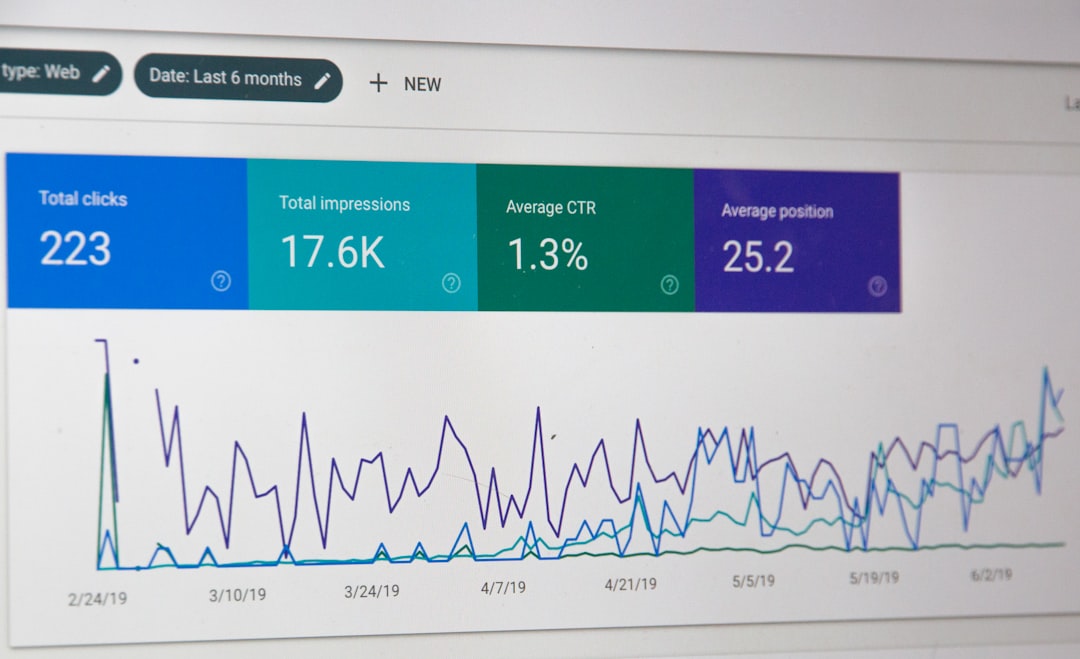
Google also introduced stronger tools that provided clearer, more useful information. The Performance report showed real search queries, impressions, clicks, click-through rate, and average position. The URL Inspection tool allowed individual page analysis. Security and manual action reports became better at identifying hacked content and penalties. As these tools improved, the old Content Keywords report had little reason to remain.
Did the Removal Mean Keywords No Longer Matter?
The removal did not mean that keywords stopped mattering. It meant that keyword frequency alone was no longer a reliable way to evaluate content. Google still uses words on a page to understand topic relevance, but it also analyzes meaning, structure, search intent, freshness, credibility, and how well the page satisfies a user’s need.
In modern SEO, a page about home insulation should naturally include terms such as insulation, energy efficiency, attic, walls, and heat loss. However, repeating those words excessively is not a strategy. Search engines are better at understanding synonyms, related concepts, and the overall usefulness of the page. A strong page answers questions, organizes information clearly, and demonstrates topical depth.
What Replaced Content Keywords?
No single report directly replaced Content Keywords, but several Google Search Console features now provide better insights:
- Performance report: Shows the actual queries that generated impressions and clicks from Google Search.
- Pages report: Shows indexed and non-indexed pages, helping identify crawling and indexing issues.
- URL Inspection tool: Provides details about a specific page’s indexing status, crawl information, canonical selection, and live availability.
- Security Issues report: Helps detect hacked content, malware, and deceptive pages.
- Manual Actions report: Alerts site owners if Google has applied a manual penalty.
Together, these reports offer a more accurate picture than a simple keyword list. They show how pages perform, whether Google can access them, and whether the site has technical or security problems.

How Site Owners Can Check Content Relevance Today
Without the old Content Keywords report, site owners can still assess whether Google is likely to understand their content correctly. The first step is reviewing the Performance report in Google Search Console. If a page receives impressions for relevant queries, it is usually a sign that Google associates the content with the intended topic.
Another method is to inspect important pages manually. Titles, headings, introductory paragraphs, image alt text, internal links, and structured data should all support the same central theme. If a page is about dental implants but its headings, links, and body copy drift into unrelated topics, search engines and readers may both find it less useful.
Site owners can also use crawling software, content auditing tools, and on-page SEO platforms to identify repeated terms, missing headings, duplicate titles, and thin content. These tools should be treated as diagnostic aids rather than strict rulebooks. The goal is not to hit a specific keyword density, but to create clear, comprehensive, user-focused content.
How the Change Affected SEO Strategy
The disappearance of Content Keywords reflected a broader shift in SEO. Older optimization often focused on whether a page contained the right words enough times. Modern optimization focuses on whether the page satisfies intent better than competing results.
This shift encouraged content teams to think in terms of topics rather than isolated keywords. A page targeting small business accounting software may also need to discuss invoicing, tax reporting, payroll, integrations, pricing, security, and customer support. These related ideas help search engines understand depth and help visitors make informed decisions.
The change also reduced reliance on misleading metrics. A keyword list could make a site appear relevant even when the content was shallow, duplicated, or poorly organized. Modern reports make it easier to see whether real users are finding the site and whether Google is indexing the right pages.
What If a Site Owner Misses the Old Report?
Some site owners still miss Content Keywords because it was simple and easy to understand. It provided a quick snapshot of recurring terms across a site. However, simplicity was also its weakness. It could not show intent, rankings, engagement, click behavior, or the difference between helpful repetition and spam-like overuse.
A practical replacement workflow would include checking Search Console queries, reviewing top landing pages, inspecting index coverage, and periodically scanning the site for unwanted or suspicious content. This process offers a more complete view than the retired report ever could.

FAQ
What happened to Google Webmaster Tools Content Keywords?
Google removed the Content Keywords report from Search Console because it was outdated and often misunderstood. It no longer reflected how Google evaluates content.
Was Content Keywords the same as search queries?
No. Content Keywords showed words Google found while crawling a site. Search queries show what users typed into Google before seeing or clicking a site’s pages.
When did Google Webmaster Tools become Google Search Console?
Google renamed Webmaster Tools to Google Search Console in 2015 to better reflect its wider audience, including marketers, developers, business owners, and SEO professionals.
Can Content Keywords still be accessed?
No. The report was retired and is no longer available in Google Search Console.
What is the best alternative to Content Keywords?
The best alternative is the Performance report in Google Search Console, combined with URL Inspection, indexing reports, and content audits.
Should websites still use keywords in content?
Yes, but naturally. Keywords should help clarify the topic, not be repeated mechanically. Modern SEO rewards useful, relevant, well-structured content that matches search intent.