






Blog

  • Greek Track Review: Features and Membership Management Tools

    Greek Track Review: Features and Membership Management Tools

    Managing a fraternity or sorority chapter has always required a mix of organization, communication, accountability, and tradition. Between collecting dues, tracking attendance, planning events, assigning tasks, managing member records, and keeping alumni engaged, chapter officers often juggle more tools than they would like. Greek Track aims to bring those responsibilities into one centralized platform designed specifically for Greek life organizations.

    TLDR: Greek Track is a membership management platform built for fraternities, sororities, and Greek councils that need better organization across dues, events, attendance, communication, and member records. Its strongest value is in replacing scattered spreadsheets and group chats with a more structured, officer-friendly system. While it may take some setup time, chapters that use its tools consistently can gain clearer records, improved accountability, and smoother operations.

    What Is Greek Track?

    Greek Track is a chapter management software platform created to help Greek organizations handle day-to-day administrative work. Rather than being a generic club management tool, it focuses on the specific needs of fraternities and sororities, including roster management, event attendance, service hours, finances, officer workflows, and member communication.

    The platform is especially useful for chapters that have outgrown spreadsheets, paper sign-in sheets, informal payment tracking, or scattered messaging apps. Greek organizations often have rotating leadership, which means systems can fall apart when a treasurer, secretary, or president graduates. Greek Track helps preserve structure by keeping chapter data in one place and making it easier for new officers to step into their roles.

    Image not found in postmeta

    First Impressions and Usability

    One of the first things users are likely to notice about Greek Track is that it is built around practical administrative needs rather than flashy extras. The interface is typically organized around main chapter functions, such as members, events, finances, reports, and communication. This makes it relatively easy for officers to find what they need without digging through unnecessary menus.

    For new users, the learning curve depends on how organized the chapter already is. A chapter with clean rosters, defined officer responsibilities, and established attendance policies may adapt quickly. A chapter moving from years of scattered spreadsheets may need more time to import information, clean up member records, and set up categories correctly.

    Still, once the initial setup is complete, the platform can save considerable time. Instead of asking, “Who has the latest dues spreadsheet?” or “Where is the service hour log?”, officers can refer to a shared system with updated information.

    Membership Management Tools

    The core strength of Greek Track is its membership management functionality. Greek chapters rely heavily on accurate member records, and Greek Track provides tools for maintaining detailed profiles. These profiles can include contact information, class year, initiation status, officer positions, attendance records, financial standing, and other custom details relevant to the chapter.

    For officers, this central database is one of the most valuable features. It allows them to quickly answer questions such as:

    • Who is an active member this semester?
    • Which members are new, initiated, inactive, or alumni?
    • Who has outstanding dues?
    • Which members have fulfilled attendance or service requirements?
    • Who should receive specific announcements?

    This level of organization is particularly useful during transitions between semesters. When executive boards change, the new officers do not have to rebuild membership records from scratch. Instead, they inherit a working system that can be updated as members graduate, go inactive, or take on leadership roles.

    Attendance Tracking and Event Management

    Attendance is one of the most common administrative headaches in Greek life. Chapters often need to track attendance for meetings, recruitment events, rituals, philanthropy events, workshops, social functions, and council requirements. Greek Track addresses this with event management and attendance tracking tools.

    Officers can create events, invite members, and record participation. Depending on how a chapter uses the system, attendance may be tracked manually or through digital check-ins. The practical value here is not just knowing who attended an event, but being able to generate a history of participation over time.

    This can help with accountability. For example, if a chapter requires members to attend a certain number of philanthropy events or chapter meetings, officers can review attendance data rather than relying on memory or informal lists. It can also reduce disputes, since records are easier to verify when they are stored consistently.

    Financial and Dues Management

    Collecting dues is another major responsibility for Greek organizations, and it can become complicated quickly. Members may owe different amounts based on status, payment plans, housing, late fees, merchandise, formal tickets, or national organization fees. Greek Track includes financial management tools that help chapters track balances and payments more clearly.

    For treasurers, the ability to see who has paid and who still owes money is a major improvement over manually updating a spreadsheet. A centralized financial record can also make it easier to send reminders, prepare reports, and maintain continuity from one treasurer to the next.

    The most important benefit is transparency. Members are less likely to be confused about their balances when records are organized and accessible. Officers can also avoid awkward situations where payment information is lost, duplicated, or recorded incorrectly.

    That said, chapters should still establish clear internal financial policies. Software can track dues and payments, but it cannot replace the need for approved budgets, documented procedures, and responsible oversight. Greek Track works best when paired with sound financial practices.

    Communication Features

    Greek organizations communicate constantly. Officers need to send announcements, reminders, event updates, emergency changes, billing notices, and recruitment information. Greek Track offers communication features that help chapters reach the right people without relying entirely on informal group chats.

    The advantage of communication through a management platform is targeting. Instead of sending every message to the entire chapter, officers can communicate with specific groups, such as new members, executive board members, committee members, or members who have not completed a requirement.

    This reduces noise and helps important messages stand out. In many chapters, group chats become crowded with casual conversation, making it easy for official announcements to get buried. A structured communication tool gives officers a more formal channel for important updates.

    Service Hours and Requirement Tracking

    Many Greek organizations have participation requirements related to service, philanthropy, academics, risk management education, and campus involvement. Greek Track can help chapters record and monitor these obligations. This is especially helpful when requirements affect good standing, eligibility for events, or recognition by a university or national organization.

    Tracking requirements in one place helps officers identify issues early. If a member is falling behind on service hours, attendance, or financial obligations, the chapter can address it before the end of the semester. This makes enforcement feel more consistent and less personal because decisions are based on recorded data.

    For chapters that report service or philanthropy participation to a larger governing body, organized records can also simplify reporting. Rather than compiling totals at the last minute, officers can maintain updated information throughout the term.

    Reporting and Officer Transitions

    One of the underrated benefits of Greek Track is its usefulness during officer transitions. Greek chapters are constantly changing leadership, and institutional knowledge can disappear quickly when graduating seniors leave. Reports, records, and historical data help preserve continuity.

    With Greek Track, officers can generate summaries related to membership, finances, attendance, events, and participation. These reports can support executive board meetings, advisor check-ins, standards reviews, and planning sessions. They also help chapters make decisions based on facts rather than assumptions.

    For example, a chapter may discover that attendance is strongest on certain days of the week, that dues collection improves after automated reminders, or that a specific philanthropy event consistently attracts strong participation. Over time, this data can guide better planning.

    Who Should Use Greek Track?

    Greek Track is best suited for chapters that want more structure and are willing to commit to using a centralized system. It can be valuable for small chapters, but it becomes especially useful as membership grows and administrative responsibilities become more complex.

    Greek Track may be a strong fit for:

    • Fraternity and sorority chapters that need better roster and attendance management.
    • Treasurers who want clearer dues tracking and financial records.
    • Secretaries responsible for minutes, attendance, and member information.
    • Standards or accountability boards that need accurate participation records.
    • Greek councils overseeing multiple chapters or shared requirements.
    • Advisors who want better visibility into chapter operations.

    However, the platform may be less useful for chapters that are very small, highly informal, or unwilling to maintain updated records. Like any management system, Greek Track is only as effective as the data entered into it. If officers do not consistently use the tools, the platform’s value decreases.

    Strengths of Greek Track

    Greek Track’s biggest strength is that it understands the operational rhythm of Greek life. It is not simply a generic database with a few renamed fields. Its features align with the way chapters actually function: members join, requirements are assigned, dues are collected, events are hosted, attendance is expected, and officers must report on progress.

    Key strengths include:

    • Centralized records: Member data, attendance, dues, and requirements can live in one place.
    • Greek-specific structure: The platform is designed around chapter operations rather than general business use.
    • Improved accountability: Officers can rely on documented records instead of informal tracking.
    • Leadership continuity: New officers can inherit organized data and processes.
    • Time savings: Routine administrative tasks become easier to manage and review.

    Potential Drawbacks

    No platform is perfect, and Greek Track does have potential limitations. The most obvious is setup effort. Chapters may need to import member data, define categories, configure permissions, and train officers. If the chapter has messy historical records, this process can take time.

    Another consideration is adoption. Members and officers must actually use the platform for it to work well. If half the chapter relies on Greek Track while the other half continues using old spreadsheets or message threads, information can become fragmented again.

    Some users may also prefer a more modern or highly polished interface, depending on their expectations. Greek Track appears to prioritize function over style, which is not necessarily a problem, but chapters looking for a sleek consumer-app feel may need to adjust expectations.

    Final Verdict

    Greek Track is a practical and valuable management platform for Greek organizations that want better control over membership records, attendance, dues, events, and chapter requirements. Its greatest benefit is not any single feature, but the way it brings essential chapter operations together in one organized system.

    For officers, it can reduce confusion, save time, and make accountability easier. For members, it can provide clearer expectations and better communication. For advisors and future leaders, it creates a stronger record of how the chapter operates.

    Greek Track is most effective when a chapter treats it as an official source of truth rather than an optional side tool. With consistent use, it can help fraternities and sororities move away from scattered administration and toward a more professional, transparent, and sustainable way of managing chapter life.

  • ADPvantage Review: Payroll and HR Features Explained

    ADPvantage Review: Payroll and HR Features Explained

    For growing and enterprise-level organizations, payroll and HR management can quickly become a maze of compliance rules, employee data, benefit elections, tax requirements, and workforce reporting. ADPvantage, commonly associated with ADP’s broader human capital management ecosystem, is designed to bring many of those moving pieces into one centralized platform. This review explains how its payroll and HR features work, where it stands out, and what businesses should consider before adopting it.

    TLDR: ADPvantage is a robust payroll and HR solution best suited for mid-sized to large organizations that need advanced compliance support, employee management tools, benefits administration, and reporting. Its biggest strengths are payroll accuracy, tax handling, HR centralization, and scalability. However, smaller businesses may find it more complex than necessary, and pricing typically depends on company size and selected modules.

    What Is ADPvantage?

    ADPvantage is an HR and payroll platform built to help organizations manage the employee lifecycle, from hiring and onboarding to payroll processing, benefits, performance tracking, and workforce analytics. It is often used by companies that have outgrown basic payroll software and need stronger support for multi-state operations, compliance, and HR administration.

    The platform is part of ADP’s long-standing presence in payroll and human capital management. That matters because payroll is not just about paying employees on time; it is also about calculating taxes, filing reports, tracking deductions, maintaining records, and staying compliant with changing labor laws. ADPvantage aims to simplify these responsibilities by combining automation with professional-grade HR tools.

    Unlike lightweight payroll apps made primarily for small teams, ADPvantage is better positioned for organizations with more complex workforce needs. These may include multiple job types, locations, pay policies, benefit plans, union rules, or approval workflows.

    Image not found in postmeta

    Payroll Features Explained

    Payroll is one of the strongest areas of ADPvantage. The system is built to handle both routine pay runs and more complicated payroll scenarios. For companies with salaried employees, hourly workers, bonuses, commissions, overtime, and deductions, this can be a major advantage.

    Key payroll features typically include:

    • Automated payroll processing: Businesses can calculate wages, deductions, taxes, and net pay with fewer manual steps.
    • Tax filing support: ADP can help calculate, file, and deposit federal, state, and local payroll taxes.
    • Direct deposit: Employees can receive payments electronically, reducing paper checks and administrative work.
    • Wage garnishment administration: The platform can help manage court-ordered deductions and compliance requirements.
    • Multi-jurisdiction payroll: Useful for companies operating in several states, cities, or tax regions.
    • Payroll reporting: HR and finance teams can generate reports for audits, budgeting, and internal review.

    One of the most useful aspects of the payroll module is its ability to reduce repetitive work. Instead of manually entering the same payroll information each cycle, administrators can use stored employee records, pay rules, and automated calculations. This can help prevent costly errors, especially in organizations with large headcounts.

    That said, payroll automation still depends on accurate setup. Pay codes, employee classifications, tax locations, deductions, and benefit contributions must be configured correctly. Companies should plan carefully during implementation to ensure the system reflects their actual payroll policies.

    HR Management Capabilities

    Beyond payroll, ADPvantage offers a range of HR tools designed to centralize employee information and streamline administrative tasks. Instead of keeping employee data scattered across spreadsheets, emails, filing cabinets, and separate systems, HR teams can manage records in one place.

    Core HR features may include:

    • Employee profiles: Store contact information, job details, compensation history, department data, and employment status.
    • Document management: Maintain important HR documents, policy acknowledgments, and employment records.
    • Organizational charts: View reporting relationships and team structures.
    • Employee self-service: Allow workers to update personal details, view pay information, access tax forms, and review benefits.
    • Manager self-service: Enable supervisors to approve requests, access team information, and support HR workflows.

    Employee self-service is especially valuable for HR departments that receive the same questions repeatedly: “Where is my pay stub?” “How do I update my address?” “Can I download my W-2?” By giving employees access to their own information, ADPvantage can reduce routine HR requests and free teams to focus on strategic work.

    For managers, centralized HR data can also improve decision-making. Instead of chasing information across departments, they can access relevant workforce details through approved permissions. This is helpful for monitoring staffing levels, salary changes, and employment status updates.

    Benefits Administration

    Benefits administration is another important feature area. Managing health insurance, retirement plans, life insurance, flexible spending accounts, and other benefits can be time-consuming, particularly during open enrollment. ADPvantage helps organize this process and connect benefit elections with payroll deductions.

    Benefits tools often support:

    • Open enrollment setup and communication
    • Employee benefit plan selection
    • Eligibility tracking
    • Carrier connection or data exchange options
    • Payroll deduction integration
    • Reporting for HR and finance teams

    The integration between benefits and payroll is a major practical advantage. When an employee selects a benefit plan, the related deduction can flow into payroll, reducing manual data entry and the risk of mismatch between HR records and paycheck deductions.

    Image not found in postmeta

    Time and Attendance Integration

    Payroll depends heavily on accurate time data. For hourly workers, overtime rules, shift differentials, paid time off, and attendance records must be tracked correctly. ADPvantage can integrate with time and attendance solutions, allowing approved hours to feed into payroll.

    This is especially useful for employers with non-exempt employees, variable schedules, or multiple worksites. When time data is connected to payroll, companies can reduce the need for duplicate entry and improve accuracy. Managers can review hours, approve timesheets, and help ensure payroll is based on verified information.

    For businesses with complex labor rules, this feature can be one of the most important reasons to choose a more advanced platform. Manual time tracking may work for a small office, but it becomes risky when hundreds or thousands of employees are involved.

    Talent and Workforce Management

    Depending on the selected modules and configuration, ADPvantage may also support broader talent management functions. These tools help organizations manage people beyond basic HR records and payroll.

    Talent-related capabilities may include:

    1. Recruiting support: Track candidates, manage job postings, and support hiring workflows.
    2. Onboarding: Guide new hires through forms, policy reviews, and first-day preparation.
    3. Performance management: Support reviews, goals, and manager feedback.
    4. Learning and development: Track training activities or required certifications.
    5. Succession planning: Identify potential future leaders and plan for workforce continuity.

    These features can help HR teams move from reactive administration to proactive workforce planning. For example, performance data can inform promotion decisions, training needs, and retention strategies. Onboarding tools can also create a smoother employee experience from the beginning, which may improve engagement and reduce early turnover.

    Reporting and Analytics

    Data is one of the most valuable assets in HR, but it is only useful when it is accessible and understandable. ADPvantage provides reporting tools that help organizations analyze payroll costs, headcount, turnover, benefits participation, overtime, and other workforce metrics.

    Common reporting uses include:

    • Reviewing payroll expenses by department or location
    • Tracking overtime trends
    • Monitoring employee turnover
    • Preparing compliance reports
    • Analyzing benefits enrollment
    • Supporting budgeting and workforce planning

    For executives, analytics can turn HR from a back-office function into a strategic resource. Leaders can see where labor costs are rising, which departments are understaffed, or whether turnover is increasing in specific roles. This kind of insight can support better planning and more informed business decisions.

    Image not found in postmeta

    Compliance Support

    Compliance is one of the main reasons companies choose established payroll and HR providers. Employers must manage tax requirements, wage and hour rules, employment eligibility, recordkeeping, benefits regulations, and more. Mistakes can lead to penalties, audits, and employee dissatisfaction.

    ADPvantage can help with compliance by maintaining organized records, supporting payroll tax administration, tracking employee classifications, and generating reports. Its tools are particularly useful for companies operating across multiple states or regions, where employment rules can vary significantly.

    However, it is important to understand that software does not replace legal judgment. ADPvantage can provide structure, automation, and documentation, but employers are still responsible for making correct policy decisions and ensuring their practices comply with applicable laws.

    User Experience and Ease of Use

    ADPvantage is powerful, but that power can come with a learning curve. Users accustomed to simple payroll apps may find the platform more complex at first. The system includes many options, settings, workflows, and reports, which can feel overwhelming without proper training.

    For HR and payroll professionals, the depth of functionality is often worth it. Once configured, the system can streamline many recurring tasks. Employee and manager self-service also makes the experience more efficient across the organization.

    Implementation quality plays a major role in the user experience. Companies should assign internal project owners, clean up existing employee data, review pay policies, and document workflows before launching. A thoughtful rollout can make the difference between a smooth transition and a frustrating one.

    Pricing and Value

    ADPvantage pricing is generally customized rather than publicly listed as a simple flat rate. Costs can vary based on company size, selected modules, payroll frequency, implementation needs, integrations, and service level. This is common for enterprise-focused HR platforms.

    While it may cost more than basic payroll software, the value comes from its breadth of features and scalability. For organizations that need payroll, HR, benefits, compliance support, and reporting in one environment, the investment may be justified by time savings, reduced errors, and improved visibility.

    Best fit organizations usually include:

    • Mid-sized to large businesses
    • Companies with multi-state payroll
    • Organizations with complex benefits offerings
    • Businesses that need stronger HR reporting
    • Employers seeking employee and manager self-service

    Less ideal users may include:

    • Very small businesses with simple payroll needs
    • Teams wanting a basic, low-cost payroll-only tool
    • Organizations without the resources to support implementation

    Pros and Cons

    Pros:

    • Strong payroll processing and tax support
    • Centralized employee records
    • Useful benefits administration features
    • Scalable for larger organizations
    • Employee and manager self-service options
    • Robust reporting and workforce analytics

    Cons:

    • May be too complex for small businesses
    • Pricing is not always transparent upfront
    • Implementation can require significant planning
    • Some features may depend on selected modules

    Final Verdict

    ADPvantage is a comprehensive payroll and HR platform designed for organizations that need more than basic paycheck processing. Its strengths lie in payroll automation, compliance support, HR data management, benefits administration, and reporting. For businesses with complex workforce needs, it can provide the structure and scalability required to manage employees more effectively.

    The platform is not necessarily the simplest or cheapest option, and smaller companies may prefer a lighter solution. But for mid-sized and larger employers, ADPvantage offers a serious, feature-rich approach to human capital management. With careful implementation and the right modules, it can help companies reduce administrative burden, improve payroll accuracy, and gain clearer insight into their workforce.

  • How Generative AI Expands Through Superior Customer Satisfaction

    How Generative AI Expands Through Superior Customer Satisfaction

    Across industries, generative AI is expanding not merely because it is novel, but because it is increasingly tied to one of the oldest drivers of business growth: superior customer satisfaction. When customers receive faster answers, more relevant recommendations, clearer support, and personalized experiences, they are more likely to trust a brand, return to it, and recommend it to others. Generative AI strengthens these outcomes by helping organizations deliver service that feels more responsive, contextual, and scalable.

    TLDR: Generative AI grows fastest when it improves the customer experience in measurable ways. It helps organizations deliver personalized support, faster responses, smarter content, and more consistent service across channels. As satisfaction rises, adoption expands because customers reward convenience, accuracy, and relevance. The most successful organizations use generative AI not as a replacement for human care, but as a tool that enhances it.

    Customer Satisfaction as the Engine of AI Adoption

    Generative AI has moved from experimental technology to a practical tool because it solves problems that directly affect customers. A customer may not care whether a company uses a large language model, a virtual assistant, or an automated content system. The customer cares whether the experience is easy, fast, helpful, and pleasant. When generative AI improves those qualities, its use spreads naturally.

    This expansion is different from technology adoption driven only by internal efficiency. While businesses often introduce automation to reduce costs, generative AI gains long-term value when it also improves the emotional and practical experience of the customer. A chatbot that simply deflects requests may frustrate users. A conversational assistant that understands intent, provides accurate guidance, and escalates complex issues to a human agent can increase satisfaction and loyalty.

    Image not found in postmeta

    Personalization at a Larger Scale

    One of the strongest ways generative AI improves satisfaction is through personalization. Customers increasingly expect brands to remember preferences, understand past behavior, and respond with relevant information. Traditional personalization systems often relied on limited templates or broad customer segments. Generative AI can create more flexible, context-aware responses that feel tailored to the individual.

    For example, an online retailer can use generative AI to explain product differences based on a shopper’s needs, budget, style preferences, and previous purchases. A travel company can generate itinerary suggestions that reflect a customer’s schedule, interests, and comfort level. A financial platform can provide plain-language explanations of complex topics based on the customer’s knowledge level.

    This type of personalization contributes to satisfaction because it reduces friction. Customers spend less time searching, comparing, and interpreting information. They feel understood, which can increase confidence in the brand. When customers receive value quickly, they are more likely to continue using the product or service, causing generative AI systems to become more embedded in the customer journey.

    Faster Responses Without Sacrificing Quality

    Speed is a major factor in satisfaction. Customers often judge service quality by how quickly a company responds, especially in moments of uncertainty or frustration. Generative AI enables organizations to provide instant assistance across websites, apps, email, messaging platforms, and voice interfaces.

    However, speed alone is not enough. A fast but inaccurate answer damages trust. The expansion of generative AI depends on the system’s ability to combine quick responses with useful, grounded information. Organizations that connect AI systems to approved knowledge bases, product documentation, customer history, and escalation workflows can deliver faster support while maintaining quality.

    In many cases, generative AI handles routine questions such as order status, return policies, troubleshooting steps, appointment scheduling, and account guidance. Human agents can then focus on emotionally sensitive, unusual, or high-value issues. This balance improves satisfaction for both customers and employees. Customers receive quicker help, while human teams spend more time solving problems that require judgment and empathy.

    Consistency Across Every Customer Touchpoint

    Customers interact with brands through many channels, including websites, social media, mobile apps, live chat, email, call centers, and in-person locations. Inconsistent information across these touchpoints can create confusion and dissatisfaction. Generative AI can help standardize communication while still adapting tone and format to each channel.

    A customer asking about a warranty should receive the same core answer whether the question is asked through chat, email, or a support portal. Generative AI can transform approved information into different formats while keeping the meaning consistent. It can write a concise chat response, a detailed email explanation, or a step-by-step support article using the same source material.

    Consistency builds trust. When customers repeatedly receive accurate and aligned information, they are more likely to view the organization as reliable. This reliability feeds adoption because customers become more comfortable interacting with AI-powered systems.

    Better Self-Service Experiences

    Many customers prefer self-service when it is easy and effective. They may not want to wait for an agent if they can solve an issue on their own in a few minutes. Generative AI improves self-service by replacing rigid search boxes and static FAQ pages with conversational guidance.

    Instead of forcing customers to guess the right keywords, generative AI allows them to describe a problem in natural language. The system can interpret the request, ask clarifying questions, and provide relevant next steps. This creates a more intuitive experience, especially for customers who are not familiar with technical terms or internal company language.

    • Customers save time by finding answers without navigating complex menus.
    • Organizations reduce support volume by resolving common issues automatically.
    • Agents receive better context when unresolved cases are escalated.
    • Knowledge bases improve as AI highlights gaps in existing content.

    When self-service works well, customers do not feel abandoned. Instead, they feel empowered. That feeling is essential to satisfaction and encourages broader use of AI-assisted service channels.

    Image not found in postmeta

    Emotional Intelligence and Brand Voice

    Customer satisfaction is not only about answers; it is also about how those answers are delivered. Tone can determine whether a customer feels respected or dismissed. Generative AI can help organizations maintain a helpful, empathetic, and brand-consistent voice across large volumes of communication.

    For example, an airline responding to a delayed flight should use language that acknowledges inconvenience. A healthcare provider should communicate with sensitivity and clarity. A software company troubleshooting a technical issue should sound calm, practical, and precise. Generative AI can be trained or guided to reflect these tone requirements while still providing useful information.

    There are limits. AI should not pretend to feel emotions or replace genuine human empathy in sensitive situations. However, it can help ensure that routine communications are not cold, confusing, or overly robotic. When used responsibly, it supports a more human-centered customer experience.

    Customer Feedback Loops Make AI Better

    Generative AI expands through satisfaction because satisfied customers generate more meaningful engagement. Every interaction can provide signals about what customers need, where they struggle, and how well the system performs. Ratings, follow-up questions, complaint patterns, abandoned conversations, and agent corrections can all help improve AI systems.

    Organizations that treat customer feedback as a continuous learning source can refine prompts, update knowledge bases, adjust escalation rules, and improve response quality. This creates a feedback loop: better AI produces better experiences, better experiences produce more usage and feedback, and that feedback produces stronger AI.

    Such improvement requires governance. Companies should monitor accuracy, bias, privacy, and customer outcomes. They should also ensure that customers know when they are interacting with AI and when human support is available. Transparency protects trust, and trust is central to satisfaction.

    How Generative AI Supports Human Teams

    Another reason generative AI expands through better satisfaction is that it improves the employee experience behind customer service. Human agents often face repetitive questions, high ticket volumes, and pressure to respond quickly. Generative AI can summarize customer histories, draft responses, recommend solutions, and translate messages.

    This support helps agents provide faster and more informed service. Instead of searching through multiple systems, an agent can review an AI-generated summary of the issue and focus on resolution. The agent remains responsible for judgment, empathy, and final communication, while AI reduces administrative burden.

    Customers benefit from this collaboration. They do not have to repeat information as often. They receive clearer responses. Complex cases move more smoothly from one department to another. In this way, generative AI does not simply automate the front end of service; it strengthens the entire support ecosystem.

    Trust, Privacy, and Responsible Use

    Superior customer satisfaction cannot exist without trust. If customers believe AI systems misuse data, provide unreliable answers, or make unfair decisions, satisfaction declines quickly. Therefore, responsible implementation is essential to the growth of generative AI.

    Organizations should clearly define what data AI systems can access, how responses are generated, and when human review is required. Sensitive industries such as healthcare, finance, legal services, and education require even stronger controls. Customers should be able to correct information, request human assistance, and understand major decisions that affect them.

    The best AI experiences are not just intelligent; they are accountable. When customers feel protected and respected, they are more likely to accept AI as part of the service experience.

    Image not found in postmeta

    Business Growth Through Satisfaction

    Customer satisfaction drives business outcomes such as retention, repeat purchases, positive reviews, referrals, and higher lifetime value. Generative AI contributes to these outcomes by reducing friction and increasing relevance. In competitive markets, even small improvements in response time, clarity, or personalization can influence customer choice.

    For businesses, this means generative AI should be evaluated not only by cost savings, but also by satisfaction metrics. Important measures may include customer satisfaction scores, net promoter score, first-contact resolution, average response time, conversion rates, churn reduction, and complaint volume. These metrics reveal whether AI is actually improving the experience or merely increasing automation.

    Organizations that focus on satisfaction are more likely to deploy AI thoughtfully. They design experiences around customer needs, test responses carefully, and keep humans available where they matter most. This approach helps generative AI expand in a way that customers welcome rather than resist.

    The Future of Generative AI and Customer Experience

    As generative AI becomes more capable, its role in customer satisfaction will continue to grow. Future systems may anticipate needs more accurately, manage complex service journeys, and coordinate across departments in real time. A customer might be able to describe a goal, such as planning a move, resolving a billing issue, or comparing insurance options, and receive guided support from beginning to end.

    Still, the future will not be defined by automation alone. The organizations that succeed will be those that combine AI efficiency with human values. They will use AI to make experiences simpler, more transparent, and more personal. They will also recognize that satisfaction depends on dignity, choice, and trust.

    Generative AI expands when customers experience it as useful. It becomes powerful when it helps organizations listen better, respond faster, and serve more thoughtfully. In that sense, superior customer satisfaction is not a side effect of AI growth; it is one of the main reasons that growth happens.

    FAQ

    How does generative AI improve customer satisfaction?

    Generative AI improves customer satisfaction by providing faster answers, personalized recommendations, consistent communication, and easier self-service. It can also help human agents work more efficiently by summarizing issues and suggesting relevant responses.

    Can generative AI replace human customer service agents?

    Generative AI can handle many routine tasks, but it should not fully replace human agents. Complex, emotional, sensitive, or high-value issues often require human judgment and empathy. The strongest service models combine AI assistance with human support.

    Why is personalization important for AI-driven customer experiences?

    Personalization helps customers feel understood. When AI can tailor responses, recommendations, and explanations to an individual’s needs, the experience becomes more relevant and less frustrating.

    What risks can reduce customer satisfaction with generative AI?

    Common risks include inaccurate answers, poor data privacy, lack of transparency, robotic tone, and difficulty reaching a human agent. These risks can be reduced through strong governance, quality control, and clear escalation options.

    How should organizations measure AI’s impact on satisfaction?

    Organizations can measure impact through customer satisfaction scores, net promoter score, first-contact resolution, response time, retention, conversion rates, and complaint trends. The most useful measurements connect AI performance directly to customer outcomes.

  • Achieve Macmillan Learning: Student Success Guide

    Achieve Macmillan Learning: Student Success Guide

    College courses move quickly, and the difference between keeping up and feeling overwhelmed often comes down to how well you use the tools available to you. Achieve by Macmillan Learning is designed to bring assignments, e-books, study resources, quizzes, feedback, and progress tracking into one learning environment. When used intentionally, it can become more than a place to submit homework; it can become your personal system for staying organized, practicing effectively, and building confidence throughout the semester.

    TLDR: Achieve Macmillan Learning helps students manage coursework, complete assignments, access digital textbooks, and study more effectively in one platform. To succeed, log in regularly, follow due dates, use feedback, and take advantage of built-in study tools. Treat Achieve as a daily learning hub rather than a last-minute homework portal. The more consistently you use it, the more helpful it becomes.

    What Is Achieve Macmillan Learning?

    Achieve is an online learning platform created by Macmillan Learning for college and high school courses. Depending on your class, it may include an interactive e-book, homework assignments, quizzes, discussion activities, writing tools, videos, adaptive practice, grade tracking, and instructor feedback. Because instructors can customize Achieve, the exact layout and materials may look different from one course to another.

    At its best, Achieve connects what you read, what you practice, and what your instructor expects you to know. Instead of studying from scattered notes, textbook chapters, and class announcements, you can use Achieve as a central place to understand your responsibilities and measure your progress.

    Image not found in postmeta

    Getting Started the Right Way

    Your first few minutes in Achieve matter. Many students log in only when an assignment is due, but that can lead to confusion, missed instructions, or technical problems. Instead, explore the platform early in the term. Make sure your account is connected to the correct course, confirm that your instructor’s assignments appear, and check whether your course uses a digital textbook.

    Once you are inside, look for the course dashboard or assignment view. This is usually where you will see upcoming work, due dates, scores, and important course materials. If your class is connected through a learning management system such as Canvas, Blackboard, Brightspace, or Moodle, pay close attention to whether you should enter Achieve directly or through your school’s course page.

    Build a Weekly Achieve Routine

    Success rarely comes from one long study session the night before a deadline. A better strategy is to create a simple weekly routine. Achieve makes this easier because many courses organize assignments by date, chapter, or module.

    Try this routine:

    • Monday: Log in and review all assignments due that week.
    • Tuesday or Wednesday: Complete readings, videos, or practice activities before starting graded work.
    • Thursday: Finish homework or quizzes while you still have time to ask questions.
    • Friday: Review feedback, check grades, and make a short study plan for next week.
    • Weekend: Catch up, reread difficult sections, or prepare for tests.

    This approach prevents last-minute stress and helps you learn in smaller, more manageable pieces. It also gives you time to deal with password issues, internet problems, or questions about an assignment before the deadline arrives.

    Use the E-Book Like an Active Study Tool

    If your Achieve course includes an e-book, do not treat it like a static PDF. Many digital textbooks include search features, highlighting, notes, embedded media, practice questions, and links to assignments. These features are especially useful when you are preparing for quizzes or reviewing confusing lecture topics.

    As you read, use highlights for key terms and notes for your own explanations. A good note does not simply copy the textbook; it translates the material into language you understand. For example, after reading a definition, add a short personal example. This makes the information easier to remember later.

    You can also search the e-book for specific terms before exams. If your instructor says a concept will be important, search for it, review the surrounding section, and connect it to your lecture notes. This turns the e-book into a flexible study companion rather than a chapter you read once and forget.

    Take Assignments Seriously Before You Submit

    Many Achieve assignments are designed to do more than produce a grade. They are meant to help you practice skills, identify gaps, and prepare for higher-stakes assessments. Before starting, read the instructions carefully. Notice whether you have multiple attempts, whether hints are available, whether there is a time limit, and whether late work is accepted.

    If multiple attempts are allowed, use them wisely. Do not simply guess until you get the right answer. Instead, pause after an incorrect response and ask yourself what went wrong. Did you misunderstand the concept? Did you rush? Did you misread the question? The goal is not just to earn points but to improve your thinking.

    Tip: If an assignment includes feedback after each question, review that feedback immediately. Feedback is most powerful when the mistake is still fresh in your mind.

    Understand Your Grades and Progress

    Achieve often includes a gradebook or progress area where you can see completed assignments, scores, missing work, and sometimes class performance indicators. This information can help you make smarter decisions about where to focus your energy.

    However, remember that the grade you see in Achieve may not always be your final course grade. Some instructors sync Achieve grades to another system, while others calculate grades separately. If something looks unusual, check your syllabus and ask your instructor for clarification.

    Use your grade data as a learning signal. If you consistently score lower on reading quizzes than on homework, you may need to slow down while reading. If you do well on practice questions but poorly on timed quizzes, you may need to work on speed and test strategy. Achieve gives you clues; your job is to respond to them.

    Image not found in postmeta

    Make the Most of Practice and Adaptive Learning

    Some Achieve courses include adaptive learning activities or personalized practice. These tools adjust based on your responses, giving you more practice in areas where you need support. While it can be tempting to skip optional practice, this is often where the biggest improvement happens.

    Adaptive practice works best when you answer honestly and thoughtfully. If you rush through questions, the system may not accurately identify what you know. If you take your time, it can guide you toward the topics that deserve more attention.

    Use practice activities before exams, but also use them during regular weeks. Short, repeated practice sessions are better than one exhausting cram session. Even ten or fifteen minutes can strengthen your memory if you do it consistently.

    Communicate When Something Goes Wrong

    Technology is helpful, but it is not perfect. You may encounter login problems, access code issues, browser errors, missing assignments, or trouble submitting work. When this happens, act quickly and professionally.

    Here is a smart response plan:

    1. Take a screenshot of the issue, including the time and error message if possible.
    2. Refresh or try another browser to rule out a simple loading problem.
    3. Check your internet connection and make sure your device is updated.
    4. Contact Macmillan support if the issue appears technical.
    5. Email your instructor with a clear explanation and proof of the problem.

    Do not wait until days after a missed deadline to report an issue. Instructors are usually more understanding when students communicate early and provide details.

    Study Smarter With Feedback

    One of the most valuable parts of Achieve is feedback. Depending on your assignment, feedback may explain why an answer is correct, point you toward a textbook section, or show how to solve a problem. Many students look only at the score, but the explanation is where the learning happens.

    After each assignment, create a quick “mistake list.” Write down the topics you missed, the reason you missed them, and what you need to review. This can be as simple as:

    • Topic: Supply and demand graphs
    • Mistake: Confused movement along a curve with a shift of the curve
    • Action: Review chapter section and redo two practice problems

    This habit turns mistakes into a study plan. Over time, you will begin to notice patterns and fix them before major exams.

    Connect Achieve With Your Class Strategy

    Achieve should not replace attending class, taking notes, asking questions, or reading the syllabus. Instead, it should support those habits. Before class, use Achieve to preview readings or vocabulary. After class, complete related assignments while the material is still familiar. Before exams, use Achieve to review weak areas and revisit feedback.

    If your instructor references Achieve during lectures, make note of those comments. They may point to assignments, examples, or resources that are especially important. When an online platform and classroom instruction work together, you get a clearer picture of what you are expected to learn.

    Image not found in postmeta

    Common Mistakes to Avoid

    Even strong students can lose points by using Achieve carelessly. Avoid these common mistakes:

    • Waiting until the deadline: Technical issues and difficult questions become much more stressful at the last minute.
    • Ignoring instructions: Always check attempts, time limits, grading rules, and submission requirements.
    • Skipping feedback: A score tells you what happened; feedback tells you how to improve.
    • Assuming grades are final: Compare Achieve scores with your syllabus and your school’s gradebook.
    • Using only one device: If possible, know how to access Achieve from another browser or computer in case something fails.

    Final Advice for Student Success

    The students who benefit most from Achieve are not always the ones who spend the longest hours online. They are the ones who use the platform consistently, read instructions carefully, learn from feedback, and connect online work to classroom goals. In other words, they treat Achieve as part of a complete learning system.

    Start early, check in often, and use every assignment as information. If you earn a high score, notice what worked. If you struggle, use the platform’s resources to find your next step. With the right habits, Achieve Macmillan Learning can help you stay organized, practice with purpose, and move through your course with greater confidence.

  • How to Connect Ahrefs and Supermetrics for Better Reporting

    How to Connect Ahrefs and Supermetrics for Better Reporting

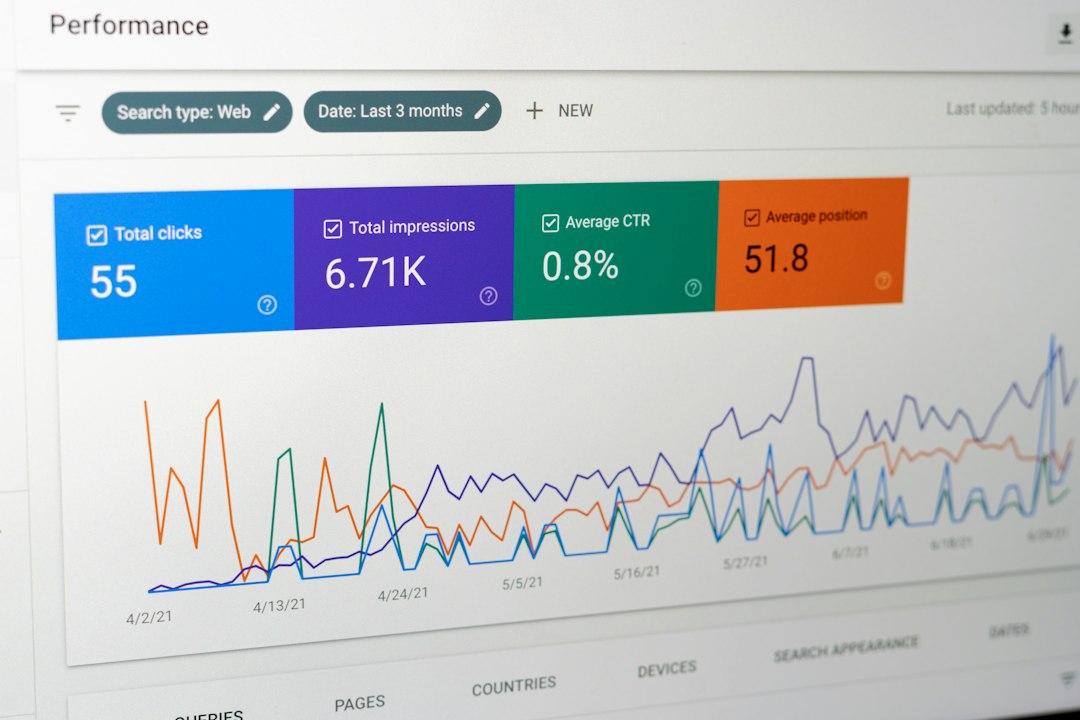
    Reliable SEO reporting depends on more than collecting rankings, backlinks, and traffic estimates. It also depends on moving that data into a reporting environment where stakeholders can understand trends, compare performance, and make decisions without manually exporting spreadsheets every week. Connecting Ahrefs and Supermetrics helps solve that problem by turning Ahrefs data into repeatable, structured reports in tools such as Google Sheets, Looker Studio, Excel, or a data warehouse.

    TL;DR: Connecting Ahrefs to Supermetrics allows you to automate SEO reporting instead of manually downloading exports from Ahrefs. The general process is to choose your reporting destination, add the Ahrefs connector in Supermetrics, authorize access, select the metrics and dimensions you need, and schedule refreshes. For best results, define your reporting goals first, keep dashboards focused, and validate the data before sharing it with clients or leadership.

    Why connect Ahrefs and Supermetrics?

    Ahrefs is widely used for SEO research, backlink analysis, keyword tracking, competitor monitoring, and content planning. Its interface is excellent for investigation, but reporting often requires data to be combined with additional sources such as Google Search Console, Google Analytics, advertising platforms, CRM data, or internal revenue numbers. That is where Supermetrics becomes useful.

    Supermetrics acts as a data pipeline between marketing platforms and reporting destinations. Instead of copying and pasting exports from Ahrefs, you can pull SEO data directly into a spreadsheet, dashboard, or database. This makes reporting more consistent, reduces manual errors, and gives teams more time to focus on analysis rather than data preparation.

    The main benefits include:

    • Automation: Reports can refresh on a schedule, reducing repetitive manual work.
    • Consistency: The same metrics, filters, and date ranges can be reused across reporting cycles.
    • Better visibility: Ahrefs data can be combined with traffic, conversion, and revenue data.
    • Scalability: Agencies and in-house teams can create repeatable templates for multiple websites.
    • Cleaner reporting: Stakeholders can view summarized insights without navigating complex SEO tools.
    Image not found in postmeta

    What you need before you start

    Before connecting Ahrefs and Supermetrics, confirm that your accounts and permissions are ready. This prevents setup issues and ensures the reports you build are based on the right level of access.

    • An active Ahrefs account: You need access to the Ahrefs projects, domains, or reports you want to use.
    • A Supermetrics account: Your plan must include the destination you want, such as Google Sheets, Looker Studio, Excel, or BigQuery.
    • Connector availability: Check whether the Ahrefs connector is included in your Supermetrics plan and available in your region or destination.
    • Proper permissions: Use an account that is authorized to access the Ahrefs data needed for reporting.
    • A reporting objective: Decide whether the report is for backlinks, rankings, competitor analysis, technical SEO, content performance, or executive summaries.

    Important: API access, connector features, and metric availability may vary by Ahrefs and Supermetrics plan. Before committing to a reporting workflow, review both platforms’ documentation and test the exact fields you need.

    Step 1: Choose your reporting destination

    The first decision is where the Ahrefs data should go. Supermetrics supports several destinations, and the best choice depends on how your team reports and analyzes data.

    Google Sheets is often the easiest place to start. It is flexible, familiar, and useful for building custom tables, calculations, and quick reporting templates. It is especially helpful for agencies that need to review raw data before turning it into client-facing reports.

    Looker Studio is better for visual dashboards. If your goal is to present trends, scorecards, charts, and performance summaries to non-technical stakeholders, Looker Studio is usually the more polished option.

    Excel may be the right choice for organizations that rely heavily on Microsoft workflows. BigQuery or another data warehouse is more suitable for advanced teams that want to store large volumes of historical SEO data and combine it with many other sources.

    Step 2: Add the Ahrefs connector in Supermetrics

    Once you have selected a destination, open Supermetrics in that environment. The exact interface may differ slightly depending on whether you are using Google Sheets, Looker Studio, Excel, or another destination, but the core process is similar.

    1. Open your chosen reporting tool and launch Supermetrics.
    2. Select Add data source or Create new query.
    3. Search for Ahrefs in the list of available connectors.
    4. Select the Ahrefs connector.
    5. Follow the authorization prompts to connect your Ahrefs account.

    During authorization, use the Ahrefs login associated with the projects or domains you need to report on. If you are setting up reporting for an agency, avoid using a personal account that may later be removed or lose access. A shared business-controlled login or properly managed user account is usually more reliable.

    Step 3: Select the right metrics and dimensions

    After authorization, Supermetrics will allow you to configure a query. This is where you define what data you want from Ahrefs. Metrics are the numbers you want to report, while dimensions describe how those numbers should be grouped.

    Common Ahrefs-related reporting fields may include backlink counts, referring domains, organic keywords, estimated traffic, keyword positions, domain-level metrics, URL-level metrics, or competitor comparison data. Availability depends on the connector and plan.

    Examples of useful reporting combinations include:

    • Backlink monitoring: referring domains, backlinks, lost backlinks, new backlinks, target URL.
    • Keyword visibility: keyword, position, search volume, URL, country, estimated traffic.
    • Competitor tracking: domain, organic keywords, traffic estimate, content gap opportunities.
    • Content reporting: page URL, ranking keywords, backlinks, referring domains, traffic potential.

    Be selective. A common mistake is pulling every available field into a report. This often creates slow dashboards and unclear analysis. Start with the metrics that directly support the reporting question: Are we gaining authority? Are rankings improving? Which pages are attracting links? Which competitors are growing faster?

    Image not found in postmeta

    Step 4: Apply filters and date ranges

    Filters make your report more focused and useful. For example, you may want to report only on a specific domain, country, subfolder, keyword group, or competitor set. You may also want to exclude irrelevant URLs, branded keywords, or low-value data that distracts from the main story.

    Date ranges are equally important. SEO results do not always move in a straight line, so reports should compare meaningful periods. For monthly reporting, a typical structure might include:

    • Current month performance
    • Previous month comparison
    • Year-over-year comparison
    • Rolling 3-month or 6-month trend

    When using Ahrefs data, remember that some metrics are estimates and may update according to Ahrefs’ own crawl and database schedules. Treat them as directional indicators rather than exact equivalents to analytics or server-side data.

    Step 5: Build a clear reporting structure

    A strong SEO report should not simply display data. It should explain performance. Once your Ahrefs data is flowing through Supermetrics, organize it into sections that match stakeholder priorities.

    A practical structure might include:

    1. Executive summary: High-level wins, risks, and recommended actions.
    2. Organic visibility: Keyword movement, estimated traffic trends, and ranking distribution.
    3. Authority and links: New referring domains, lost links, high-value backlinks, and link quality trends.
    4. Content performance: Pages gaining or losing visibility, content gaps, and optimization opportunities.
    5. Competitor movement: Changes in competitor rankings, backlink growth, and keyword overlap.
    6. Next steps: Specific actions for the next reporting period.

    Use charts only where they clarify the message. A line chart is useful for trends, a table is useful for detailed URL or keyword lists, and scorecards are useful for headline numbers. Avoid dashboards that look impressive but do not help anyone make decisions.

    Step 6: Schedule automatic refreshes

    The biggest operational benefit of connecting Ahrefs and Supermetrics is scheduled refresh. Instead of rebuilding the report each week or month, you can set the query to update automatically.

    In Supermetrics, choose a refresh frequency that matches your reporting cadence. For SEO reporting, daily refreshes may be useful for active monitoring, but weekly or monthly refreshes are often sufficient for management reporting. More frequent refreshes can increase query usage and may not add meaningful insight if the underlying SEO metrics do not change significantly every day.

    After scheduling refreshes, check the report after the first few automated runs. Confirm that the data updates correctly, filters remain intact, and no authorization errors appear. If the report is business-critical, assign someone to monitor refresh status regularly.

    Step 7: Validate the data before sharing

    Trustworthy reporting requires validation. Before sending a dashboard to clients, executives, or team members, compare a sample of the Supermetrics output against the Ahrefs interface. Check that the same domain, date range, country, and filters are being used.

    Pay attention to these common issues:

    • Mismatched date ranges: The dashboard may use a different comparison period than Ahrefs.
    • Wrong project or domain: Reports can accidentally pull data for a different property.
    • Country differences: Keyword and traffic estimates may vary significantly by market.
    • Metric definitions: Make sure stakeholders understand what each Ahrefs metric represents.
    • Refresh errors: Expired authorization can cause stale data without being immediately obvious.
    Image not found in postmeta

    Best practices for better SEO reporting

    To get the most value from the Ahrefs and Supermetrics connection, approach reporting as a decision-support system rather than a data dump.

    • Define the audience: Executives need summaries and business impact; SEO specialists need granular detail.
    • Separate raw data from presentation: Keep detailed query outputs in one tab or table and summarized visuals in another.
    • Use consistent naming: Standardize labels for domains, countries, keyword groups, and competitors.
    • Add commentary: Numbers alone rarely explain causation. Include written notes about algorithm updates, campaigns, technical changes, or link building activity.
    • Combine sources: Ahrefs data becomes more valuable when compared with Google Search Console clicks, analytics conversions, and revenue outcomes.
    • Maintain access governance: Document who owns the connection and what happens if an employee leaves or permissions change.

    Common use cases

    Agency client reporting: Agencies can create repeatable templates that pull Ahrefs data for each client. This reduces production time and helps ensure reporting consistency across accounts.

    Competitor monitoring: SEO teams can track competitor backlink growth, keyword gains, and content expansion in a centralized dashboard. This makes it easier to detect strategic changes early.

    Content portfolio analysis: By pulling URL-level data, teams can identify which pages attract links, which pages rank for valuable keywords, and which pages may require updates.

    Link building oversight: Reports can show new and lost referring domains, helping teams evaluate campaign progress and identify important lost links that may need recovery.

    Final thoughts

    Connecting Ahrefs and Supermetrics is a practical way to make SEO reporting more efficient, reliable, and useful. Ahrefs provides valuable search and backlink intelligence, while Supermetrics helps move that data into the places where reporting and decision-making happen. The connection is most effective when it is built around clear goals, carefully selected metrics, validated data, and a reporting structure that highlights action rather than volume.

    For teams that regularly report on SEO performance, this integration can save hours of manual work and improve the quality of insights delivered to stakeholders. Start with a focused report, confirm the data is accurate, and expand gradually as your reporting needs become more advanced.

  • Best Netdata Alternatives for Infrastructure Monitoring

    Best Netdata Alternatives for Infrastructure Monitoring

    Modern infrastructure teams need monitoring tools that provide fast visibility into servers, containers, Kubernetes clusters, databases, networks, and applications. While Netdata is popular for real-time, per-second metrics and lightweight agent-based monitoring, it is not always the perfect fit for every organization. Some teams need deeper alerting workflows, longer metric retention, stronger enterprise governance, more advanced observability features, or a hosted platform that reduces operational overhead.

    TLDR: The best Netdata alternatives include Prometheus with Grafana, Datadog, Zabbix, New Relic, Dynatrace, Checkmk, and InfluxDB with Telegraf and Grafana. Open-source teams often prefer Prometheus, Grafana, Zabbix, or Checkmk, while enterprises frequently choose Datadog, New Relic, or Dynatrace for managed observability and advanced automation. The right option depends on scale, budget, deployment model, alerting needs, and whether the organization wants infrastructure monitoring only or full-stack observability.

    Why Organizations Look for Netdata Alternatives

    Netdata is known for its attractive real-time dashboards, quick installation, and granular system metrics. It is especially useful for troubleshooting individual hosts and smaller environments where immediate visibility matters. However, infrastructure monitoring requirements often become more complex as an organization grows.

    Teams may need centralized dashboards, multi-year retention, advanced role-based access control, service-level objectives, distributed tracing, or AI-assisted anomaly detection. In other cases, security policies may require on-premises deployment, while fast-moving engineering teams may prefer a fully managed SaaS platform. Because of this, the best Netdata alternative is not a single product, but a monitoring solution that fits the organization’s technical and operational model.

    Image not found in postmeta

    1. Prometheus and Grafana

    Prometheus paired with Grafana is one of the most widely used open-source alternatives to Netdata. Prometheus collects and stores time-series metrics, while Grafana provides powerful visualization, dashboards, and alerting capabilities. This combination is especially common in Kubernetes, cloud-native, and DevOps environments.

    Prometheus works by scraping metrics from configured endpoints, making it a natural fit for microservices and containerized workloads. Its query language, PromQL, is highly flexible and allows teams to build detailed dashboards and alerts. Grafana enhances the stack with rich visualizations, integrations, and support for multiple data sources.

    Best for: Cloud-native teams, Kubernetes monitoring, open-source environments, and organizations with strong DevOps expertise.

    • Pros: Free and open source, excellent Kubernetes support, huge ecosystem, flexible querying.
    • Cons: Requires configuration, scaling Prometheus can be complex, long-term storage usually needs additional tools.

    2. Datadog

    Datadog is a leading SaaS observability platform that covers infrastructure monitoring, application performance monitoring, logs, security monitoring, synthetic testing, real user monitoring, and more. It is often chosen by companies that want a polished, managed platform instead of maintaining monitoring infrastructure themselves.

    Compared with Netdata, Datadog provides a broader observability suite. It offers hundreds of integrations, automatic cloud resource discovery, intelligent alerts, and strong collaboration features. It is particularly valuable for organizations running hybrid or multi-cloud environments across AWS, Azure, Google Cloud, Kubernetes, and traditional servers.

    Best for: Enterprises, SaaS companies, cloud-heavy environments, and teams that need full-stack observability from a managed platform.

    • Pros: Easy to deploy, large integration catalog, excellent dashboards, advanced alerting, strong cloud visibility.
    • Cons: Can become expensive at scale, pricing may be complex, data retention depends on plan.

    3. Zabbix

    Zabbix is a mature open-source infrastructure monitoring platform with strong support for servers, networks, virtual machines, applications, and services. It has been used for many years by system administrators and enterprises that prefer self-hosted monitoring with deep configurability.

    Zabbix supports agent-based and agentless monitoring, SNMP, IPMI, JMX, traps, templates, discovery rules, and advanced alerting. It is a strong choice for traditional infrastructure, data centers, network devices, and mixed environments. While Netdata is often praised for real-time visual appeal, Zabbix is valued for its durability, alerting depth, and broad infrastructure coverage.

    Best for: Organizations needing open-source, self-hosted monitoring for servers, networks, and enterprise infrastructure.

    • Pros: Free and open source, powerful alerting, strong network monitoring, extensive templates.
    • Cons: User interface can feel less modern, setup can be time-consuming, tuning may be required for large environments.
    Image not found in postmeta

    4. New Relic

    New Relic is a full-stack observability platform that combines infrastructure monitoring, application performance monitoring, logs, browser monitoring, mobile monitoring, synthetics, and distributed tracing. It is well suited for engineering teams that need to understand how infrastructure performance affects application and user experience.

    As a Netdata alternative, New Relic is less focused on local real-time host dashboards and more focused on unified observability across the software stack. Its dashboards, alerting, and telemetry platform help teams correlate infrastructure metrics with application transactions, traces, and logs. This makes it useful for identifying whether performance issues are caused by code, infrastructure, third-party services, or databases.

    Best for: Application-focused teams, software companies, and organizations that want infrastructure metrics connected to APM and user experience data.

    • Pros: Strong APM, unified telemetry, good dashboards, useful correlation between infrastructure and applications.
    • Cons: Pricing can be difficult to predict, may be more than needed for simple server monitoring.

    5. Dynatrace

    Dynatrace is an enterprise-grade observability and application intelligence platform known for automation, AI-assisted root cause analysis, and deep dependency mapping. It monitors infrastructure, applications, Kubernetes, logs, digital experience, and cloud environments.

    For large organizations, Dynatrace can be a powerful Netdata alternative because it reduces manual investigation. Its Davis AI engine analyzes dependencies and anomalies to help teams understand the source of incidents. It can automatically discover services, map relationships, and detect performance issues across complex enterprise architectures.

    Best for: Large enterprises, complex hybrid cloud environments, and teams that need automated root cause analysis.

    • Pros: Advanced automation, strong AI features, excellent dependency mapping, enterprise security and governance.
    • Cons: Premium pricing, may be too advanced for small teams, onboarding can require planning.

    6. Checkmk

    Checkmk is another strong infrastructure monitoring platform that focuses on servers, networks, applications, containers, and cloud services. It offers both an open-source edition and an enterprise edition, making it suitable for a range of organizations.

    Checkmk is often appreciated for its efficient agent, automatic discovery, rule-based configuration, and strong network monitoring. It can monitor Linux, Windows, databases, storage systems, switches, routers, and Kubernetes environments. Compared with Netdata, Checkmk is more traditional in structure but stronger for centralized monitoring across large infrastructure estates.

    Best for: IT operations teams, managed service providers, and organizations that monitor mixed server and network environments.

    • Pros: Fast discovery, efficient monitoring, strong network and server coverage, scalable architecture.
    • Cons: Interface may require learning, advanced features are in the enterprise edition.

    7. InfluxDB, Telegraf, and Grafana

    The combination of InfluxDB, Telegraf, and Grafana is a flexible time-series monitoring stack. Telegraf collects metrics from systems, services, containers, and applications; InfluxDB stores the metrics; and Grafana visualizes them through dashboards.

    This stack is a strong Netdata alternative for teams that want control over metric pipelines and time-series storage. It can be customized for infrastructure monitoring, IoT telemetry, application metrics, and custom operational dashboards. It may require more design work than Netdata, but it gives teams significant flexibility.

    Best for: Teams that want a customizable metric collection and visualization stack with strong time-series storage.

    • Pros: Flexible architecture, good time-series performance, broad Telegraf plugin ecosystem, excellent dashboards with Grafana.
    • Cons: Requires setup and maintenance, alerting and scaling need careful design.
    Image not found in postmeta

    8. Nagios

    Nagios is one of the oldest and most recognizable names in infrastructure monitoring. It is widely used for availability checks, service monitoring, host monitoring, and alerting. Although newer tools often provide more modern dashboards and cloud-native support, Nagios remains relevant in many traditional IT environments.

    As a Netdata alternative, Nagios is best suited for organizations that prioritize uptime checks and alerting over real-time metric visualization. Its plugin ecosystem is extensive, and many administrators are already familiar with its configuration model. However, organizations seeking modern observability may find it less comprehensive without extensions or commercial versions.

    Best for: Traditional IT teams, availability monitoring, and environments with existing Nagios expertise.

    • Pros: Mature ecosystem, extensive plugins, reliable alerting, strong community history.
    • Cons: Older interface, configuration can be manual, less ideal for dynamic cloud-native environments.

    How to Choose the Best Netdata Alternative

    The best choice depends on how the monitoring function is expected to operate. A small engineering team may value speed, simplicity, and low cost. A large enterprise may need access controls, audit logs, service maps, compliance features, and 24/7 support. A cloud-native company may need Kubernetes-native metrics and tracing, while a network-heavy organization may require SNMP, topology views, and hardware monitoring.

    When comparing tools, teams should consider the following factors:

    • Deployment model: Some tools are self-hosted, while others are SaaS-based or hybrid.
    • Cost structure: Pricing may depend on hosts, metrics, users, logs, traces, or data ingestion volume.
    • Scalability: The platform should handle current infrastructure and future growth.
    • Alerting quality: Good alerting should reduce noise and highlight meaningful incidents.
    • Integrations: The tool should support cloud platforms, databases, containers, orchestration systems, and collaboration tools.
    • Retention and reporting: Long-term trend analysis often requires extended metric storage.
    • Ease of use: Dashboards, configuration, and incident workflows should match the team’s skill level.

    Open Source vs. Commercial Alternatives

    Open-source alternatives such as Prometheus, Grafana, Zabbix, Checkmk Raw Edition, and Nagios Core can be excellent for teams with the expertise to deploy and maintain them. They provide control, flexibility, and cost advantages, especially for organizations that want to avoid vendor lock-in.

    Commercial platforms such as Datadog, New Relic, and Dynatrace reduce operational burden and provide advanced features out of the box. They are often better for teams that want rapid implementation, integrated telemetry, enterprise support, and less time spent managing the monitoring platform itself. However, their costs can grow as infrastructure, log volume, and telemetry usage increase.

    Final Thoughts

    Netdata remains a strong monitoring solution, especially for real-time system metrics and fast troubleshooting. However, many teams eventually need broader capabilities, deeper integrations, longer retention, or enterprise-level observability. For open-source flexibility, Prometheus with Grafana is often the strongest cloud-native option, while Zabbix and Checkmk are excellent for traditional infrastructure and network monitoring.

    For organizations that prefer managed observability, Datadog, New Relic, and Dynatrace offer broad telemetry coverage and advanced operational workflows. The best Netdata alternative is the one that fits the organization’s infrastructure, budget, skills, and long-term monitoring strategy.

    FAQ

    What is the best overall Netdata alternative?

    Prometheus with Grafana is often considered the best open-source alternative, while Datadog is one of the strongest commercial alternatives. The best overall choice depends on whether the organization wants self-hosted flexibility or a managed observability platform.

    Which Netdata alternative is best for Kubernetes?

    Prometheus and Grafana are highly popular for Kubernetes monitoring because they integrate well with cloud-native tools and support detailed container, pod, node, and cluster metrics.

    Which alternative is best for enterprise monitoring?

    Dynatrace, Datadog, and New Relic are strong enterprise choices. They provide full-stack observability, support, governance features, and advanced analytics for complex environments.

    Is there a free alternative to Netdata?

    Yes. Prometheus, Grafana, Zabbix, Nagios Core, and Checkmk Raw Edition all offer free or open-source monitoring options.

    Which Netdata alternative is best for network monitoring?

    Zabbix and Checkmk are strong choices for network monitoring because they support SNMP, discovery, templates, alerting, and monitoring of switches, routers, firewalls, and other devices.

    Is Datadog better than Netdata?

    Datadog is broader than Netdata and includes infrastructure monitoring, APM, logs, security, and user experience monitoring. Netdata may be better for lightweight real-time host visibility, while Datadog is better for managed full-stack observability.

    What should teams consider before switching from Netdata?

    Teams should evaluate cost, deployment model, data retention, alerting needs, integrations, compliance requirements, and whether they need simple infrastructure monitoring or complete observability across applications, logs, traces, and user experience.

  • Top Processing Tools for Data and Workflow Automation

    Top Processing Tools for Data and Workflow Automation

    Modern organizations run on repeated decisions: collect data, clean it, move it, transform it, trigger actions, notify people, and measure results. The challenge is that these steps often live across databases, spreadsheets, SaaS apps, cloud services, and internal systems. The best data processing and workflow automation tools bring order to that complexity by turning scattered tasks into reliable, observable, repeatable pipelines.

    TLDR: The top tools for data and workflow automation include orchestration platforms like Apache Airflow, Prefect, and Dagster; transformation and analytics tools like dbt; data movement platforms like Apache NiFi, Fivetran, and Airbyte; and business automation tools like Zapier, Make, and n8n. For large-scale processing, teams often use Apache Spark, Flink, or managed cloud services such as AWS Glue, Azure Data Factory, and Google Cloud Dataflow. The right choice depends on your data volume, technical skill level, compliance needs, integration requirements, and whether you need code-first engineering or no-code automation.

    Why Processing and Automation Tools Matter

    Data does not create value simply by existing. It becomes valuable when it is processed, connected, enriched, and delivered to the right place at the right time. A sales team may need fresh lead scores every morning. A finance team may need invoices automatically matched against payments. A machine learning team may need millions of records cleaned before model training. In each case, automation reduces manual work while improving consistency.

    Good automation tools also make processes visible. Instead of wondering whether a report refreshed or a file transferred correctly, teams can view logs, alerts, dependencies, and task history. That visibility is especially important as workflows become more complex and business decisions depend on accurate, timely information.

    Image not found in postmeta

    1. Apache Airflow: The Classic Workflow Orchestrator

    Apache Airflow is one of the most widely used tools for orchestrating data pipelines. It allows teams to define workflows as code using Python, scheduling tasks in directed acyclic graphs, commonly called DAGs. Airflow is especially popular among data engineering teams that need control, extensibility, and a large ecosystem of integrations.

    Airflow is best suited for batch workflows such as nightly data warehouse updates, reporting pipelines, ETL jobs, and machine learning preparation tasks. Its strengths include mature scheduling, strong community support, and flexibility. However, it can require significant setup and maintenance, especially for teams that are not already comfortable with Python and infrastructure management.

    • Best for: Engineering-led teams managing scheduled data pipelines.
    • Strength: Mature, flexible, and highly customizable.
    • Watch out for: Operational complexity at scale.

    2. Prefect: Modern Orchestration with Better Developer Experience

    Prefect is a workflow orchestration platform designed to make data pipelines easier to build, monitor, and recover. Like Airflow, it supports Python-based workflows, but it emphasizes a more modern developer experience. Tasks can be written as regular Python functions, and workflows can be run locally, in the cloud, or across distributed infrastructure.

    One of Prefect’s appealing features is its handling of failures and retries. It is built around the reality that data workflows often fail because of temporary network problems, missing files, slow APIs, or unexpected input. Prefect helps teams manage these situations gracefully rather than treating every error as a disaster.

    For teams that want orchestration without the weight of older platforms, Prefect is often a strong candidate.

    3. Dagster: Asset-Centric Data Orchestration

    Dagster takes a slightly different approach by focusing on data assets rather than only tasks. Instead of simply asking, “What job runs next?” Dagster encourages teams to define the actual data products being created, such as cleaned customer tables, KPI datasets, or model training features.

    This asset-centric model is valuable for organizations that care about lineage, testing, quality, and maintainability. Dagster makes it easier to understand where data came from, what generated it, and what downstream systems depend on it. It is particularly compelling for modern analytics engineering teams that want better structure around complex data platforms.

    • Best for: Teams building reliable, observable data platforms.
    • Strength: Strong lineage, testing, and asset visibility.
    • Watch out for: Learning curve if your team is used to task-based tools.

    4. dbt: Transforming Data Inside the Warehouse

    dbt, short for data build tool, has become a favorite among analytics teams. It focuses on the “T” in ELT: transformation. Rather than extracting and transforming data before loading it, dbt lets teams transform data directly inside modern warehouses such as Snowflake, BigQuery, Databricks, Redshift, and PostgreSQL.

    Its main appeal is that analysts can use SQL, a familiar language, while adopting software engineering practices such as version control, testing, documentation, modularity, and deployment workflows. dbt is not a general-purpose orchestrator, but it pairs well with tools like Airflow, Dagster, Prefect, and cloud schedulers.

    If your organization runs reports from a data warehouse, dbt can dramatically improve how trusted datasets are created and maintained.

    5. Apache NiFi: Visual Data Flow Automation

    Apache NiFi is a powerful tool for designing, controlling, and monitoring data flows through a visual interface. It is especially useful when moving data between systems, applying routing rules, transforming formats, or handling streaming-like flows from many different sources.

    NiFi gives teams fine-grained control over data movement. You can see queues, back pressure, processors, success paths, and failure paths in a visual canvas. This makes it appealing for operational environments where data must be moved reliably and monitored closely.

    Image not found in postmeta
    • Best for: Visual data routing, ingestion, and system integration.
    • Strength: Excellent interface for monitoring live data flows.
    • Watch out for: Complex flows can become difficult to manage without discipline.

    6. Airbyte and Fivetran: Automated Data Integration

    Before data can be processed, it usually has to be collected. Airbyte and Fivetran help automate data extraction from applications, databases, APIs, and file systems into warehouses or lakes.

    Fivetran is known for managed connectors, reliability, and minimal maintenance. It is excellent for teams that want data syncing to “just work” with limited engineering effort. Airbyte, meanwhile, is popular for its open-source model, custom connector framework, and flexibility. It appeals to teams that want more control over their integration stack.

    These tools are not usually where complex business logic lives. Instead, they provide the plumbing that keeps raw data flowing into a central platform where tools like dbt, Spark, or SQL engines can transform it.

    7. Apache Spark: Large-Scale Data Processing

    Apache Spark is one of the most important engines for large-scale data processing. It can handle massive datasets across distributed clusters and supports batch processing, SQL analytics, machine learning, and streaming workloads.

    Spark is commonly used when datasets are too large for a single machine or when processing requires heavy computation. Many managed platforms, including Databricks and major cloud services, provide Spark-based environments that reduce the operational burden of running clusters manually.

    Spark is not always necessary for smaller data teams, but when scale becomes serious, it is one of the industry’s most proven options.

    8. Apache Flink and Kafka: Real-Time Processing Foundations

    While many workflows run hourly or daily, some businesses need real-time automation. Fraud detection, IoT monitoring, recommendation systems, logistics tracking, and financial trading systems often require immediate action as events occur.

    Apache Kafka is widely used as an event streaming platform that captures and distributes streams of data. Apache Flink is a stream processing engine that can analyze, enrich, aggregate, and react to those streams in real time. Together, they form a powerful foundation for event-driven architectures.

    • Kafka: Moves and stores streams of events reliably.
    • Flink: Processes those events with low latency.
    • Common use cases: Alerts, fraud detection, live dashboards, personalization, and monitoring.

    9. AWS Glue, Azure Data Factory, and Google Cloud Dataflow

    Cloud providers offer managed services that simplify data processing and workflow automation. AWS Glue provides serverless data integration, cataloging, and ETL capabilities. Azure Data Factory offers visual pipeline design, scheduling, integration with Microsoft services, and hybrid data movement. Google Cloud Dataflow supports unified batch and streaming processing based on Apache Beam.

    These tools are attractive because they integrate deeply with their respective cloud ecosystems. If your data already lives in Amazon S3, Azure Synapse, Microsoft SQL Server, BigQuery, or Google Cloud Storage, native cloud tools can reduce setup time and improve security alignment.

    The tradeoff is potential vendor lock-in. Cloud-native services are convenient, but migrating complex pipelines between clouds can be difficult.

    10. Zapier, Make, and n8n: Business Workflow Automation

    Not every automation project requires a data engineering team. Many business teams need to connect apps such as CRMs, email platforms, spreadsheets, ticketing systems, payment tools, and messaging apps. This is where Zapier, Make, and n8n shine.

    Zapier is known for ease of use and a large catalog of app integrations. Make offers a visual scenario builder that supports more advanced branching and transformations. n8n provides a flexible, developer-friendly automation platform with self-hosting options, making it attractive for teams that want more control over data and infrastructure.

    Image not found in postmeta
    • Best for: Automating repetitive tasks across business apps.
    • Strength: Fast implementation without heavy engineering.
    • Watch out for: Complex automations may become fragile without documentation and ownership.

    11. UiPath: Robotic Process Automation

    UiPath is a leading robotic process automation platform. Unlike API-based automation tools, RPA can interact with user interfaces, desktop applications, legacy systems, and repetitive human workflows. This makes it useful in industries where older software remains deeply embedded.

    For example, a UiPath robot might open a finance application, download a report, enter values into another system, and send a confirmation email. While RPA can unlock automation in places where APIs are missing, it should be used carefully. UI-based automations can break when screens, buttons, or workflows change.

    12. Temporal: Durable Workflow Execution

    Temporal is built for durable, long-running workflows. It is especially useful for backend engineering teams that need business processes to survive failures, restarts, timeouts, and retries. Examples include payment processing, order fulfillment, customer onboarding, insurance claims, and multi-step approval flows.

    Temporal lets developers write workflows in general-purpose programming languages while the platform handles state, retries, timers, and reliability. It is less of a data transformation tool and more of a resilient workflow engine for application logic.

    How to Choose the Right Tool

    The best platform depends on what you are trying to automate. A startup syncing SaaS data into a warehouse has different needs than a bank running real-time fraud detection or a manufacturing company automating legacy desktop processes.

    • For scheduled data pipelines: Consider Airflow, Prefect, or Dagster.
    • For analytics transformations: Use dbt with your warehouse.
    • For large-scale computation: Look at Spark or managed cloud processing.
    • For real-time event processing: Evaluate Kafka and Flink.
    • For business app automation: Try Zapier, Make, or n8n.
    • For legacy process automation: Consider UiPath or another RPA platform.
    • For durable application workflows: Explore Temporal.

    Final Thoughts

    Data and workflow automation tools are no longer optional extras; they are part of the operating system of modern business. The most successful teams do not simply choose the trendiest platform. They match tools to real needs: volume, latency, governance, technical skill, reliability, and cost.

    An effective automation stack often combines several specialized tools. You might use Fivetran or Airbyte for ingestion, dbt for transformation, Dagster for orchestration, Spark for heavy processing, and n8n for lightweight operational automations. The goal is not to automate everything blindly, but to create workflows that are faster, safer, more transparent, and easier to improve over time.

    In the end, the top processing tools are the ones that turn messy effort into dependable systems. When chosen wisely, they free people from repetitive work and give organizations the confidence to make decisions from data that is timely, trustworthy, and ready to use.

  • Best Test and Measurement Software for Engineering Teams

    Best Test and Measurement Software for Engineering Teams

    Modern engineering teams do not just build products; they build evidence. Every prototype, firmware revision, circuit board, sensor package, battery module, or mechanical assembly must be tested, measured, logged, compared, and improved. The right test and measurement software turns raw signals into decisions, helping engineers move faster without sacrificing accuracy, traceability, or confidence.

    TLDR: The best test and measurement software depends on your team’s hardware, data requirements, automation needs, and compliance environment. Tools such as NI LabVIEW, MATLAB, Python-based stacks, Keysight PathWave, and TestStand are popular because they combine data acquisition, automation, analysis, and reporting. Engineering teams should prioritize interoperability, scalability, ease of scripting, and long-term maintainability when choosing a platform.

    Why Test and Measurement Software Matters

    Engineering decisions are only as reliable as the measurements behind them. A test bench with excellent instruments but poor software can still produce inconsistent, hard-to-repeat results. Conversely, well-designed software can automate complex procedures, synchronize multiple devices, reduce operator error, and present results in a way that is easy to understand.

    For teams developing electronics, automotive systems, aerospace hardware, medical devices, industrial equipment, or consumer products, test and measurement software often becomes the backbone of the validation process. It connects oscilloscopes, data acquisition devices, power supplies, signal generators, environmental chambers, sensors, and databases into a unified workflow.

    The goal is not simply to collect data. The goal is to collect the right data, at the right time, with enough context to make it actionable.

    Image not found in postmeta

    What Makes Great Test and Measurement Software?

    Before comparing specific tools, it is useful to define what “best” really means. The best software for one engineering team may be completely wrong for another. A small robotics startup, for example, may value flexibility and low cost, while a regulated aerospace manufacturer may prioritize validation, documentation, and standardized processes.

    Strong test and measurement platforms typically offer:

    • Hardware compatibility: Support for oscilloscopes, DAQ modules, spectrum analyzers, power meters, sensors, cameras, and industrial communication protocols.
    • Automation: The ability to run repeatable test sequences without manual intervention.
    • Data logging: Reliable capture of measurements with timestamps, metadata, and configuration details.
    • Analysis tools: Built-in or extensible functions for filtering, statistics, signal processing, curve fitting, and visualization.
    • Reporting: Automatic generation of pass or fail results, charts, tables, and compliance documentation.
    • Scalability: Support for single-benchtop experiments as well as multi-station production testing.
    • Maintainability: Code, configurations, and test procedures that can be understood and updated by future engineers.

    1. NI LabVIEW

    NI LabVIEW is one of the most recognized platforms in test and measurement. Its graphical programming environment allows engineers to build applications by wiring together functional blocks rather than writing traditional text-based code. This makes it especially attractive for teams working closely with hardware, real-time systems, and data acquisition.

    LabVIEW is widely used in research labs, production test systems, automated validation benches, and industrial monitoring applications. Its greatest strength is the way it integrates with National Instruments hardware, although it can also communicate with many third-party instruments through common standards such as VISA, TCP/IP, serial, and GPIB.

    Best for: Teams building custom automated test systems, hardware-in-the-loop setups, and DAQ-heavy applications.

    Notable strengths:

    • Excellent data acquisition support
    • Graphical development environment
    • Strong integration with NI hardware
    • Large ecosystem of drivers and toolkits
    • Useful for real-time and FPGA-based applications

    Consideration: LabVIEW can become difficult to maintain if projects are not well structured. Teams should establish coding standards early, especially for larger systems.

    2. NI TestStand

    While LabVIEW is often used to build test modules and instrument control logic, NI TestStand is designed for test sequence management. It helps engineering teams define test steps, manage execution flow, handle limits, log results, and generate reports.

    TestStand is particularly valuable when tests must be repeated across multiple units, product variants, or manufacturing stations. It supports integration with LabVIEW, Python, C, C++, .NET, and other languages, making it a practical framework for coordinating mixed technology environments.

    Best for: Manufacturing test, validation teams, and organizations that need structured, repeatable test execution.

    Why teams like it: TestStand separates test logic from test execution. This makes it easier to update limits, rearrange test sequences, and maintain traceability without rewriting low-level instrument code.

    3. MATLAB and Simulink

    MATLAB is a favorite among engineers who need powerful numerical analysis, modeling, visualization, and algorithm development. It is particularly strong in signal processing, control systems, communications, image processing, and mathematical modeling. When paired with Simulink, it becomes a robust environment for model-based design and simulation.

    In test and measurement, MATLAB is often used to analyze logged data, automate instruments, build custom dashboards, or validate algorithms before deployment. It supports communication with many lab instruments and can interface with hardware through toolboxes and APIs.

    Best for: Teams that need advanced analysis, modeling, simulation, and algorithm validation.

    Notable strengths:

    • Exceptional mathematical and statistical capabilities
    • High-quality plotting and visualization
    • Strong signal processing libraries
    • Useful for control systems and model-based workflows
    • Broad academic and industrial adoption

    Consideration: Licensing costs can be significant, especially when multiple specialized toolboxes are required.

    Image not found in postmeta

    4. Python-Based Test and Measurement Stacks

    For many modern engineering teams, Python has become the default language for test automation and measurement analysis. It is flexible, widely understood, and supported by a huge ecosystem of libraries. With packages such as NumPy, SciPy, pandas, Matplotlib, PyVISA, and pytest, teams can create highly capable test systems without depending on a single vendor platform.

    Python is especially attractive for startups, research teams, and software-oriented engineering groups. It works well for instrument control, data processing, automated validation, database integration, web dashboards, and continuous integration pipelines.

    Best for: Teams that want flexibility, low licensing costs, and integration with modern software workflows.

    Advantages:

    • Open-source ecosystem
    • Excellent for scripting and automation
    • Easy integration with databases, APIs, and cloud services
    • Strong data science and machine learning libraries
    • Compatible with version control and CI/CD practices

    Potential drawback: Python-based systems require disciplined architecture. Without standards for drivers, configuration, error handling, and reporting, scripts can become scattered and difficult to maintain.

    5. Keysight PathWave

    Keysight PathWave is a suite of software tools designed to support electronic design, test automation, measurement analysis, and workflow management. It is especially relevant for teams working in RF, wireless communications, high-speed digital systems, power electronics, and semiconductor testing.

    PathWave connects well with Keysight instruments and provides applications for measurement automation, data analytics, and test management. For teams already using Keysight hardware, it can create a more integrated and efficient testing environment.

    Best for: Electronics teams using Keysight instruments, especially in RF, 5G, semiconductor, and high-speed validation work.

    Why it stands out: PathWave is built around the realities of complex electronic measurements, where accuracy, calibration, signal integrity, and repeatability are crucial.

    6. DewesoftX

    DewesoftX is a powerful data acquisition and analysis platform used in automotive, aerospace, structural testing, acoustics, vibration, power analysis, and industrial measurement. It is known for its polished user interface, real-time visualization, and strong integration with Dewesoft DAQ hardware.

    Teams use DewesoftX for applications such as vehicle testing, noise and vibration analysis, rotating machinery diagnostics, and durability studies. It is particularly effective when engineers need to capture many synchronized channels and review results quickly.

    Best for: Mechanical, automotive, aerospace, and vibration testing teams.

    Key strengths:

    • Real-time measurement visualization
    • Excellent multi-channel DAQ support
    • Strong vibration and acoustic analysis features
    • User-friendly interface for test engineers

    7. DASYLab

    DASYLab is a visual programming environment for data acquisition, control, and analysis. Like LabVIEW, it allows users to create measurement workflows using graphical blocks, but it is often appreciated for its relative simplicity.

    It is useful for teams that need to build test setups quickly without developing a full software application from scratch. Engineers can create workflows for acquiring, processing, displaying, and storing data, making it suitable for labs, education, and industrial monitoring.

    Best for: Quick DAQ applications, laboratory experiments, and users who prefer graphical configuration over traditional coding.

    8. INCA from ETAS

    INCA is widely used in the automotive industry for ECU calibration, diagnostics, and measurement. Developed by ETAS, it supports vehicle development teams working with embedded control units, powertrains, emissions systems, and advanced driver assistance functions.

    INCA enables engineers to measure ECU signals, calibrate parameters, manage datasets, and validate behavior in real vehicles or test benches. It is a specialized tool, but for automotive calibration teams, it is often essential.

    Best for: Automotive ECU calibration, vehicle testing, and embedded control validation.

    Image not found in postmeta

    How to Choose the Right Software

    Selecting test and measurement software should start with a clear understanding of your workflow. The best platform is not necessarily the one with the longest feature list; it is the one that fits your instruments, engineers, test procedures, and business constraints.

    Ask these questions before committing:

    • What hardware must the software control? Check compatibility with current and future instruments.
    • Who will maintain the system? A graphical tool may suit hardware engineers, while Python may suit software-heavy teams.
    • How repeatable must the tests be? Production and compliance environments usually need stronger sequencing and reporting.
    • How much data will be generated? High-speed and long-duration tests require careful data management.
    • Are there regulatory requirements? Medical, aerospace, and automotive teams may need audit trails, validation, and strict documentation.
    • Will the system need to scale? A quick benchtop script may not become a reliable production test platform without redesign.

    Recommended Software by Team Type

    Different engineering teams tend to benefit from different software choices:

    • Electronics validation teams: LabVIEW, TestStand, MATLAB, Keysight PathWave
    • Manufacturing test teams: TestStand, LabVIEW, Python, Keysight PathWave
    • Research and development labs: MATLAB, Python, LabVIEW, DASYLab
    • Automotive engineering teams: INCA, DewesoftX, MATLAB, LabVIEW
    • Mechanical and vibration teams: DewesoftX, MATLAB, Python
    • Startups and software-driven teams: Python, MATLAB, selected open-source tools

    Do Not Ignore Data Management

    One of the most common mistakes engineering teams make is focusing on test execution while underestimating data management. A test system is only valuable if results can be found, trusted, compared, and reused. File naming conventions, metadata, calibration records, operator notes, test conditions, software versions, and hardware configurations all matter.

    As products become more complex, teams increasingly need centralized databases, searchable result repositories, automated report generation, and dashboards that track trends over time. This is especially important for reliability testing, production yield analysis, and long-term product improvement.

    The Rise of Automated and Connected Testing

    Test and measurement software is moving toward more connected, automated, and intelligent workflows. Engineering teams are integrating test benches with issue trackers, requirements systems, cloud databases, and continuous integration pipelines. In embedded systems, for example, automated tests may run every time firmware changes. In manufacturing, test data may feed directly into quality analytics dashboards.

    Machine learning is also beginning to influence measurement workflows, particularly in anomaly detection, predictive maintenance, and pattern recognition. However, the fundamentals remain the same: accurate measurements, repeatable procedures, and clear interpretation.

    Final Thoughts

    The best test and measurement software for engineering teams is the one that transforms testing from a manual burden into a repeatable, insight-driven process. LabVIEW and TestStand remain excellent choices for structured hardware automation. MATLAB excels in analysis and modeling. Python offers unmatched flexibility and affordability. Keysight PathWave, DewesoftX, DASYLab, and INCA shine in more specialized environments.

    Ultimately, great software does more than capture numbers. It helps engineering teams understand behavior, prove performance, diagnose failures, and build better products. In a world where development cycles are shorter and systems are more complex, choosing the right test and measurement platform is not just a technical decision; it is a strategic advantage.

  • BrightEdge vs Ahrefs: 2026 SEO Platform Comparison

    BrightEdge vs Ahrefs: 2026 SEO Platform Comparison

    Choosing between BrightEdge and Ahrefs in 2026 is less about finding the “best” SEO platform in general and more about identifying the platform that best fits your organization’s scale, workflow, reporting needs, and growth strategy. Both tools are respected in the SEO industry, but they serve noticeably different types of users. BrightEdge is built primarily for enterprise SEO teams that need governance, integrations, forecasting, and executive-level reporting, while Ahrefs is widely favored by marketers, agencies, content teams, and SEO professionals who need fast research, competitive intelligence, and backlink analysis.

    TLDR: BrightEdge is the stronger choice for large organizations that need enterprise SEO management, workflow alignment, advanced reporting, and stakeholder visibility. Ahrefs is better suited for teams that prioritize backlink research, keyword discovery, competitor analysis, and practical day-to-day SEO execution. In 2026, BrightEdge remains more of a strategic enterprise platform, while Ahrefs remains a flexible, research-driven SEO toolkit. The right choice depends on whether your biggest need is organizational SEO management or hands-on SEO investigation and execution.

    Platform Positioning in 2026

    BrightEdge is positioned as an enterprise SEO and content performance platform. It is designed for organizations where SEO involves multiple teams: content, analytics, product, engineering, regional marketing, and leadership. Its value comes from centralizing organic search performance, identifying opportunities at scale, and translating SEO data into business-facing insights.

    Ahrefs, by contrast, is positioned as an SEO research and intelligence platform. It is known for its backlink index, keyword research tools, content analysis, rank tracking, site audit functionality, and competitor research. It is often used by SEO specialists who need to move quickly from question to answer: Which pages are ranking? Who links to competitors? What keywords are growing? What content gaps exist?

    In practical terms, BrightEdge helps large organizations manage SEO as a business function, while Ahrefs helps SEO practitioners uncover opportunities and diagnose performance issues. That distinction is the foundation of this comparison.

    Key Differences at a Glance

    • Best for enterprise governance: BrightEdge
    • Best for backlink research: Ahrefs
    • Best for executive reporting: BrightEdge
    • Best for quick competitive analysis: Ahrefs
    • Best for large, multi-team organizations: BrightEdge
    • Best for agencies, consultants, and lean teams: Ahrefs
    • Best for content gap discovery: Ahrefs, though BrightEdge can be strong at enterprise scale
    • Best for workflow and strategic SEO management: BrightEdge
    Image not found in postmeta

    BrightEdge Strengths

    BrightEdge’s greatest strength is its ability to support SEO programs across complex organizations. Enterprise SEO is rarely just about finding keywords. It involves prioritizing technical fixes, proving value to leadership, aligning content teams, monitoring performance across markets, and ensuring recommendations are actually implemented. BrightEdge is built for that environment.

    One of its most important advantages is business-level reporting. SEO teams in large companies often need to explain organic performance in terms of revenue, demand generation, product visibility, market share, or content impact. BrightEdge is designed to connect SEO metrics with broader business outcomes, making it easier to communicate with executives and non-SEO stakeholders.

    BrightEdge also performs well when organizations need repeatable workflows. It can help teams identify opportunities, assign priorities, monitor progress, and measure impact. This is especially useful when SEO work depends on collaboration with developers, content strategists, regional teams, and brand managers.

    Another strength is its enterprise-level data organization. Large websites often have thousands or millions of URLs, multiple categories, and different business units. BrightEdge can help structure SEO analysis in a way that reflects a company’s internal organization, not just search engine data.

    BrightEdge Limitations

    BrightEdge is not typically the simplest or most affordable option. Its enterprise orientation means implementation may require onboarding, training, configuration, and ongoing account support. For a small team that mainly needs keyword research and backlink data, BrightEdge can feel more complex than necessary.

    Pricing is also a major consideration. BrightEdge commonly serves companies with larger software budgets, and costs are usually aligned with enterprise contracts rather than low-cost self-serve subscriptions. This can be appropriate when the platform supports a large SEO operation, but it may not be justified for smaller companies.

    Another limitation is speed of informal research. While BrightEdge provides robust insights, many SEO professionals find Ahrefs faster for quick checks, such as reviewing a competitor’s backlinks, exploring ranking keywords, or estimating content opportunities.

    Ahrefs Strengths

    Ahrefs is widely respected because it is practical, fast, and data-rich. Its backlink analysis remains one of its strongest features. For SEO professionals who care about link profiles, referring domains, anchor text, competitor links, and digital PR opportunities, Ahrefs is often one of the first tools they open.

    Its keyword research capabilities are also strong. Users can evaluate keyword difficulty, search volume, traffic potential, related terms, parent topics, and competing pages. This makes Ahrefs particularly useful during content planning, niche analysis, and competitive research.

    Another major advantage is usability. Ahrefs is generally accessible to experienced SEOs without a long implementation process. A consultant, agency, startup, or in-house marketer can log in and begin finding useful insights quickly. This makes it attractive to teams that value speed and independence.

    Ahrefs also performs well for competitor analysis. Users can examine which pages drive traffic for competitors, what keywords they rank for, where they earn links, and which content formats appear to be working. This type of intelligence can directly inform content roadmaps, link building campaigns, and SEO strategy.

    Image not found in postmeta

    Ahrefs Limitations

    Ahrefs is not an enterprise workflow platform in the same way BrightEdge is. While it provides excellent SEO data, it is less focused on large-scale organizational governance, executive dashboards, multi-department workflows, and business-unit reporting. Teams can certainly use Ahrefs in large companies, but they may need separate systems for project management, stakeholder reporting, and performance communication.

    Ahrefs also requires users to interpret and operationalize the data themselves. This is not necessarily a weakness for experienced SEO professionals, but it can be a challenge for organizations that need guided prioritization or standardized reporting across teams.

    For executive audiences, Ahrefs reports may need additional explanation or customization. Leadership teams often want clear business narratives, not just rankings, links, and keyword charts. BrightEdge tends to be stronger in this area because it is built with enterprise communication in mind.

    Keyword Research Comparison

    For keyword research, Ahrefs is usually the more flexible hands-on tool. It is excellent for discovering keyword ideas, evaluating SERP competition, identifying traffic potential, and analyzing what competitors rank for. Content marketers and SEO specialists can use it to build topic clusters, refresh existing content, and uncover long-tail opportunities.

    BrightEdge also supports keyword discovery and performance tracking, but its real strength is connecting keyword opportunities to enterprise SEO programs. For example, a large retailer, publisher, or software company may need to understand keyword performance across categories, regions, brands, or funnel stages. BrightEdge is better suited to organizing that complexity into strategic reporting.

    If your team needs fast keyword exploration, Ahrefs is likely preferable. If your organization needs keyword intelligence tied to large-scale planning and internal accountability, BrightEdge may be the better fit.

    Backlink Analysis Comparison

    Backlink analysis is one of the clearest areas where Ahrefs stands out. Its link database, link intersect features, referring domain analysis, and competitor backlink research are central reasons many SEO professionals subscribe to it. For link building, digital PR, authority analysis, and competitive benchmarking, Ahrefs is a highly practical choice.

    BrightEdge provides SEO intelligence beyond backlinks, but it is not typically selected primarily as a backlink research tool. Enterprise teams using BrightEdge may still use Ahrefs alongside it specifically for backlink analysis. In fact, this combination is common: BrightEdge for enterprise SEO management and Ahrefs for specialized research.

    Technical SEO and Site Auditing

    Both platforms can support technical SEO analysis, but they approach it differently. Ahrefs offers site auditing features that identify crawl issues, internal linking problems, duplicate content signals, performance concerns, and other technical factors. It is useful for SEO teams that want a straightforward crawl-based view of site health.

    BrightEdge supports technical SEO within a broader enterprise context. Its value is not merely identifying technical issues but helping organizations prioritize them and connect fixes to measurable outcomes. For large websites, this can be important because not every technical issue deserves the same level of urgency.

    For a smaller website or agency audit, Ahrefs may be more direct. For a large organization with multiple stakeholders and competing technical priorities, BrightEdge may provide more strategic structure.

    Image not found in postmeta

    Reporting and Executive Communication

    Reporting is one of BrightEdge’s strongest categories. Enterprise SEO teams often need to report progress to executives, content leaders, product owners, and regional managers. BrightEdge is built to make SEO performance understandable across departments and to connect organic search activity with business priorities.

    Ahrefs reporting is useful, but it is more SEO practitioner oriented. It provides strong data, but teams may need to export, reformat, or combine that data with analytics and business intelligence tools to create executive-ready presentations.

    If a primary requirement is polished, recurring, stakeholder-friendly reporting, BrightEdge has the advantage. If the main requirement is accurate SEO research data that specialists can act on, Ahrefs is likely sufficient and often faster.

    Pricing and Value

    Pricing models differ significantly. Ahrefs generally offers subscription-based plans that are easier for individuals, agencies, and smaller companies to evaluate. Costs can still be meaningful, especially for higher usage needs, but the buying process is comparatively straightforward.

    BrightEdge is usually sold as an enterprise solution, with pricing based on organizational needs, scale, and contract terms. This makes it more expensive and more involved to purchase, but potentially more valuable for companies that need its enterprise capabilities.

    The value question should be framed carefully. Ahrefs may deliver better value for a team that needs efficient research and competitive analysis. BrightEdge may deliver better value for a company where SEO influences major revenue streams and requires coordination across many departments.

    Which Platform Should You Choose?

    Choose BrightEdge if your organization:

    • Operates a large or complex website
    • Requires enterprise-level SEO reporting
    • Needs to coordinate SEO across multiple teams or regions
    • Wants SEO insights connected to business outcomes
    • Has the budget and internal maturity for an enterprise platform

    Choose Ahrefs if your team:

    • Prioritizes backlink analysis and competitor research
    • Needs fast keyword and content opportunity discovery
    • Prefers a practical tool for hands-on SEO work
    • Is an agency, consultant, startup, or lean in-house team
    • Wants strong SEO data without an enterprise implementation process

    Final Verdict

    In 2026, BrightEdge and Ahrefs remain fundamentally different platforms. BrightEdge is the better choice for enterprise SEO leadership, governance, and business reporting. It is most valuable when SEO must be managed as a coordinated function across a large organization.

    Ahrefs is the better choice for SEO research, backlink intelligence, and competitive analysis. It is practical, widely used, and highly effective for professionals who need to uncover opportunities quickly and make data-informed decisions.

    For many mature SEO teams, the decision is not strictly either-or. A large company may use BrightEdge as its enterprise SEO system while also using Ahrefs for deeper backlink and competitor research. However, if you must choose one, let your operating model decide: select BrightEdge for enterprise coordination and reporting, and select Ahrefs for agile SEO analysis and execution.

  • Best Free DataOps Tools for Data Engineering Teams

    Best Free DataOps Tools for Data Engineering Teams

    Data engineering teams are under constant pressure to deliver reliable pipelines, trustworthy datasets, and faster analytics outcomes without increasing operational risk. DataOps brings engineering discipline to the data lifecycle by combining automation, testing, orchestration, observability, version control, and collaboration. The good news is that many of the most useful DataOps capabilities are available through mature, free, and open-source tools that can support teams from early-stage data platforms to enterprise-scale environments.

    TLDR: The best free DataOps tools help data engineering teams automate workflows, validate data quality, monitor pipelines, manage transformations, and collaborate through version-controlled processes. Strong choices include Apache Airflow, Dagster, dbt Core, Great Expectations, OpenLineage, Marquez, Prometheus, Grafana, and DataHub. A practical DataOps stack should start small, focus on reliability, and expand only when the team has clear operational needs.

    What Makes a DataOps Tool Worth Using?

    A useful DataOps tool should improve the way data teams build, deploy, monitor, and maintain data systems. It should also reduce manual work and make failures easier to identify and resolve. While commercial platforms can be valuable, free tools often provide enough capability for teams that have the engineering skills to configure and operate them properly.

    When evaluating free DataOps tools, teams should consider the following criteria:

    • Reliability: Does the tool help prevent, detect, or recover from failures?
    • Integration: Can it work with existing warehouses, lakes, orchestration systems, and CI/CD pipelines?
    • Community maturity: Is the project actively maintained and widely adopted?
    • Operational complexity: Does the tool require significant infrastructure or specialized expertise?
    • Governance support: Does it improve lineage, documentation, ownership, or auditability?

    The strongest DataOps environments are not built by adding tools randomly. They are created by selecting tools that solve specific operational problems.

    Image not found in postmeta

    1. Apache Airflow: Workflow Orchestration at Scale

    Apache Airflow is one of the most widely adopted open-source tools for orchestrating data workflows. It allows teams to define pipelines as code using Python, schedule jobs, manage dependencies, and monitor execution through a web interface.

    Airflow is especially useful for teams that need to coordinate batch jobs across multiple systems, such as data warehouses, object storage, Spark clusters, APIs, and transformation tools. Its large ecosystem of operators and integrations makes it a practical choice for many data engineering environments.

    Best for: Scheduling and managing complex batch data pipelines.

    Key strengths:

    • Python-based pipeline definitions
    • Large integration ecosystem
    • Strong community support
    • Visual DAG monitoring
    • Flexible scheduling and dependency management

    Considerations: Airflow can become difficult to manage when DAGs are poorly designed or when teams use it for tasks better handled by streaming systems. It also requires careful infrastructure planning for high availability and scalability.

    2. Dagster: Modern Data Orchestration with Software Engineering Practices

    Dagster is a modern orchestration tool designed around software-defined assets, observability, testing, and development workflows. Compared with traditional task-based orchestration, Dagster encourages teams to think in terms of data assets and their dependencies.

    This approach is valuable for DataOps because it helps teams understand what data is being produced, how it relates to other assets, and whether it is healthy. Dagster also provides strong local development support, making it easier to test pipelines before deployment.

    Best for: Teams that want asset-aware orchestration and better development ergonomics.

    Key strengths:

    • Asset-centric pipeline design
    • Built-in testing and type awareness
    • Clear observability features
    • Good developer experience
    • Integration with dbt, Spark, Kubernetes, and cloud services

    Considerations: Dagster may require a mindset shift for teams used to classic DAG scheduling. However, for teams building a new DataOps foundation, it is one of the most thoughtful free options available.

    3. dbt Core: Transformation, Testing, and Documentation

    dbt Core is a free, open-source command-line tool for analytics engineering. It enables teams to transform data in the warehouse using SQL while applying software engineering practices such as modularity, testing, documentation, and version control.

    dbt Core is particularly strong for managing trusted analytical models. Instead of creating undocumented SQL scripts spread across notebooks or dashboards, teams can define transformations in a structured project with clear dependencies and repeatable execution.

    Best for: SQL-based transformations and analytics engineering workflows.

    Key strengths:

    • Version-controlled SQL models
    • Built-in data tests
    • Automatic documentation generation
    • Dependency graphs for transformations
    • Strong integration with modern cloud data warehouses

    Considerations: dbt Core focuses on transformations inside the data platform. It is not a full pipeline orchestrator, although it can be integrated with Airflow, Dagster, or other schedulers.

    4. Great Expectations: Data Quality Validation

    Great Expectations is an open-source framework for validating, documenting, and profiling data. It allows teams to define expectations about datasets, such as accepted value ranges, uniqueness constraints, null thresholds, schema rules, and distribution checks.

    Data quality is central to DataOps. A pipeline that runs successfully but produces incorrect data is still a failure. Great Expectations helps teams define what “correct” means and automatically check whether data meets those standards.

    Best for: Automated data quality checks across pipelines.

    Key strengths:

    • Readable validation rules
    • Data profiling support
    • Generated data quality documentation
    • Integration with batch workflows
    • Support for warehouses, databases, and data files

    Considerations: Like any quality tool, its value depends on the quality of the expectations written by the team. Start with critical datasets and expand coverage gradually.

    Image not found in postmeta

    5. Soda Core: Practical Data Reliability Checks

    Soda Core is another free tool focused on data quality and reliability. It uses a simple configuration language to define checks for freshness, volume, schema, duplication, missing values, and business-specific rules.

    For teams that want straightforward quality monitoring without heavy setup, Soda Core can be an effective choice. It fits well into CI/CD pipelines and scheduled workflows, making it useful for catching issues before they reach business users.

    Best for: Lightweight and practical data quality monitoring.

    Key strengths:

    • Simple check definitions
    • Good support for common data reliability tests
    • Works with multiple data sources
    • Suitable for pipeline automation
    • Easy to start with small use cases

    Considerations: Teams should compare Soda Core and Great Expectations based on workflow preferences, team skills, and documentation needs. Both can support serious DataOps practices.

    6. OpenLineage and Marquez: Understanding Data Lineage

    OpenLineage is an open standard for collecting metadata about data pipeline runs, including inputs, outputs, jobs, and execution details. Marquez is an open-source metadata service that supports the OpenLineage standard and helps teams visualize lineage across datasets and jobs.

    Lineage is important because data failures often have downstream consequences. If a pipeline breaks or a dataset changes unexpectedly, teams need to know which reports, models, or applications may be affected. OpenLineage and Marquez give teams a foundation for tracking these relationships.

    Best for: Pipeline lineage, impact analysis, and operational transparency.

    Key strengths:

    • Open metadata standard
    • Integration with Airflow, Spark, dbt, and other tools
    • Visibility into job inputs and outputs
    • Support for impact analysis
    • Useful foundation for governance initiatives

    Considerations: Lineage programs require consistent metadata collection. The tool is only as useful as the coverage across your pipelines and systems.

    7. DataHub: Metadata Management and Discovery

    DataHub is an open-source metadata platform originally developed at LinkedIn. It helps teams catalog datasets, assign ownership, track schema changes, document assets, and improve data discovery.

    As data platforms grow, teams often struggle to answer basic questions: Who owns this table? Is this dataset still used? Where did this field come from? Can analysts trust this source? DataHub addresses these questions by creating a searchable metadata layer across the organization.

    Best for: Data cataloging, ownership, discovery, and governance.

    Key strengths:

    • Centralized data catalog
    • Ownership and domain management
    • Schema and lineage visibility
    • Integration with warehouses, BI tools, orchestration systems, and transformation tools
    • Active open-source community

    Considerations: Metadata platforms require process discipline. Teams should define ownership standards, documentation expectations, and stewardship workflows before rolling out a catalog broadly.

    8. Prometheus and Grafana: Monitoring and Observability

    Prometheus and Grafana are widely used open-source tools for monitoring and visualization. Prometheus collects time-series metrics, while Grafana provides dashboards and alerting interfaces. Together, they help data teams monitor infrastructure, pipeline performance, system health, and service-level indicators.

    In a DataOps context, observability is not optional. Teams need to know whether pipelines are late, whether job failure rates are increasing, whether storage usage is abnormal, and whether processing times are drifting. Prometheus and Grafana provide a reliable foundation for that visibility.

    Best for: Metrics collection, dashboards, and operational alerting.

    Key strengths:

    • Flexible metrics collection
    • Custom dashboards
    • Alerting capabilities
    • Broad infrastructure support
    • Strong adoption across engineering teams

    Considerations: Metrics must be carefully designed. Too many alerts create noise; too few create blind spots. Mature teams define clear service-level objectives for critical pipelines.

    Image not found in postmeta

    9. GitHub Actions and GitLab CI/CD: Automation for Data Workflows

    GitHub Actions and GitLab CI/CD are not data-specific tools, but they are highly valuable for DataOps. They allow teams to automate testing, validation, deployment, and release processes whenever code changes.

    For example, a data team can use CI/CD to run dbt tests, validate data contracts, check SQL formatting, scan configuration files, build containers, or deploy pipeline code. This reduces manual effort and creates a more controlled path from development to production.

    Best for: Automating development, testing, and deployment workflows.

    Key strengths:

    • Native integration with version control
    • Automated test execution
    • Support for approval workflows
    • Container and infrastructure automation
    • Good fit for modern engineering practices

    Considerations: Free usage limits may apply depending on repository hosting, organization type, and execution volume. Self-hosted runners can help teams control cost and infrastructure.

    10. Apache Superset: Open-Source BI for Data Validation and Exploration

    Apache Superset is an open-source business intelligence and visualization platform. While it is not a core DataOps orchestration tool, it can support DataOps by helping teams explore data, validate outputs, and provide dashboards for operational metrics.

    Superset is useful when teams need a free way to visualize pipeline results, track key metrics, or provide stakeholders with controlled access to analytics. It connects to many databases and supports dashboards, charts, SQL exploration, and role-based access control.

    Best for: Free BI dashboards and data exploration.

    Key strengths:

    • Broad database connectivity
    • Interactive dashboards
    • SQL lab for exploration
    • Role-based access controls
    • Active Apache project

    Considerations: Superset should not replace dedicated observability tools for production monitoring, but it can complement them by making data outputs more visible.

    How to Build a Practical Free DataOps Stack

    A strong DataOps stack does not need to include every tool listed above. In many cases, a lean and reliable setup is better than a large ecosystem that no one fully maintains. The best approach is to map tools to actual operational needs.

    For a small or mid-sized data engineering team, a practical free stack might look like this:

    • Version control: GitHub or GitLab
    • CI/CD: GitHub Actions or GitLab CI/CD
    • Orchestration: Airflow or Dagster
    • Transformations: dbt Core
    • Data quality: Great Expectations or Soda Core
    • Monitoring: Prometheus and Grafana
    • Lineage: OpenLineage with Marquez
    • Catalog: DataHub when metadata management becomes a clear need

    This kind of stack supports the core DataOps lifecycle: code changes are reviewed and tested, pipelines are orchestrated, transformations are documented, data is validated, failures are monitored, and metadata is discoverable.

    Common Mistakes to Avoid

    Free tools can be powerful, but they do not eliminate the need for good operating practices. Data engineering teams should be cautious about several common mistakes.

    • Adding tools before defining processes: Tools should support a clear workflow, not compensate for the absence of one.
    • Ignoring ownership: Every important dataset and pipeline should have an accountable owner.
    • Testing only code, not data: Data quality checks are just as important as software tests.
    • Creating excessive alerts: Alert fatigue reduces trust in monitoring systems.
    • Neglecting documentation: Undocumented pipelines become operational risks over time.

    Final Thoughts

    The best free DataOps tools give data engineering teams the ability to build more reliable, transparent, and maintainable data systems without committing immediately to expensive platforms. Apache Airflow and Dagster provide orchestration, dbt Core strengthens transformation workflows, Great Expectations and Soda Core improve data quality, OpenLineage and Marquez clarify lineage, and Prometheus, Grafana, and DataHub improve observability and governance.

    For serious data engineering teams, the right strategy is not to choose the most popular tool, but to choose the tool that addresses the most important reliability gap. Start with version control, automated testing, orchestration, and monitoring. Then add quality checks, lineage, and metadata management as the platform matures. With disciplined implementation, free DataOps tools can support professional-grade data operations and help teams deliver trusted data at scale.