





Blog

  • Best Practices for WordPress Site Migration to a New Hosting Environment

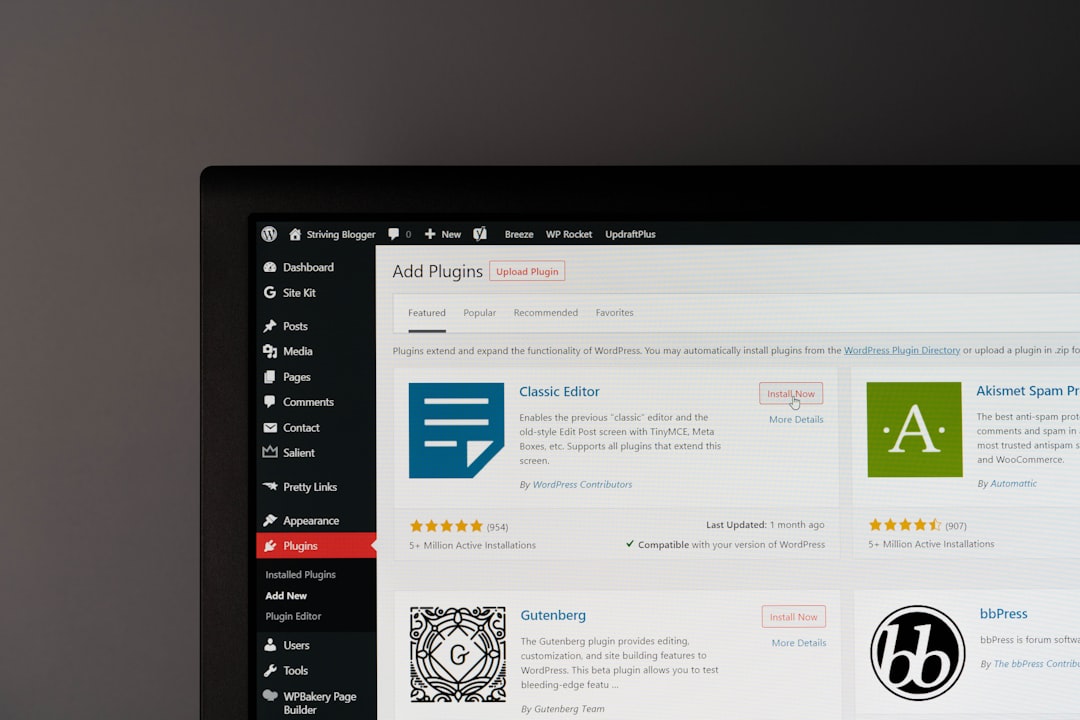
    Best Practices for WordPress Site Migration to a New Hosting Environment

    A successful WordPress migration is more than copying files from one server to another. It is a structured process that protects performance, search visibility, security, user experience, and business continuity. When a website is moved to a new hosting environment, the migration team should treat the project as a planned technical transition rather than a quick transfer.

    TLDR: A reliable WordPress migration begins with a full audit, complete backups, and a careful review of the new hosting environment. The migration team should move files and databases securely, test the site on a temporary URL or staging environment, and update DNS only after everything works correctly. Post-migration checks are essential to confirm speed, security, SEO settings, forms, redirects, and uptime.

    Why WordPress Migration Requires Careful Planning

    WordPress websites often rely on several connected components: themes, plugins, media files, custom code, databases, caching systems, email services, DNS records, and security configurations. If one piece is missed, the site may experience broken pages, missing images, failed logins, lost form submissions, or search ranking issues.

    The migration team should begin by defining the reason for the move. A website may be migrating to improve speed, gain better technical support, increase storage, strengthen security, reduce costs, or move from shared hosting to a VPS, cloud, or managed WordPress platform. Understanding the goal helps determine the correct migration strategy and testing process.

    1. Audit the Existing WordPress Site

    Before anything is transferred, the current site should be reviewed in detail. This audit creates a clear picture of what must be moved and what can be improved during the transition.

    • WordPress version: The team should confirm whether the core installation is up to date.
    • Theme status: The active theme and any child themes should be documented.
    • Plugin inventory: All active and inactive plugins should be reviewed for compatibility and necessity.
    • Database size: Large databases may require special handling during export and import.
    • Media library: The team should check the size and structure of uploads.
    • Custom code: Any code in theme files, mu plugins, or custom snippets should be identified.
    • SEO settings: Metadata, redirects, sitemaps, and schema should be recorded.
    • Forms and integrations: Contact forms, payment gateways, CRM tools, analytics, and email services should be tested before and after migration.

    This audit also offers an opportunity to remove unused plugins, delete old themes, clean spam comments, and optimize database tables. A leaner site is easier to move and often performs better on the new server.

    2. Choose the Right Hosting Environment

    The new host should match the technical and business needs of the website. A small brochure site may run well on quality shared hosting, while an ecommerce store, membership platform, or high traffic publication may require managed WordPress hosting, cloud infrastructure, or a dedicated server.

    The migration team should compare several hosting factors, including:

    • PHP and MySQL support: The server should support modern and stable versions compatible with WordPress.
    • SSL availability: Free or managed SSL certificates should be available.
    • Server location: Hosting close to the primary audience can reduce latency.
    • Backup system: The host should provide automated backups and easy restoration options.
    • Staging tools: A staging environment makes testing safer and easier.
    • Scalability: The plan should allow upgrades as traffic grows.
    • Security features: Malware scanning, firewalls, and login protection are valuable.
    • Support quality: Responsive technical support is critical during migration and troubleshooting.

    The best hosting environment is not always the cheapest one; it is the one that can reliably support the site’s traffic, functionality, and future growth.

    3. Create Complete Backups Before Migration

    No WordPress migration should begin without a complete backup. The backup should include both the website files and the database. Files contain themes, plugins, uploads, and core WordPress assets. The database contains posts, pages, settings, users, comments, orders, and plugin data.

    Backups should be stored in multiple locations, such as local storage and secure cloud storage. The migration team should also verify that the backup can be restored. A backup that has never been tested may create a false sense of security.

    Common backup methods include hosting control panel tools, WordPress backup plugins, command line exports, and manual FTP or SFTP downloads combined with database exports from phpMyAdmin or similar tools. For large or complex sites, command line tools such as WP CLI may be more reliable than browser based exports.

    4. Prepare the New Hosting Account

    Before transferring the site, the new hosting environment should be configured properly. This includes creating the hosting account, setting the correct PHP version, enabling required PHP extensions, creating a new database, and setting secure database credentials.

    The team should also check file permissions, server memory limits, maximum upload size, and execution time. Some WordPress sites fail on a new server because the environment is too restrictive for large plugins, page builders, import processes, or ecommerce functions.

    If the host provides a temporary URL or staging domain, it should be used for testing before DNS changes are made. This allows the migrated site to be checked privately while the public site remains live on the old server.

    5. Migrate Files and Database Securely

    The migration itself usually involves moving the WordPress files and importing the database into the new environment. Files should be transferred using secure methods such as SFTP or SSH rather than unsecured FTP. The database should be exported from the old server and imported into the new database.

    After the database is imported, the wp-config.php file must be updated with the new database name, username, password, and host. If the domain name is changing, URLs in the database must also be updated carefully. A proper search and replace tool should be used to preserve serialized data, which is common in WordPress plugin and theme settings.

    For websites with ecommerce orders, memberships, forums, or active user submissions, timing is especially important. The migration team may need to place the site in maintenance mode or perform a final database sync immediately before launch to avoid losing new orders or user activity.

    6. Test the Site Before Updating DNS

    Testing is one of the most important best practices in WordPress migration. The site should be reviewed thoroughly on the new server before the domain is pointed to it. This can be done through a staging URL, temporary domain, or local hosts file adjustment.

    The testing checklist should include:

    • Homepage, key landing pages, blog posts, and service pages
    • Navigation menus and footer links
    • Images, videos, downloadable files, and embedded media
    • Contact forms, newsletter forms, and lead generation forms
    • Login, registration, account, and checkout pages
    • Payment gateways and ecommerce tax or shipping settings
    • Search functionality and filters
    • Mobile layout and responsive design
    • Plugin generated features such as sliders, popups, galleries, and booking tools
    • Admin dashboard access and user permissions

    Any errors should be fixed before launch. Common issues include broken permalinks, missing media files, mixed content warnings, plugin conflicts, incorrect database credentials, and PHP version incompatibilities.

    7. Manage DNS Changes Carefully

    Once the migrated site has passed testing, the domain’s DNS records can be updated to point to the new hosting server. The migration team should lower the TTL value in advance if possible. A lower TTL can help DNS changes propagate faster, reducing the period during which visitors may reach either the old or new server.

    DNS propagation may take several hours, and in some cases up to 48 hours. During this period, both the old and new hosting environments may receive traffic. For dynamic websites, it is important to prevent data loss by limiting changes on the old site or performing a final synchronization.

    After DNS updates, the team should confirm that the domain resolves to the new IP address, the SSL certificate is active, and both HTTP and HTTPS versions redirect properly. If the site uses a content delivery network, those settings should also be updated and tested.

    8. Preserve SEO During Migration

    Search visibility can be affected by poor migration practices. If the site is moving to a new host but keeping the same domain and URL structure, SEO risk is usually lower. However, problems can still occur if pages return errors, speed decreases, metadata disappears, or the SSL setup fails.

    Important SEO checks include:

    • Permalinks: URL structure should remain unchanged unless a planned redesign requires changes.
    • Redirects: Existing redirects should be migrated and tested.
    • Meta titles and descriptions: SEO plugin settings should remain intact.
    • XML sitemap: The sitemap should load correctly and reflect the current site structure.
    • Robots.txt: Search engines should not be blocked after launch.
    • Canonical tags: Canonicals should point to the correct live URLs.
    • Analytics and tracking: Tracking codes should still fire correctly.

    If the domain or URL structure changes, a detailed redirect map is essential. Every important old URL should redirect to the most relevant new URL using a proper 301 redirect.

    9. Optimize Performance on the New Server

    A migration is an ideal time to improve speed. After the site is live on the new host, the team should review caching, image optimization, database performance, and server response time.

    Performance improvements may include enabling page caching, object caching, browser caching, GZIP or Brotli compression, a CDN, lazy loading, and updated image formats. The team should also check whether old cache files or plugin settings from the previous host conflict with the new environment.

    Speed testing should be performed from multiple locations and devices. A site that loads quickly for administrators may still be slow for users in another region or on mobile networks.

    10. Strengthen Security After Launch

    Security settings should be reviewed immediately after migration. The new host may offer different server level protections, but WordPress still needs careful configuration.

    • Install and verify the SSL certificate.
    • Update WordPress core, themes, and plugins.
    • Remove unused themes and plugins.
    • Use strong administrator passwords.
    • Enable two factor authentication where possible.
    • Check file permissions.
    • Disable unnecessary file editing from the dashboard.
    • Configure firewall and malware scanning tools.
    • Confirm automated backups are running on the new host.

    The team should also monitor error logs and security logs during the first several days after launch. Early detection helps resolve small issues before they become serious problems.

    11. Conduct Post-Migration Quality Assurance

    After the DNS change and launch, a final round of quality assurance should be completed. This confirms that real visitors, search engines, and third party tools are interacting with the new hosting environment correctly.

    The post-migration checklist should cover uptime monitoring, form submissions, transactional emails, checkout flow, analytics data, search console reports, crawl errors, and page speed metrics. If the site sends email through the server, email deliverability should also be tested because hosting changes can affect SPF, DKIM, DMARC, and SMTP configurations.

    The old hosting account should not be cancelled immediately. It is often wise to keep it active for at least a few days, and sometimes longer for complex sites. This provides a fallback option in case unexpected issues appear.

    Common Mistakes to Avoid

    • Migrating without a backup: This creates unnecessary risk and can lead to permanent data loss.
    • Skipping staging tests: Public launch should not be the first real test of the new server.
    • Ignoring DNS timing: Poor timing can cause downtime or lost transactions.
    • Forgetting SSL: Missing or misconfigured SSL can create browser warnings and SEO problems.
    • Overlooking email: Website migration can affect email routing if DNS records are changed incorrectly.
    • Deleting the old site too soon: The old host should remain available until the new setup is proven stable.

    Conclusion

    A WordPress site migration to a new hosting environment should follow a disciplined process: audit, backup, prepare, transfer, test, launch, and monitor. Each stage reduces the chance of downtime, data loss, broken functionality, and SEO disruption. When the migration team plans carefully and validates every critical feature, the move can become an opportunity to improve speed, security, and long term reliability.

    FAQ

    How long does a WordPress site migration take?

    A simple WordPress migration may take a few hours, while a large ecommerce or membership site may require several days of planning, testing, and launch coordination.

    Will migration affect SEO rankings?

    Migration does not have to hurt SEO if URLs, redirects, metadata, SSL, speed, and crawl access are handled correctly. Poor testing or broken pages can negatively affect rankings.

    Should the old hosting account be cancelled immediately?

    No. The old hosting account should remain active until the new site has been tested in production and DNS propagation is complete.

    Is a migration plugin enough?

    A migration plugin can help with many transfers, but complex sites may still require manual checks, database handling, server configuration, and post-launch testing.

    What is the most important step in WordPress migration?

    The most important step is creating a complete, verified backup before any changes are made. Testing the migrated site before DNS updates is equally critical.

    Can a WordPress site be migrated without downtime?

    Yes, many migrations can be completed with little or no visible downtime when staging, DNS planning, final synchronization, and careful launch timing are used.

  • Top Email Marketing Form Examples for Higher Conversion Rates

    Top Email Marketing Form Examples for Higher Conversion Rates

    Email marketing remains one of the most reliable channels for turning casual visitors into loyal customers, but the success of a campaign often begins before the first email is sent. It starts with the email marketing form. A well-designed form captures attention, communicates value quickly, and removes friction from the signup process. When businesses use the right form style in the right context, they can significantly improve conversion rates while building a healthier, more engaged subscriber list.

    TLDR: High-converting email marketing forms are simple, visually clear, and built around a compelling offer. The best examples use strong headlines, minimal form fields, trust signals, and strategic placement. Businesses can improve results by testing popups, embedded forms, exit-intent offers, quizzes, and checkout opt-ins. Every form should clearly explain what subscribers receive and why signing up is worth their time.

    What Makes an Email Marketing Form Convert?

    A high-converting form does more than collect an email address. It answers a visitor’s silent question: “What is in it for me?” The strongest forms combine persuasive copy, clean design, and a clear value exchange. Whether the offer is a discount, newsletter, free guide, product update, or exclusive access, the benefit must be obvious within seconds.

    Effective forms usually share several core qualities:

    • A clear headline: It tells visitors exactly why they should subscribe.
    • A short form: Fewer fields typically reduce hesitation and increase completion rates.
    • A visible call to action: The button uses active, benefit-driven language.
    • Strong visual hierarchy: The most important message stands out immediately.
    • Trust-building details: Privacy notes, subscriber counts, testimonials, or guarantees reduce uncertainty.

    For most businesses, collecting only an email address is enough at the first interaction. Additional information, such as a name, interest category, or company size, can be gathered later through progressive profiling or preference centers.

    1. The Minimal Embedded Newsletter Form

    The embedded newsletter form is one of the most common and dependable email marketing form examples. It usually appears in a website footer, blog sidebar, homepage section, or resource hub. Its strength is consistency. Visitors who are already interested in the brand’s content can subscribe without interruption.

    A strong embedded form might include a headline such as “Get weekly growth tips in your inbox”, a brief description, one email field, and a button that says “Send Me the Tips”. This style works especially well for publishers, consultants, SaaS companies, creators, and educational brands.

    The main advantage of this form is that it feels natural. It does not disrupt the browsing experience. However, because it is passive, placement and copy matter. Businesses often see better results when the form appears after a valuable blog post, inside a content recommendation block, or near a high-intent page.

    Image not found in postmeta

    2. The Discount Popup Form

    For ecommerce brands, a discount popup remains one of the most effective ways to convert first-time visitors. The offer is simple: the visitor provides an email address in exchange for a percentage off, free shipping, or a first-order coupon. When the brand sells products with broad appeal, this type of form can generate fast list growth.

    A high-performing discount popup should be visually focused and easy to close. If it feels aggressive or difficult to dismiss, it may harm the customer experience. The copy should make the offer specific, such as “Take 15% off your first order” rather than a vague phrase like “Join our list.”

    Good discount popup elements include:

    • Specific incentive: “15% off,” “Free shipping,” or “$10 off first purchase.”
    • Simple field structure: Email address first, with optional SMS opt-in only if relevant.
    • Urgency without pressure: “Use it on today’s order” can be more effective than false scarcity.
    • Brand-aligned design: Colors, fonts, and imagery should match the store experience.

    This form works best when displayed after a short delay or after the visitor has viewed a product page. Triggering it immediately may reduce engagement because the visitor has not yet had time to understand the brand’s value.

    3. The Exit-Intent Form

    An exit-intent form appears when a visitor shows signs of leaving, such as moving the cursor toward the browser bar or preparing to close the page. This form gives the business one final opportunity to capture interest before the session ends.

    Exit-intent forms are effective because they target visitors who might otherwise leave without taking action. The offer should be strong enough to interrupt the exit. Examples include “Before leaving, grab the free checklist” or “Wait—save your cart with 10% off.”

    This type of form is especially useful for:

    • Recovering abandoning shoppers
    • Promoting lead magnets on blog posts
    • Capturing visitors from paid traffic campaigns
    • Offering demos, templates, or comparison guides

    The exit-intent form should not feel like a trap. A visible close button and respectful wording help maintain trust. Businesses often improve conversion by pairing this form with a unique offer that is not visible elsewhere on the page.

    4. The Lead Magnet Form

    A lead magnet form offers a valuable resource in exchange for an email address. Common examples include ebooks, templates, checklists, webinars, reports, calculators, and mini-courses. This format works well for B2B companies, service providers, coaches, educators, and brands with a longer buying cycle.

    The best lead magnet forms focus on the outcome rather than the format. A headline like “Download the free budget template” is clear, but “Plan next quarter’s marketing budget in under 30 minutes” is more benefit-driven. The second version tells the visitor what the resource helps them accomplish.

    Lead magnet forms often convert better when they include credibility signals. These might include the number of downloads, a short testimonial, expert credentials, or a preview image of the resource. A short bullet list explaining what is inside can also improve perceived value.

    Image not found in postmeta

    5. The Multi-Step Form

    A multi-step form breaks the signup process into smaller stages. Instead of showing several fields at once, it asks one or two questions first, then requests the email address later. This approach can increase conversions because the experience feels easier and more interactive.

    For example, a fitness brand might first ask, “What is the main goal?” with options such as weight loss, strength, flexibility, or nutrition. After the visitor selects an answer, the form asks for an email address to deliver personalized recommendations.

    Multi-step forms work well when personalization increases the value of the signup. They are commonly used for:

    1. Product recommendations
    2. Course suggestions
    3. Insurance or finance quotes
    4. Software plan matching
    5. Health, wellness, and lifestyle assessments

    The key is to avoid unnecessary complexity. Each step should feel purposeful. If visitors suspect that the questions exist only to collect data, they may abandon the form before submitting.

    6. The Quiz-Based Email Form

    Quiz forms are among the most engaging email marketing form examples because they turn signup into a personalized experience. Instead of asking visitors to subscribe directly, the quiz invites them to discover something about themselves, their needs, or their best-fit product.

    Examples include “Find your ideal skincare routine”, “Which productivity style matches your workday?”, or “What type of investor are you?”. After answering a few questions, visitors enter their email address to receive results.

    The conversion power of quiz forms comes from curiosity and personalization. Visitors are more likely to share an email address when they expect a tailored answer. Businesses also gain useful segmentation data that can improve future email campaigns.

    However, the quiz must deliver meaningful results. If the outcome feels generic, subscribers may lose trust quickly. Strong quiz forms provide relevant recommendations, helpful next steps, and email follow-ups that match the quiz responses.

    7. The Content Upgrade Form

    A content upgrade form is placed inside or near a specific piece of content and offers a related bonus. For example, a blog post about meal planning might include a downloadable grocery list. A guide about landing pages might offer a swipe file of headline examples.

    This form converts well because the offer is contextually relevant. The visitor is already reading about the topic, so the upgrade feels like a natural next step. Unlike a general newsletter form, the content upgrade is tightly connected to the visitor’s current interest.

    Effective content upgrade forms often include a short line such as “Want the printable version?” or “Get the checklist that goes with this guide.” The form can appear mid-article, at the end of the article, or as a small inline callout.

    Businesses that rely on organic traffic can use content upgrades to convert blog readers into subscribers. Over time, each article can become a targeted lead generation asset.

    8. The Checkout Opt-In Form

    The checkout opt-in form appears during the purchasing process and gives customers the option to receive updates, offers, or loyalty rewards. Because the visitor is already making a purchase, this moment can be highly effective for list building.

    The wording should be transparent. A checkbox that says “Email me order updates and special offers” is clearer than vague permission language. In many regions, businesses must also follow consent and privacy laws, so the opt-in should be compliant and easy to understand.

    Checkout opt-ins are valuable because customers usually have higher engagement than general subscribers. They have already shown trust by buying. After signup, businesses can send post-purchase sequences, product education, review requests, replenishment reminders, and loyalty program invitations.

    9. The Webinar Registration Form

    Webinar forms are popular for businesses that sell expertise, software, financial services, education, or high-value products. The form promotes a live or recorded session and collects email addresses from people who want to learn more about a specific topic.

    A compelling webinar form should include the title, date, time, speaker information, and a short list of benefits. The best webinar headlines focus on transformation. For instance, “How to reduce customer churn in 90 days” is stronger than “Customer Retention Webinar.”

    Since webinars require a greater time commitment, trust signals matter. A speaker bio, company credentials, attendee count, or short testimonial can increase registrations. Reminder emails and follow-up sequences can then move registrants closer to conversion.

    Image not found in postmeta

    10. The Waitlist Form

    A waitlist form builds anticipation before a launch. It can be used for new products, online courses, communities, apps, events, or limited releases. The main appeal is early access. Visitors sign up because they want to be notified before the general public.

    High-converting waitlist forms often include exclusivity-driven language, such as “Join the early access list” or “Be first to know when enrollment opens.” The form should also explain what subscribers receive, whether that is a launch discount, private invitation, bonus content, or priority access.

    Waitlist forms are especially effective when paired with social proof. If the page mentions that thousands have already joined, the perceived value increases. However, the proof must be honest and accurate to preserve credibility.

    Best Practices for Higher Conversion Rates

    Choosing the right form type is only part of the process. To improve performance, businesses should test and refine the details. Even small changes in copy, timing, layout, or button text can affect conversion rates.

    • Use benefit-first copy: The form should emphasize what the subscriber gains.
    • Limit required fields: More fields usually create more friction.
    • Make the CTA specific: “Get the guide” is stronger than “Submit.”
    • Match the form to the page: A product page, blog post, and checkout page may need different offers.
    • Optimize for mobile: Forms should load quickly and be easy to complete on small screens.
    • Add privacy reassurance: A simple note such as “No spam. Unsubscribe anytime.” can reduce concern.
    • A/B test regularly: Headlines, offers, triggers, design, and placement should be tested over time.

    Conversion rate optimization should focus on quality as well as quantity. A form that attracts thousands of uninterested subscribers may not support revenue. The ideal form attracts people who genuinely want the brand’s information, products, or services.

    How Businesses Should Choose the Right Form

    The best email marketing form depends on the audience, offer, traffic source, and customer journey. Ecommerce brands may prioritize discount popups, checkout opt-ins, and product quiz forms. B2B companies may see stronger results from lead magnets, webinar registrations, and multi-step qualification forms. Publishers and personal brands may benefit most from embedded newsletters and content upgrades.

    Businesses should also consider visitor intent. Someone reading an educational article may respond well to a checklist, while someone browsing a product page may prefer a discount or recommendation quiz. The closer the form matches the visitor’s current goal, the more likely it is to convert.

    Ultimately, the strongest email marketing forms are not necessarily the most complex. They are the most relevant. When the offer is clear, the design is simple, and the timing is respectful, visitors have a stronger reason to subscribe.

    FAQ

    What is an email marketing form?

    An email marketing form is a signup form that collects a visitor’s email address and sometimes additional information, such as a name, preference, or interest. Businesses use these forms to build subscriber lists and send newsletters, offers, updates, and automated campaigns.

    Which email signup form has the highest conversion rate?

    There is no single form that works best for every business. Discount popups often perform well for ecommerce, while lead magnet forms and webinar forms can convert strongly for B2B and service-based brands. The highest conversion rate usually comes from a form that matches the visitor’s intent and offers a clear benefit.

    How many fields should an email marketing form have?

    Most high-converting forms ask for only an email address. Some may also request a first name or one preference question. In general, fewer required fields reduce friction and can improve completion rates.

    What should the call-to-action button say?

    The button should describe the action or benefit. Phrases such as “Get the checklist,” “Claim the discount,” or “Join the waitlist” are usually stronger than generic words like “Submit.”

    Are popups bad for user experience?

    Popups can hurt user experience if they appear too quickly, cover important content, or are difficult to close. However, when they are well-timed, relevant, and easy to dismiss, they can increase conversions without creating excessive frustration.

    How can businesses improve email form conversions?

    Businesses can improve conversions by testing headlines, offers, button text, placement, timing, and design. They should also make forms mobile-friendly, reduce required fields, include privacy reassurance, and align each form with the page where it appears.

  • Best AI Chatbots for Finance Teams, Reporting, and Decision Support

    Best AI Chatbots for Finance Teams, Reporting, and Decision Support

    Finance teams are under pressure to close faster, explain performance clearly, manage cash intelligently, and support business leaders with timely recommendations. AI chatbots are becoming valuable assistants in this environment because they can summarize reports, answer questions about financial data, draft commentary, detect anomalies, and help analysts move from manual work to decision support.

    TLDR: The best AI chatbots for finance teams combine secure data access, natural language reporting, forecasting support, and strong governance. General enterprise assistants such as Microsoft Copilot, ChatGPT Enterprise, Claude, and Gemini are useful for analysis and communication, while finance-focused platforms such as SAP Joule, Oracle Digital Assistant, Workday Assistant, Datarails FP&A Genius, and Planful AI are better aligned with financial workflows. The strongest choice usually depends on the organization’s ERP, planning tools, data maturity, compliance requirements, and reporting complexity.

    Why AI Chatbots Matter for Finance Teams

    Modern finance departments are no longer expected to simply produce reports at month end. They are expected to explain what happened, identify what may happen next, and advise leadership on the best course of action. AI chatbots support this shift by allowing finance professionals to ask questions in ordinary language, such as “Why did operating expenses increase this quarter?” or “Summarize cash flow risks for the next 90 days.”

    Instead of manually searching through spreadsheets, dashboards, ERP exports, and presentation decks, a finance analyst can use a well-integrated chatbot to retrieve insights faster. The chatbot may surface revenue variances, compare actuals to budget, identify unusual transactions, or prepare an executive-ready explanation of the numbers.

    Image not found in postmeta

    Key Features to Look For

    The best AI chatbots for finance teams are not simply general-purpose writing tools. They need to support accuracy, auditability, security, and workflow integration. Important features include:

    • Natural language querying: Finance teams should be able to ask plain-language questions about revenue, expenses, margins, cash flow, forecasts, and KPIs.
    • Data integration: The chatbot should connect with ERP systems, FP&A platforms, data warehouses, spreadsheets, BI tools, and planning models.
    • Permission controls: A finance assistant must respect access rights so users only see authorized financial information.
    • Source traceability: Strong tools provide citations, links to reports, or references to source systems so outputs can be verified.
    • Forecasting and scenario support: Advanced assistants can help model scenarios, compare assumptions, and explain forecast changes.
    • Commentary generation: AI can draft board updates, variance explanations, management reports, and investor-style summaries.
    • Governance and compliance: Finance teams need audit logs, data retention policies, encryption, and enterprise-grade administration.

    1. Microsoft Copilot

    Microsoft Copilot is a strong option for finance teams that already rely on Excel, PowerPoint, Outlook, Teams, and Power BI. Its biggest advantage is its position inside the Microsoft ecosystem. Finance professionals can use it to summarize meetings, draft financial commentary, analyze spreadsheet patterns, and create presentation narratives from existing documents.

    For reporting teams, Copilot can be especially useful when paired with Power BI and well-governed semantic models. It helps users ask questions about dashboards, identify trends, and transform financial insights into management-ready explanations. It is also helpful for month-end communication, such as preparing close status updates or summarizing budget review meetings.

    Best for: Organizations heavily invested in Microsoft 365, Excel, Teams, and Power BI.

    2. ChatGPT Enterprise

    ChatGPT Enterprise is often used by finance teams for analysis, drafting, summarization, and decision support. It can help create variance commentary, explain financial concepts, generate SQL or Python for analysis, review policies, and structure board-level narratives. With the right enterprise controls and integrations, it can become a flexible finance productivity layer.

    Its value is strongest when organizations connect it to approved internal knowledge sources, reporting packs, policies, and structured data systems. However, finance leaders should establish clear rules around data handling, validation, and human review. AI-generated outputs should support professional judgment rather than replace it.

    Best for: Finance teams seeking a versatile AI assistant for analysis, writing, research, and workflow acceleration.

    3. Claude for Enterprise

    Claude is well suited for finance teams that work with lengthy documents, policies, contracts, board packs, earnings materials, or complex management reports. Its ability to process and summarize large volumes of text makes it valuable for reviewing financial narratives, extracting key points from documents, and comparing versions of reports.

    Finance users may find it especially helpful for drafting clear explanations of performance, reviewing risk disclosures, summarizing audit materials, and improving the tone of executive communications. In decision support, it can help structure pros and cons, identify assumptions, and turn dense financial information into concise recommendations.

    Best for: Teams that handle long-form reporting, financial documentation, governance materials, and executive summaries.

    4. Google Gemini for Workspace

    Google Gemini is a practical AI assistant for finance organizations using Google Workspace, including Sheets, Docs, Gmail, Meet, and Slides. It can support spreadsheet analysis, summarize communications, draft reports, and help teams prepare presentations from financial information.

    Gemini is useful where collaboration and document workflows happen mostly inside Google’s productivity suite. Finance teams can use it to accelerate budget narratives, create meeting summaries, and improve reporting materials. Its usefulness for deeper financial analytics depends on how well it is connected to the organization’s governed data sources and BI environment.

    Best for: Finance teams operating in Google Workspace and looking for productivity-focused AI support.

    Image not found in postmeta

    5. SAP Joule

    SAP Joule is designed for organizations using SAP applications. For finance teams operating in SAP environments, Joule can help users interact with business data, workflows, and processes using natural language. Its strength lies in context: it can support finance work within the broader SAP ecosystem, including ERP, procurement, supply chain, and human capital data.

    For reporting and decision support, Joule can help finance users navigate business information more efficiently, understand operational drivers, and support process-oriented tasks. It is particularly relevant for large enterprises where finance data is deeply embedded in SAP systems.

    Best for: Large organizations with SAP-centered finance and operations infrastructure.

    6. Oracle Digital Assistant

    Oracle Digital Assistant is a compelling option for companies using Oracle Cloud applications, including Oracle Fusion Cloud ERP and EPM. It can support conversational access to financial and operational workflows, helping users retrieve information, initiate tasks, and interact with enterprise systems more efficiently.

    For finance teams, Oracle’s AI capabilities can help with tasks related to reporting, planning, procurement, expenses, and enterprise performance management. Its biggest advantage is alignment with Oracle’s cloud suite, which can reduce integration friction for companies already standardized on Oracle technology.

    Best for: Finance organizations using Oracle ERP, EPM, and related cloud applications.

    7. Workday Assistant

    Workday Assistant is useful for organizations using Workday Financial Management, Adaptive Planning, and HCM. Because finance decisions often depend on workforce data, compensation planning, headcount, and operational expenses, Workday’s environment can be valuable for integrated planning and reporting.

    Finance teams can benefit from conversational access to workforce and financial information, especially when planning headcount, monitoring expenses, or supporting department-level budget discussions. It is particularly relevant for service businesses, healthcare organizations, nonprofits, and companies where people costs are a major financial driver.

    Best for: Organizations that connect finance, workforce planning, and operational budgeting through Workday.

    8. Datarails FP&A Genius

    Datarails FP&A Genius is built specifically for finance teams, particularly those that rely heavily on Excel while needing stronger financial planning and analysis capabilities. It allows users to ask questions about financial data and receive answers, insights, and explanations in a conversational format.

    This type of finance-specific chatbot can be helpful for variance analysis, budget tracking, board reporting, and performance reviews. It is especially attractive to mid-market finance teams that want AI-powered reporting without fully abandoning familiar spreadsheet workflows.

    Best for: FP&A teams that want conversational analytics while continuing to work closely with Excel-based processes.

    9. Planful AI

    Planful AI supports financial performance management, planning, forecasting, and reporting. For finance teams using Planful, AI capabilities can help improve productivity in continuous planning, variance analysis, and reporting cycles.

    Finance leaders often value tools like Planful because they are built around planning workflows rather than generic chat. AI can assist with identifying anomalies, improving forecast confidence, and speeding up management reporting. The strongest use cases are typically found in structured FP&A processes where data quality and planning discipline are already established.

    Best for: Finance teams focused on budgeting, forecasting, financial consolidation, and performance management.

    10. Anaplan and Pigment AI Capabilities

    Anaplan and Pigment are planning platforms that increasingly incorporate AI-assisted capabilities for modeling, analysis, and decision support. While they may not always be described only as chatbots, their AI features can help users explore scenarios, understand business drivers, and support connected planning.

    These platforms are particularly useful for larger or fast-growing organizations with complex planning needs across sales, operations, finance, and workforce functions. AI-powered interaction can make sophisticated models more accessible to business users who may not be expert model builders.

    Best for: Organizations with complex scenario planning, connected planning, and cross-functional forecasting needs.

    How AI Chatbots Improve Reporting

    Reporting is one of the clearest use cases for AI in finance. A chatbot can help transform raw financial data into meaningful commentary. For example, it may explain that gross margin declined because product mix shifted, freight costs increased, or discounting rose in a specific region.

    AI can also help standardize reporting language. Instead of each business unit creating inconsistent explanations, a finance team can use AI to draft commentary in a consistent structure: what changed, why it changed, what it means, and what action is recommended.

    Image not found in postmeta

    How AI Chatbots Support Better Decisions

    Decision support requires more than reporting historical results. It requires interpretation, scenario analysis, and recommendations. AI chatbots can help finance teams compare multiple assumptions, summarize risks, and identify trade-offs.

    For example, a finance leader may ask, “What happens to EBITDA if revenue is 3 percent below forecast and hiring continues as planned?” A well-integrated AI assistant can help prepare the analysis, highlight sensitivities, and draft a decision memo. Human review remains critical, but the time required to move from question to insight can shrink significantly.

    Risks and Limitations

    Despite their benefits, AI chatbots must be used carefully in finance. The largest risks include inaccurate outputs, weak source validation, unauthorized data exposure, and overreliance on generated commentary. Finance teams should avoid treating AI responses as final answers unless they are tied to trusted data and reviewed by qualified professionals.

    Strong governance is essential. Organizations should define approved use cases, restrict sensitive data access, monitor usage, and require validation for external reporting, audit materials, tax work, investor communications, and strategic decisions. The best finance teams treat AI as a controlled assistant, not an autonomous decision maker.

    Choosing the Right AI Chatbot

    The right chatbot depends on the organization’s technology stack and finance maturity. A Microsoft-centered company may begin with Copilot, while an SAP or Oracle enterprise may gain more value from AI embedded directly in its ERP environment. FP&A teams with specialized needs may prefer Datarails, Planful, Anaplan, or Pigment.

    Finance leaders should evaluate tools against practical criteria: data connectivity, security, ease of use, explainability, model governance, reporting quality, and total cost. A pilot program is often the best approach. The team can test month-end reporting, variance analysis, forecast commentary, and management Q&A before expanding usage.

    Final Thoughts

    AI chatbots are becoming an important part of the modern finance toolkit. They help teams work faster, communicate more clearly, and focus more energy on analysis and strategic guidance. The best tools do not replace finance professionals; they amplify their ability to interpret data, challenge assumptions, and advise the business.

    For most organizations, the strongest approach is a combination of enterprise AI assistants and finance-specific platforms. When connected to trusted data and governed properly, these tools can improve reporting, forecasting, and decision support across the finance function.

    FAQ

    What is the best AI chatbot for finance teams?

    The best option depends on the organization’s systems and goals. Microsoft Copilot, ChatGPT Enterprise, Claude, and Gemini are strong general assistants, while SAP Joule, Oracle Digital Assistant, Workday Assistant, Datarails FP&A Genius, and Planful AI are better aligned with finance workflows.

    Can AI chatbots create financial reports?

    Yes, AI chatbots can help draft financial reports, summarize performance, create variance commentary, and prepare executive narratives. However, finance professionals should verify all numbers, assumptions, and conclusions before publication.

    Are AI chatbots safe for confidential financial data?

    They can be safe when deployed with enterprise-grade security, permission controls, encryption, audit logs, and clear data policies. Finance teams should avoid entering sensitive data into tools that are not approved by the organization.

    Can AI replace FP&A analysts?

    AI is unlikely to replace skilled FP&A analysts. Instead, it can reduce manual work and help analysts spend more time on interpretation, scenario planning, business partnering, and decision support.

    What should finance teams test first with AI chatbots?

    Good starting points include variance analysis, management reporting commentary, budget Q&A, forecast explanations, meeting summaries, and policy lookup. These use cases are practical, measurable, and relatively easy to control.

    How can finance teams reduce AI errors?

    They can reduce errors by connecting AI tools to trusted data sources, requiring source references, using human review, limiting sensitive use cases, and creating standard prompts or reporting templates.

  • Top SOC Providers Helping Businesses Strengthen Cybersecurity

    Top SOC Providers Helping Businesses Strengthen Cybersecurity

    Cybersecurity can feel like a game of digital whack a mole. One threat pops up. Then another. Then five more show up wearing fake mustaches. That is why many businesses turn to a Security Operations Center, also called a SOC. A SOC watches your systems, spots danger, and helps stop attacks before they become very expensive disasters.

    TLDR: A SOC provider helps protect your business day and night. It watches for hackers, strange activity, malware, phishing, and other cyber trouble. The best SOC providers combine smart tools with real human experts. Picking the right one depends on your size, budget, industry, and risk level.

    What Is a SOC Provider?

    A SOC provider is like a security guard for your digital world. But instead of checking doors and windows, it checks networks, laptops, cloud apps, servers, emails, and user accounts.

    Good SOC providers do not just stare at alerts. That would be boring. And not very useful. They sort the alerts. They hunt for threats. They investigate strange behavior. They respond when something looks dangerous.

    Many SOC providers offer services like:

    • 24 hour monitoring for attacks and suspicious activity.
    • Threat detection using smart software and expert analysts.
    • Incident response when an attack is found.
    • Threat hunting to find hidden attackers.
    • Compliance support for rules like HIPAA, PCI DSS, SOC 2, and GDPR.
    • Reports and dashboards that explain what is happening.

    Think of them as the people who keep watch while your team sleeps, sells, builds, ships, and eats snacks.

    Image not found in postmeta

    Why Businesses Need SOC Providers

    Cyberattacks are not just a big company problem. Small and mid sized businesses get hit too. In fact, attackers often like smaller targets. Why? Because many have weaker defenses. That makes them easier to attack.

    A SOC provider can help close that gap. It gives your business access to tools and talent that may be too costly to build in house. Hiring a full security team is hard. Keeping one staffed all night is even harder. A SOC provider gives you that support without making you build the whole castle yourself.

    Here is the simple version. A SOC provider helps you:

    1. Find threats faster.
    2. Respond before damage spreads.
    3. Reduce downtime.
    4. Protect customer data.
    5. Meet security rules.
    6. Sleep better at night.

    Top SOC Providers Helping Businesses Strengthen Cybersecurity

    There are many strong SOC providers. Some focus on giant enterprises. Some are great for smaller teams. Some shine in cloud security. Others are excellent at endpoint protection. Let us look at top names in a simple way.

    1. Arctic Wolf

    Arctic Wolf is one of the most popular managed detection and response providers. It offers a cloud based SOC service with 24 hour monitoring. Its team helps businesses find threats, respond to alerts, and improve security over time.

    One nice thing about Arctic Wolf is its concierge style service. You get guidance from security experts. They help explain what matters. They also help you plan next steps. This is great for teams that do not want a flood of confusing alerts.

    Best for: Mid sized businesses that want strong support and clear guidance.

    2. CrowdStrike Falcon Complete

    CrowdStrike is famous for endpoint security. That means it is very good at protecting laptops, desktops, and servers. Its Falcon Complete service adds managed experts who watch and respond to threats.

    CrowdStrike uses powerful threat intelligence. It sees a lot of attacker activity around the world. That gives it a strong view of new threats. It is fast, smart, and great for stopping malware and ransomware.

    Best for: Companies that want excellent endpoint protection and rapid response.

    3. Palo Alto Networks Unit 42

    Palo Alto Networks is a huge name in cybersecurity. Its Unit 42 team provides threat intelligence, incident response, and managed security services. This provider is known for deep research and strong enterprise support.

    Unit 42 is especially useful for larger businesses with complex networks. It can help with cloud security, network security, and advanced investigations. If your environment feels like a maze, Unit 42 brings a flashlight and a map.

    Best for: Large companies and organizations with complex security needs.

    Image not found in postmeta

    4. Rapid7 Managed Detection and Response

    Rapid7 is known for clear tools and helpful security insight. Its managed detection and response service watches for threats across endpoints, users, networks, and cloud environments.

    Rapid7 also has strong vulnerability management. That means it helps you find weak spots before attackers do. This is like checking your roof before the rainstorm. Much better than finding a leak over your desk.

    Best for: Teams that want detection, response, and vulnerability management together.

    5. Secureworks Taegis ManagedXDR

    Secureworks has a long history in managed security. Its Taegis ManagedXDR service combines threat detection, expert analysis, and response support.

    The platform collects data from many areas. It looks across endpoints, cloud tools, identity systems, and networks. This gives teams a fuller picture of what is happening.

    Best for: Businesses that want a mature SOC provider with broad visibility.

    6. Sophos MDR

    Sophos MDR is a strong choice for small and mid sized businesses. It is known for easy to use security products. Its managed detection and response service adds human experts who monitor and respond to threats.

    Sophos can work with its own tools and some third party tools. This is helpful if you already have security software in place. It also offers different service levels, so teams can choose what fits.

    Best for: Small and mid sized businesses that want simple, practical protection.

    7. Expel

    Expel takes a friendly and transparent approach to SOC services. It connects to your existing security tools and helps manage alerts. Its platform explains what it finds in plain language.

    This is a big win. Security reports can sound like robot poetry. Expel works to make alerts easier to understand. Its team also focuses on fast investigation and clear response steps.

    Best for: Businesses that want simple communication and strong managed detection.

    8. eSentire

    eSentire offers managed detection and response with strong 24 hour coverage. It works across endpoints, networks, cloud systems, and logs. Its experts help contain and respond to attacks.

    eSentire is often used by businesses in finance, legal, healthcare, and other high risk industries. These organizations need fast action. They also need detailed reporting. eSentire is built for that.

    Best for: Regulated industries and teams that need strong response support.

    9. Trustwave

    Trustwave provides managed security services, threat detection, compliance support, and penetration testing. It is a good option for businesses that need both SOC services and help meeting security rules.

    Trustwave has global security operations. It also has research teams that study malware, attacks, and data breaches. This helps it stay current with new threats.

    Best for: Companies that want managed security plus compliance help.

    10. Huntress

    Huntress is loved by many small businesses and managed service providers. It focuses on finding hidden threats that other tools may miss. It is especially strong for protecting smaller organizations from common attacks.

    Huntress keeps things simple. It gives clear alerts. It explains what happened. It also offers automated response features. That makes it a practical option for teams without big security departments.

    Best for: Small businesses and IT providers that need affordable, clear protection.

    How to Choose the Right SOC Provider

    The best SOC provider is not always the biggest one. It is the one that fits your business. A tiny bakery and a global bank do not need the same setup. Unless the bakery is guarding a secret cupcake formula. Then maybe.

    Ask these questions before you choose:

    • Do they monitor 24 hours a day? Attackers do not follow office hours.
    • How fast do they respond? Speed matters during an attack.
    • What tools do they support? Make sure they work with your systems.
    • Do they help with compliance? This matters in regulated industries.
    • Are reports easy to understand? Confusing reports waste time.
    • Can they grow with you? Your security needs will change.
    • Do they offer real humans? Automation is great, but experts matter.
    Image not found in postmeta

    Key Features to Look For

    A good SOC provider should offer more than noisy alerts. You want useful action. You want clear advice. You want fewer panic moments.

    Look for these features:

    • Managed detection and response: They find threats and help stop them.
    • Endpoint monitoring: They protect devices used by your team.
    • Cloud visibility: They watch cloud apps and cloud infrastructure.
    • Identity protection: They detect stolen accounts and risky logins.
    • Threat intelligence: They know what attackers are doing now.
    • Incident support: They help when something bad happens.
    • Simple reporting: They make security understandable.

    Final Thoughts

    A SOC provider is not magic. It will not make every risk disappear. But it can make your business much harder to attack. It can also help you react faster when trouble starts.

    The top SOC providers, including Arctic Wolf, CrowdStrike, Palo Alto Networks Unit 42, Rapid7, Secureworks, Sophos, Expel, eSentire, Trustwave, and Huntress, all bring different strengths. Some are built for large enterprises. Some are perfect for smaller teams. Some focus on deep threat hunting. Others shine with simple support and fast response.

    The main goal is simple. Protect your people. Protect your data. Protect your business. A strong SOC provider helps you do that with less stress and fewer late night cyber fire drills. And that is a win for everyone, except the hackers.

  • Best AI Agent Platforms for Coding, Security, Finance, HR, and Marketing Teams

    Best AI Agent Platforms for Coding, Security, Finance, HR, and Marketing Teams

    AI agents are no longer just clever chatbots that answer questions. The best ones can plan tasks, use tools, retrieve company knowledge, trigger workflows, write code, monitor risks, summarize records, and hand work off to humans when judgment is required. For teams in coding, security, finance, HR, and marketing, the right AI agent platform can remove repetitive work while improving speed, consistency, and decision-making.

    TLDR: The best AI agent platform depends on the department’s workflow, risk level, and existing software stack. GitHub Copilot, Cursor, and Amazon Q Developer are strong for coding; Microsoft Security Copilot, CrowdStrike Charlotte AI, and Google Security Operations stand out for security; and finance teams should look at platforms such as Vic.ai, Workiva, Anaplan, and Ramp. For HR and marketing, leading options include Workday, Eightfold, Paradox, Salesforce Agentforce, HubSpot Breeze, Adobe, Jasper, and Copy.ai.

    What Makes an AI Agent Platform “Best”?

    A strong AI agent platform does more than generate text. It connects to tools, understands context, follows instructions, remembers approved knowledge, and acts within guardrails. The best platforms usually combine four capabilities: automation, reasoning, integration, and governance.

    Automation is the obvious benefit. Agents can draft documents, triage tickets, update records, analyze data, and answer employee or customer questions. Reasoning is what separates an agent from a basic workflow: it can decide which step comes next, when to ask for clarification, and when to escalate. Integration matters because teams already live inside tools such as GitHub, Jira, Salesforce, Slack, Workday, Microsoft 365, Google Workspace, Snowflake, and ServiceNow. Governance is essential because AI agents may touch sensitive code, financial records, employee data, customer lists, or security alerts.

    Before choosing a platform, ask: What data will the agent access? What actions can it take? Who approves its output? How is performance measured? Can it be audited? The answers are often more important than the model itself.

    Image not found in postmeta

    Best AI Agent Platforms for Coding Teams

    Developers were among the first professionals to feel the impact of AI agents. Modern coding agents can explain codebases, generate tests, suggest fixes, build features, and even open pull requests. The best platforms help teams write better software without creating unreviewed technical debt.

    • GitHub Copilot is one of the most mature choices for engineering teams. It works inside popular IDEs, supports code completion, chat, pull request assistance, and code explanations. Its strength is its deep integration with GitHub workflows, making it especially useful for teams already using GitHub Issues, Actions, and pull requests.
    • Cursor is popular with developers who want a more AI-native coding environment. It can understand a codebase, edit multiple files, and help developers move quickly from idea to implementation. It is particularly attractive for startups, product engineers, and individual developers who want a fast, conversational coding experience.
    • Amazon Q Developer is a strong fit for teams building on AWS. It can assist with code, cloud architecture, debugging, and modernization tasks. For organizations with large AWS footprints, its understanding of AWS services is a major advantage.
    • Replit Agent is useful for rapid prototyping and building small applications quickly. It can help turn prompts into working projects, making it a good option for non-traditional developers, product managers, and teams experimenting with new concepts.
    • Devin by Cognition is designed as a more autonomous software engineering agent. It aims to plan, code, test, and complete engineering tasks with less step-by-step prompting. It is best suited for teams willing to experiment with agentic development and maintain strong human review processes.

    Best overall for coding: GitHub Copilot for enterprise software teams, Cursor for AI-first development, and Amazon Q Developer for AWS-heavy organizations. The key is not to let agents bypass review. Coding agents are most valuable when they accelerate developers, not replace engineering discipline.

    Best AI Agent Platforms for Security Teams

    Security teams face alert fatigue, complex investigations, and constant pressure to respond quickly. AI agents can summarize incidents, correlate signals, draft response actions, generate queries, and help analysts understand what happened. In security, however, the stakes are high. A useful agent must be explainable, auditable, and tightly permissioned.

    • Microsoft Security Copilot is a leading option for organizations using Microsoft Defender, Sentinel, Entra, and Purview. It helps analysts summarize alerts, investigate incidents, generate KQL queries, and understand threats in plain language. Its biggest advantage is its integration across Microsoft’s security ecosystem.
    • CrowdStrike Charlotte AI is built into the CrowdStrike Falcon platform. It assists with threat hunting, incident investigation, response guidance, and security operations. For organizations already using CrowdStrike, Charlotte AI can reduce the time analysts spend navigating complex telemetry.
    • Google Security Operations with Gemini brings AI into threat intelligence, detection, and investigation workflows. It is especially relevant for teams using Google Cloud security products or Chronicle-based security operations.
    • Wiz AI capabilities are useful for cloud security teams that need to understand exposure, misconfigurations, vulnerabilities, and risk paths across cloud environments. Agents in cloud security are valuable because they can connect technical findings to business risk.

    Best overall for security: Microsoft Security Copilot for Microsoft-centric security operations, CrowdStrike Charlotte AI for endpoint and threat response, and Google Security Operations for cloud-scale detection and investigation. Security teams should prioritize platforms with strong audit logs, role-based access, and human approval for any disruptive action.

    Image not found in postmeta

    Best AI Agent Platforms for Finance Teams

    Finance teams are natural candidates for AI agents because they manage recurring, high-volume, detail-heavy workflows: invoices, expenses, forecasting, reconciliations, reporting, compliance, and variance analysis. The best finance agents do not simply “chat with spreadsheets.” They connect to accounting systems, ERP platforms, procurement tools, and planning models.

    • Vic.ai focuses on accounts payable automation. It can help process invoices, predict GL coding, identify anomalies, and reduce manual data entry. For finance teams buried in invoice workflows, this type of agentic automation can create immediate ROI.
    • Workiva is strong for financial reporting, compliance, audit, and ESG reporting. Its AI capabilities are valuable for teams that need controlled document collaboration, traceability, and governance around regulated reporting.
    • Anaplan with AI and planning intelligence is well suited for forecasting, scenario planning, and operational finance. It supports complex planning workflows where teams need to model assumptions and understand business impact.
    • Datarails is useful for FP&A teams that still rely heavily on Excel but need more automation, consolidation, and reporting intelligence. It helps bridge traditional finance workflows with modern analytics.
    • Ramp Intelligence brings AI into spend management, expense review, vendor insights, and policy enforcement. It is a good fit for teams looking to control costs while reducing manual review.

    Best overall for finance: Vic.ai for accounts payable, Workiva for reporting and compliance, Anaplan for planning, and Ramp for spend management. Finance leaders should be careful with general-purpose AI tools unless data controls are clear. Accuracy, approval flows, and source traceability matter more than flashy generation.

    Best AI Agent Platforms for HR Teams

    HR teams handle sensitive employee data, repetitive questions, hiring workflows, onboarding, performance processes, and workforce planning. AI agents can help employees find policies, schedule interviews, screen candidates, answer benefits questions, and suggest learning paths. But HR also requires fairness, privacy, and transparency.

    • Workday is a major platform for HR operations, and its AI capabilities are increasingly embedded into workforce planning, talent management, employee support, and administrative workflows. It is a strong choice for large organizations already using Workday as their system of record.
    • Eightfold AI focuses on talent intelligence. It helps organizations match candidates to roles, identify internal mobility opportunities, and understand workforce skills. This is especially valuable for companies trying to hire and reskill based on capabilities rather than job titles alone.
    • Paradox offers conversational AI for recruiting. Its assistant, often used for high-volume hiring, can answer candidate questions, schedule interviews, and streamline early-stage recruiting workflows.
    • Glean can serve as an internal knowledge agent for HR content. It helps employees find answers across company documents, policies, and systems, reducing repetitive HR support tickets.
    • ServiceNow HR Service Delivery with AI is useful for organizations that want HR case management, employee service portals, and workflow automation in one environment.

    Best overall for HR: Workday for enterprise HR operations, Eightfold for talent intelligence, Paradox for recruiting automation, and Glean or ServiceNow for employee support. HR teams should evaluate bias controls, data retention, consent, and explainability before deploying AI in hiring or performance-related workflows.

    Best AI Agent Platforms for Marketing Teams

    Marketing teams often need to move fast across strategy, content, campaigns, analytics, personalization, and customer engagement. AI agents can draft campaign briefs, generate content variants, analyze audience segments, recommend next actions, and coordinate workflows across CRM, email, ads, and analytics tools.

    • Salesforce Agentforce is one of the most important platforms for teams already using Salesforce. It can power agents for sales, service, and marketing workflows, using CRM context to personalize interactions and automate customer-facing processes.
    • HubSpot Breeze brings AI agents and assistants into marketing, sales, and customer service. It is especially appealing for small and midsize businesses that want AI embedded directly into their CRM and marketing automation workflows.
    • Adobe Experience Platform AI capabilities are powerful for enterprise marketing teams focused on personalization, customer journeys, content operations, and analytics. Adobe is strongest where brand, creative production, and experience management intersect.
    • Jasper is a popular AI platform for marketing content. It helps teams create campaign copy, blog drafts, social posts, emails, and brand-consistent content at scale. Its value is highest when paired with clear brand guidelines and human editorial review.
    • Copy.ai is useful for go-to-market workflows, outbound messaging, content generation, and sales-marketing alignment. It can help automate repeatable GTM tasks instead of only generating isolated pieces of copy.

    Best overall for marketing: Salesforce Agentforce for CRM-driven enterprise workflows, HubSpot Breeze for integrated SMB marketing, Adobe for experience-led enterprise marketing, and Jasper or Copy.ai for content and campaign creation. The best marketing agents are not just creative; they are connected to customer data and performance metrics.

    Image not found in postmeta

    Best General-Purpose AI Agent Platforms

    Some organizations need to build custom agents that serve multiple departments. In that case, general-purpose agent platforms may be a better foundation than department-specific tools.

    • OpenAI platform is a strong choice for building custom assistants and agents that use tools, files, retrieval, and structured outputs. It is flexible for product teams, internal tools, and workflow automation.
    • Microsoft Azure AI Foundry is ideal for enterprises that want to build AI agents with Azure infrastructure, governance, identity, and security controls.
    • Google Vertex AI Agent Builder works well for teams building agents on Google Cloud, especially when combined with enterprise search, data, and application integrations.
    • LangChain and LangGraph are popular developer frameworks for building complex agent workflows. They are best for teams with engineering resources that want control over orchestration.
    • CrewAI is useful for experimenting with multi-agent workflows where different agents have specialized roles, such as researcher, analyst, writer, or reviewer.

    How to Choose the Right Platform

    The smartest approach is to begin with a specific workflow rather than a broad mandate to “use AI.” Pick one high-friction process, define success metrics, and run a controlled pilot. For example, a coding team might measure pull request cycle time, while a finance team might measure invoice processing cost, and a security team might measure mean time to investigate.

    Also consider integration depth. An AI agent that lives outside the tools your team uses will quickly become another tab to ignore. The best platforms appear inside the workflow, whether that is an IDE, SIEM, CRM, ERP, HRIS, or collaboration tool.

    Finally, insist on governance. The platform should provide permissions, logs, admin controls, data protection, and clear escalation paths. AI agents are most powerful when they act, but action must be bounded by policy.

    Final Thoughts

    The best AI agent platforms are not universal; they are contextual. Coding teams need agents that understand repositories and development workflows. Security teams need trustworthy investigation and response support. Finance teams need accuracy, auditability, and system integration. HR teams need privacy and fairness. Marketing teams need creativity connected to customer intelligence.

    In 2026 and beyond, the winning teams will not be the ones that adopt the most AI tools. They will be the ones that design the best human-agent workflows: clear goals, reliable data, thoughtful oversight, and measurable outcomes. When implemented well, AI agents become more than productivity boosters. They become operational partners that help teams work faster, smarter, and with greater focus.

  • Top Agencies for Custom Chatbot App Development and Integration

    Top Agencies for Custom Chatbot App Development and Integration

    As companies expand digital support, sales automation, and internal knowledge systems, custom chatbot app development and integration has become a strategic investment rather than a simple add-on. The strongest agencies in this space combine conversational design, software engineering, AI model integration, security planning, analytics, and long-term optimization. For businesses comparing partners, the right agency is usually the one that understands both the brand’s customer journey and the technical systems that must support it.

    TLDR: The best chatbot development agencies offer more than a basic bot; they design, build, integrate, test, and improve intelligent conversational systems. Leading options include enterprise consultancies such as Accenture, IBM Consulting, and Deloitte Digital, along with specialized chatbot firms such as Master of Code Global, BotsCrew, LeewayHertz, Itransition, and Intellectsoft. Buyers should evaluate each agency based on AI expertise, integration experience, security standards, industry knowledge, and post-launch support.

    Why Custom Chatbot Development Matters

    Many organizations begin with off-the-shelf chatbot tools, but they quickly discover limitations. A standard template may answer simple FAQs, but it often struggles with complex workflows, multilingual support, account-specific data, secure transactions, or deep integration with CRM, ERP, help desk, and e-commerce platforms. A custom chatbot app can be designed around a company’s exact business logic, brand tone, compliance needs, and user expectations.

    Modern chatbot projects often include natural language processing, large language model integration, voice interfaces, workflow automation, sentiment detection, live agent handoff, and analytics dashboards. This is why experienced agencies are valuable. They help companies avoid poorly trained bots, disconnected systems, and user experiences that frustrate rather than assist.

    Image not found in postmeta

    What Makes a Top Chatbot Development Agency?

    The leading agencies usually share several qualities. They do not simply “install” a chatbot; they guide the full product lifecycle from discovery to deployment and improvement. A strong partner should be able to demonstrate expertise in both conversation strategy and technical architecture.

    • AI and NLP expertise: The agency should understand machine learning, intent recognition, prompt engineering, retrieval augmented generation, and model evaluation.
    • Integration capabilities: The chatbot should connect smoothly with existing systems such as Salesforce, HubSpot, Zendesk, Shopify, Microsoft Dynamics, SAP, or custom databases.
    • Security and compliance: For healthcare, finance, insurance, and enterprise use cases, data privacy and access control are essential.
    • UX and conversation design: A helpful chatbot requires clear flows, human-like responses, fallback handling, and escalation paths.
    • Analytics and optimization: The best agencies monitor usage, improve responses, and refine automation rates after launch.

    Top Agencies for Custom Chatbot App Development and Integration

    1. Accenture

    Accenture is a major choice for large enterprises that need chatbot solutions at scale. Its teams work across cloud, data, AI, customer experience, and digital transformation. Accenture is well suited for organizations that require advanced integrations, global rollouts, governance, and multilingual support.

    The agency can support chatbot programs for customer service, employee support, banking, healthcare, retail, and telecom. Its advantage is not only technical development but also transformation consulting. For large companies with complex legacy infrastructure, Accenture can help align chatbot adoption with broader business operations.

    2. IBM Consulting

    IBM Consulting is a strong option for organizations seeking enterprise-grade conversational AI backed by deep experience in data, cloud, automation, and AI governance. IBM has long been associated with conversational AI through Watson-related technologies, but its consulting services can also support broader AI and chatbot ecosystems.

    IBM Consulting is especially relevant for regulated industries where security, auditability, and responsible AI practices are important. Companies that need chatbots connected to knowledge bases, service desks, customer records, and internal enterprise systems may find IBM’s technical depth valuable.

    3. Deloitte Digital

    Deloitte Digital combines creative experience design with enterprise consulting and implementation. Its chatbot projects often fit into wider customer experience, service transformation, and digital modernization initiatives. Deloitte Digital can be a good match for organizations that want conversational AI to support a broader strategy, not just a standalone application.

    The agency’s strengths include journey mapping, business process redesign, data strategy, and implementation. It is especially useful when an organization needs to define how chatbots will reduce costs, improve satisfaction, increase sales, or support employees across departments.

    4. EPAM Systems

    EPAM Systems is known for strong engineering, product development, and digital platform delivery. It works with enterprises that need custom software, cloud architecture, experience design, and AI-enabled products. For chatbot development, EPAM can assist with sophisticated app architecture, backend integrations, data pipelines, and scalable deployment.

    EPAM may be a strong fit for businesses that view a chatbot as part of a larger digital product ecosystem. Its engineering-first approach makes it useful for companies that need reliable performance, custom interfaces, and integration with complex technology environments.

    Image not found in postmeta

    5. Master of Code Global

    Master of Code Global is a specialized conversational AI agency that focuses on chatbot and voice assistant development. It has experience with customer service automation, e-commerce bots, messaging apps, and AI-powered assistants across channels such as websites, mobile apps, and social platforms.

    Because of its specialization, Master of Code Global is often considered by companies that want a focused chatbot partner rather than a broad digital consultancy. Its services typically include conversational strategy, design, development, integrations, and ongoing optimization.

    6. BotsCrew

    BotsCrew is another agency with a dedicated focus on chatbot development. It builds custom conversational solutions for customer support, lead generation, healthcare assistance, HR automation, real estate, travel, and other business functions. The company is often recognized for practical chatbot implementation and user-friendly conversational design.

    BotsCrew can be a suitable option for mid-sized companies and enterprises that need a custom chatbot without engaging a very large consulting firm. Its experience with integrations and bot training makes it useful for organizations that want to automate repetitive interactions while maintaining a clear handoff to human agents.

    7. LeewayHertz

    LeewayHertz develops AI applications, generative AI solutions, blockchain products, and enterprise software. In chatbot development, it can help businesses build AI assistants that use large language models, internal knowledge bases, and workflow automation. Its services may appeal to companies interested in advanced AI features beyond traditional scripted bots.

    LeewayHertz is relevant for organizations looking to create custom AI agents for support, operations, document search, sales enablement, and internal productivity. It can also support integration with cloud environments and third-party business applications.

    8. Itransition

    Itransition is a software development and IT consulting company that works on custom applications, enterprise systems, AI, CRM, and e-commerce solutions. Its chatbot capabilities are useful for organizations that need automation connected to business software and customer-facing platforms.

    Itransition may be a good fit for companies that want a partner with broad software engineering experience. A chatbot project often requires more than conversation design; it may involve databases, APIs, authentication, dashboards, and workflow engines. Itransition’s wider development background can support those needs.

    9. Intellectsoft

    Intellectsoft provides enterprise software development, mobile app development, and emerging technology services. For chatbot projects, it can help organizations create assistants for mobile apps, web platforms, customer service systems, and internal operations.

    Intellectsoft is often considered by businesses that want custom software with a strong mobile or enterprise application component. A chatbot built into a mobile banking app, field service tool, or customer portal requires careful attention to app performance, security, and usability.

    10. Yellow.ai

    Yellow.ai is widely known as a conversational AI platform provider, but it also supports implementation and enterprise conversational automation. It is especially relevant for companies that want omnichannel bots across chat, voice, and messaging platforms.

    Organizations may consider Yellow.ai when they need fast deployment supported by a mature conversational AI platform. Its strengths include automation across customer support and employee experience, multilingual capabilities, and integrations with enterprise tools.

    How Businesses Should Choose the Right Agency

    Selecting a chatbot agency should begin with a clear understanding of business goals. A company should define whether it wants to reduce customer support volume, qualify leads, improve conversion rates, support employees, automate bookings, retrieve internal knowledge, or assist with transactions. Each goal requires a different architecture and design approach.

    Before signing a contract, decision-makers should request case studies, technical documentation, security practices, integration examples, and a clear delivery roadmap. They should also clarify who will own the chatbot logic, data, models, conversation flows, and analytics after launch.

    • For large enterprise transformation: Accenture, IBM Consulting, Deloitte Digital, and EPAM are strong candidates.
    • For specialized chatbot builds: Master of Code Global and BotsCrew are attractive options.
    • For AI-first custom solutions: LeewayHertz may be a suitable partner.
    • For software-heavy integrations: Itransition and Intellectsoft can be practical choices.
    • For platform-based conversational automation: Yellow.ai is worth evaluating.
    Image not found in postmeta

    Key Features to Request in a Custom Chatbot App

    A high-quality chatbot should include more than a simple question-and-answer flow. Businesses should consider features that improve both user experience and operational value. These may include context awareness, secure account lookup, multilingual support, product recommendations, payment or booking workflows, CRM updates, and automated ticket creation.

    For generative AI chatbots, companies should also request safeguards. These can include approved knowledge sources, response validation, restricted topics, human escalation, audit logs, and hallucination reduction strategies. A chatbot that sounds intelligent but provides inaccurate information can create serious business risk.

    Common Integration Requirements

    Integration is often the most important part of a chatbot project. A bot that cannot access relevant systems might only provide generic answers. A fully integrated chatbot, however, can check order status, update customer records, schedule appointments, recommend products, reset passwords, create support tickets, and route users to the right department.

    Common integration targets include:

    • CRM systems: Salesforce, HubSpot, Zoho, and Microsoft Dynamics.
    • Help desk tools: Zendesk, Freshdesk, ServiceNow, and Intercom.
    • E-commerce platforms: Shopify, Magento, WooCommerce, and custom stores.
    • Communication channels: websites, mobile apps, WhatsApp, Facebook Messenger, Slack, Microsoft Teams, and voice systems.
    • Internal databases: product catalogs, order systems, user profiles, knowledge bases, and document repositories.

    Final Thoughts

    The market for custom chatbot app development is broad, ranging from global consulting firms to specialized conversational AI studios. The best choice depends on the organization’s size, budget, technical complexity, compliance requirements, and desired level of customization. A small company may benefit from a focused chatbot agency, while a multinational enterprise may need a consulting partner with global delivery and governance capabilities.

    Ultimately, the best chatbot agencies help businesses create assistants that are useful, secure, integrated, and measurable. When planned well, a chatbot can become a major part of customer experience, sales support, and internal productivity. When planned poorly, it becomes another disconnected tool. The difference usually comes down to selecting a capable partner and treating chatbot development as a serious digital product initiative.

    FAQ

    What is custom chatbot app development?

    Custom chatbot app development is the process of designing and building a chatbot around a company’s specific workflows, systems, brand voice, and user needs. It can include AI, natural language processing, backend development, system integrations, analytics, and ongoing training.

    How much does it cost to build a custom chatbot?

    The cost depends on complexity. A basic chatbot may cost a few thousand dollars, while an enterprise-grade AI assistant with multiple integrations, compliance requirements, and multilingual support can cost significantly more. Agencies usually provide estimates after discovery.

    How long does chatbot development take?

    A simple chatbot may be launched in several weeks. A more advanced custom chatbot with AI capabilities, backend integrations, testing, and security reviews may take several months.

    Which agency is best for enterprise chatbot development?

    For enterprise projects, companies often consider Accenture, IBM Consulting, Deloitte Digital, and EPAM because they have experience with large-scale technology programs, governance, cloud infrastructure, and complex integrations.

    Which agencies specialize specifically in chatbot development?

    Master of Code Global and BotsCrew are examples of agencies with a strong focus on conversational AI and chatbot development. They are often considered by companies that want a dedicated chatbot partner.

    Can a chatbot integrate with CRM and help desk software?

    Yes. A well-built custom chatbot can integrate with CRM, help desk, e-commerce, payment, scheduling, and internal database systems. These integrations allow the bot to provide personalized and action-oriented support.

    Are generative AI chatbots safe for business use?

    They can be safe when properly designed. Businesses should require access controls, approved data sources, monitoring, escalation paths, response guardrails, and security reviews to reduce the risk of incorrect or unauthorized responses.

    What should a company prepare before hiring a chatbot agency?

    A company should prepare its goals, target users, common questions, workflow requirements, integration needs, compliance concerns, preferred channels, and success metrics. This helps the agency create a more accurate proposal and roadmap.

  • 20 Reasons Why Social Media Is Important in 2026

    20 Reasons Why Social Media Is Important in 2026

    By 2026, social media has become far more than a place for entertainment, casual updates, and personal networking. It now functions as a major layer of everyday communication, commerce, education, culture, customer service, and brand discovery. For individuals, organizations, creators, and communities, social platforms influence how information spreads, how trust is built, and how decisions are made.

    TLDR: Social media is important in 2026 because it connects people, powers digital business, shapes public conversation, and supports real-time communication. It helps brands grow visibility, creators earn income, and communities organize around shared interests. As technology becomes more immersive and data-driven, social media continues to influence culture, commerce, education, and customer relationships.

    20 Reasons Why Social Media Is Important in 2026

    1. 1. It Remains a Primary Communication Channel

      In 2026, social media is one of the fastest ways for people to communicate across distances. Families, friends, coworkers, customers, and communities use social platforms to share updates, send messages, join groups, and stay connected. For many people, it has become as essential as email, messaging apps, and phone calls.

    2. 2. It Helps Brands Build Visibility

      Social media gives businesses the ability to appear in front of audiences daily. Through posts, short videos, stories, live streams, and community interactions, brands can remain visible without relying only on traditional advertising. A consistent presence helps companies become recognizable and memorable.

    3. 3. It Supports Customer Trust

      Trust is built through transparency, responsiveness, and social proof. In 2026, customers often review a brand’s social presence before making a purchase. They look for comments, reviews, tagged posts, creator partnerships, and how the company responds to questions or complaints. A healthy social presence can make a business appear more credible.

    4. 4. It Drives Product Discovery

      Many consumers now discover products through social feeds rather than search engines alone. Algorithms recommend items based on interests, behavior, location, and social connections. This makes social media a powerful discovery engine for fashion, technology, food, services, travel, education, and entertainment.

    5. 5. It Fuels Social Commerce

      Shopping directly through social platforms is common in 2026. Users can watch a demonstration, read comments, compare reviews, and purchase without leaving the app. This reduces friction between interest and action, making social commerce a major sales channel for businesses of all sizes.

    6. 6. It Gives Small Businesses Affordable Reach

      Traditional advertising can be expensive, but social media allows small businesses to reach local and global audiences with modest budgets. Organic content, community engagement, influencer collaborations, and targeted ads help smaller brands compete in markets that once favored larger companies.

    Image not found in postmeta
    1. 7. It Strengthens Customer Service

      Customers increasingly expect brands to respond through direct messages, comments, and public posts. Social media provides a visible customer service channel where quick responses can improve satisfaction. When handled well, service interactions also show other potential customers that a business cares.

    2. 8. It Enables Real-Time Updates

      During emergencies, product launches, event changes, public announcements, or breaking news, social media spreads information quickly. Governments, schools, companies, and public organizations use platforms to deliver timely updates. This real-time function makes social media especially important during fast-moving situations.

    3. 9. It Supports Personal Branding

      Professionals, creators, consultants, job seekers, and entrepreneurs use social media to shape how they are perceived. By sharing expertise, achievements, opinions, and portfolio work, individuals can build a public reputation. In 2026, a strong personal brand can lead to partnerships, employment opportunities, speaking invitations, and new clients.

    4. 10. It Creates Income Opportunities for Creators

      The creator economy continues to expand. Social media enables creators to earn through subscriptions, sponsorships, digital products, affiliate marketing, live events, fan support, and platform monetization. For many creators, social platforms are not just promotional tools; they are the foundation of a business model.

    5. 11. It Helps Communities Form and Grow

      People use social platforms to find others who share their interests, identities, challenges, or goals. Communities form around hobbies, health topics, parenting, education, gaming, culture, activism, investing, fitness, and countless niche interests. These communities provide emotional support, practical advice, and a sense of belonging.

    6. 12. It Influences Culture and Trends

      Music, language, fashion, humor, design, food, and entertainment trends often begin or spread through social media. Viral content can shape public taste quickly, turning unknown creators, products, or ideas into mainstream phenomena. In 2026, social platforms remain central to how culture moves and evolves.

    7. 13. It Improves Audience Research

      Social media gives organizations access to valuable signals about what audiences care about. Comments, shares, saves, reactions, polls, and conversations reveal preferences and pain points. Brands can use this information to improve products, refine messaging, and understand customer expectations more clearly.

    Image not found in postmeta
    1. 14. It Makes Marketing More Interactive

      Unlike one-way advertising, social media allows audiences to participate. They can comment, vote, remix, share, review, and ask questions. This interactivity helps brands build stronger relationships. Campaigns become more effective when audiences feel involved rather than simply targeted.

    2. 15. It Supports Education and Skill Building

      Social media has become a major source of informal learning. Educators, experts, institutions, and creators share tutorials, explainers, live sessions, and discussion threads. While not every source is reliable, high-quality educational content helps people learn new skills, discover careers, and stay informed about complex topics.

    3. 16. It Helps Organizations Recruit Talent

      Employers use social media to promote company culture, share job openings, and connect with candidates. Professionals also use platforms to demonstrate expertise and explore opportunities. In competitive labor markets, social media helps organizations attract talent by showing what it is like to work with them.

    4. 17. It Amplifies Social Causes

      Nonprofits, activists, and community groups rely on social media to raise awareness, organize events, collect donations, and mobilize supporters. A cause can gain attention rapidly when messages are clear, emotional, and easy to share. Social platforms give smaller movements a chance to reach audiences that traditional media may overlook.

    5. 18. It Enhances Events and Experiences

      Conferences, concerts, product launches, sports events, and local gatherings are now extended through social media. Live updates, behind-the-scenes clips, attendee posts, and event hashtags create wider participation. Even people who cannot attend in person can experience highlights and interact with the event remotely.

    6. 19. It Integrates With Artificial Intelligence and Immersive Technology

      By 2026, social media is increasingly shaped by artificial intelligence, augmented reality, virtual experiences, and personalized content systems. AI assists with content creation, moderation, recommendations, translation, and customer support. Immersive tools allow users to try products virtually, attend digital events, and interact in richer online spaces.

    7. 20. It Shapes Public Opinion

      Social platforms influence how people understand news, politics, business, entertainment, and social issues. Public conversations unfold quickly, and narratives can gain momentum within hours. Because of this influence, media literacy, fact-checking, and responsible communication are more important than ever.

    Image not found in postmeta

    Why Social Media Matters More Than Ever

    Social media’s importance in 2026 comes from its role as a bridge between attention, relationships, and action. It is where people discover ideas, evaluate businesses, follow creators, participate in communities, and respond to world events. A platform that once focused mainly on social interaction now affects nearly every part of modern digital life.

    For businesses, social media is no longer optional. It is part of marketing, sales, customer service, reputation management, recruitment, and market research. For individuals, it can support self-expression, learning, professional growth, and connection. For society, it can spread both helpful information and harmful misinformation, which makes responsible use essential.

    The strongest social media strategies in 2026 are not built only on posting frequently. They are built on authenticity, usefulness, creativity, consistency, and respect for the audience. Platforms and algorithms may change, but the need for meaningful communication remains constant.

    Key Takeaways

    • Social media is a core part of communication for individuals, brands, communities, and institutions.
    • It supports business growth through visibility, customer service, product discovery, and social commerce.
    • It empowers creators and professionals by helping them build audiences, authority, and income streams.
    • It shapes culture and public conversation, making media literacy increasingly important.
    • It continues to evolve through artificial intelligence, personalization, and immersive digital experiences.

    FAQ

    Why is social media important in 2026?

    Social media is important in 2026 because it influences communication, commerce, culture, education, customer service, and public opinion. It helps people and organizations connect with audiences quickly and meaningfully.

    Is social media still useful for businesses?

    Yes. Social media remains highly useful for businesses because it supports brand awareness, customer engagement, advertising, direct sales, customer service, and reputation building.

    How does social media affect consumers?

    Social media affects consumers by shaping what they discover, trust, discuss, and purchase. Reviews, creator recommendations, social proof, and targeted content often influence buying decisions.

    Why is social media important for creators?

    Social media gives creators access to audiences, monetization tools, brand partnerships, and community-building features. It allows them to turn content, expertise, or entertainment into a sustainable business.

    What are the risks of social media in 2026?

    The main risks include misinformation, privacy concerns, algorithmic bias, online harassment, overuse, and reputational damage. Responsible platform use and critical thinking are essential.

    How can organizations use social media effectively?

    Organizations can use social media effectively by sharing valuable content, responding to audiences, maintaining a consistent brand voice, monitoring feedback, and adapting strategies based on data and audience behavior.

  • Best Live Chat and Chatbot Plugins for WordPress Sites

    Best Live Chat and Chatbot Plugins for WordPress Sites

    Choosing the right live chat or chatbot plugin for a WordPress site is an important business decision, not just a design preference. The best tools can help you respond faster, qualify leads, reduce support tickets, and guide visitors toward the right product or service. For many websites, a reliable chat solution becomes one of the most visible parts of the customer experience, so it should be selected with care.

    TLDR: The best live chat and chatbot plugin for your WordPress site depends on your support volume, budget, automation needs, and existing tools. LiveChat, Tidio, HubSpot, Crisp, Zendesk, and Intercom are among the strongest options for different use cases. If you want a simple, affordable solution, Tidio or Crisp may be ideal; if you need advanced sales and support workflows, HubSpot, Zendesk, or Intercom are better suited.

    Why Live Chat and Chatbots Matter for WordPress Websites

    Modern website visitors expect quick answers. If they cannot find pricing, shipping details, booking information, or technical guidance quickly, they may leave and choose a competitor. A live chat widget gives users a direct way to contact your team, while a chatbot can answer common questions even when no one is available.

    For WordPress businesses, this is especially valuable because many sites are built to generate leads, sell products, book appointments, or provide support. A well-configured chat plugin can improve the user experience while giving your team better visibility into visitor behavior.

    However, not all chat plugins are equal. Some are built mainly for small businesses, while others are designed for enterprise-level customer service. Some focus on automation, while others prioritize human agent workflows. Before installing a plugin, it is important to understand what each platform does well.

    Image not found in postmeta

    What to Look for in a WordPress Chat Plugin

    Before comparing specific tools, consider the criteria that matter most. A trustworthy live chat or chatbot plugin should offer a strong balance of reliability, usability, compliance features, and integration options.

    • Ease of setup: The plugin should be easy to install and configure without requiring advanced development skills.
    • Chatbot automation: Look for automated responses, lead qualification, routing rules, and conversation workflows.
    • Human handoff: A good chatbot should allow users to move from automated replies to a real person when needed.
    • Mobile responsiveness: The chat widget must work properly on phones and tablets.
    • Integrations: Check compatibility with CRM systems, email marketing tools, ecommerce platforms, and help desk software.
    • Data protection: Review privacy settings, consent options, and compliance support for regulations such as GDPR.
    • Reporting: Useful analytics can show response times, conversion performance, visitor behavior, and customer satisfaction.
    • Pricing transparency: Make sure the plan you choose includes the specific features you need.

    1. LiveChat

    LiveChat is one of the most established live chat solutions for WordPress. It is known for reliability, a polished interface, and strong support features. Businesses that care about professional customer communication often choose LiveChat because it offers a stable experience for both agents and visitors.

    The WordPress plugin makes it relatively simple to add the chat widget to your site. From there, agents can manage conversations through a clean dashboard. LiveChat also supports canned responses, file sharing, chat transcripts, tags, and customer satisfaction ratings.

    Best for: Established businesses that want a dependable live chat platform with professional support workflows.

    Key strengths:

    • Clean and reliable chat interface
    • Strong agent tools for support teams
    • Helpful reporting and analytics
    • Integrations with CRMs, help desks, and ecommerce tools

    Potential drawback: LiveChat is not the cheapest option. Smaller websites with limited support needs may find more affordable alternatives.

    2. Tidio

    Tidio is a popular choice for small and medium-sized WordPress websites because it combines live chat, chatbot automation, and email communication in a user-friendly package. It is particularly appealing for ecommerce stores, service businesses, and lead generation websites.

    Tidio’s chatbot builder allows you to create automated flows for common situations, such as welcoming visitors, offering discounts, recovering abandoned carts, or answering frequently asked questions. The interface is approachable, which makes it suitable for site owners who do not have technical experience.

    Image not found in postmeta

    Best for: Small businesses and online stores that want an affordable mix of live chat and automation.

    Key strengths:

    • Easy WordPress installation
    • Beginner-friendly chatbot builder
    • Useful ecommerce automation features
    • Free plan available for basic needs

    Potential drawback: Advanced automation and higher usage levels may require paid plans, so review pricing carefully as your website grows.

    3. HubSpot Live Chat

    HubSpot Live Chat is a strong option for businesses that want chat connected to a broader customer relationship management system. The biggest advantage is that conversations can be stored directly in HubSpot CRM, giving sales and support teams a clearer picture of each contact.

    This is especially useful for companies that rely on inbound marketing, lead nurturing, and sales pipelines. You can use chat to capture visitor details, qualify leads, book meetings, and route conversations to the right person. HubSpot also offers chatbot functionality, although the level of automation depends on the tools and plan you use.

    Best for: Businesses that want live chat connected to CRM, marketing, and sales workflows.

    Key strengths:

    • Native integration with HubSpot CRM
    • Good for lead capture and sales conversations
    • Contact history and conversation records
    • Strong ecosystem of marketing and sales tools

    Potential drawback: HubSpot can become more complex as you add more features. It is best suited for businesses willing to invest time in setup and process design.

    4. Crisp

    Crisp is a versatile customer communication platform that works well for startups, SaaS businesses, agencies, and growing WordPress sites. It offers live chat, chatbots, shared inbox functionality, knowledge base tools, and customer engagement features.

    One of Crisp’s advantages is its clean interface. It feels modern without being overwhelming. Teams can manage conversations across channels, automate parts of the support process, and maintain a more organized communication history.

    Best for: Startups and growing teams that want an elegant all-in-one communication tool.

    Key strengths:

    • Modern live chat experience
    • Shared inbox for team collaboration
    • Chatbot and automation capabilities
    • Good balance of features and usability

    Potential drawback: Some of the most useful features are available only on paid plans, so the free version may be too limited for active support teams.

    5. Zendesk Chat

    Zendesk is a well-known name in customer service software, and its chat capabilities are best suited for organizations that need structured support operations. If your WordPress site is part of a larger customer service system, Zendesk can be a strong choice.

    Zendesk Chat integrates with the broader Zendesk Suite, which includes ticketing, help center content, customer data, reporting, and automation. This makes it particularly useful for companies that need to manage a high volume of support requests across multiple channels.

    Best for: Businesses with serious customer support operations and existing help desk needs.

    Key strengths:

    • Strong ticketing and support ecosystem
    • Good for larger teams
    • Robust reporting and workflow tools
    • Suitable for multi-channel customer service

    Potential drawback: Zendesk may be more than a small business needs. It can require careful setup to get the most value from the platform.

    6. Intercom

    Intercom is a premium customer messaging platform used by many software companies, technology businesses, and growth-focused teams. It combines live chat, automation, product messaging, help center content, and customer engagement tools.

    Intercom is particularly strong for businesses that want to guide users throughout the customer journey. For example, it can help with onboarding, feature announcements, support conversations, lead qualification, and account-based messaging. Its chatbot and automation features are powerful, but they are best used by teams that have a clear strategy.

    Best for: SaaS companies, technology businesses, and teams focused on customer engagement and lifecycle messaging.

    Key strengths:

    • Advanced messaging and automation
    • Strong customer segmentation
    • Useful for onboarding and product support
    • Professional, high-quality user experience

    Potential drawback: Intercom is often more expensive than simpler chat plugins. It is usually best for businesses that can justify the cost through sales, retention, or support efficiency.

    7. JivoChat

    JivoChat is a practical option for WordPress site owners who want live chat, phone, email, and social messaging in one place. It is often used by small businesses, consultants, online stores, and service providers that want a straightforward communication platform.

    JivoChat includes real-time visitor monitoring, proactive chat invitations, and team communication tools. It is not as advanced as some enterprise platforms, but it offers a useful set of features at a reasonable cost.

    Best for: Small businesses that want a cost-effective multi-channel communication tool.

    Key strengths:

    • Simple installation and setup
    • Multi-channel communication options
    • Visitor monitoring
    • Good value for smaller teams

    Potential drawback: Businesses with complex automation requirements may need a more advanced platform.

    8. Olark

    Olark is a straightforward live chat tool with a focus on simplicity and useful reporting. It is a good fit for businesses that primarily want human-to-human chat rather than a highly complex chatbot system.

    Olark offers chat transcripts, automation rules, team management, and integrations with several business tools. It is especially suitable for companies that want to understand customer questions and improve website content based on real conversations.

    Best for: Teams that want reliable live chat without unnecessary complexity.

    Key strengths:

    • Simple and focused live chat features
    • Useful conversation transcripts
    • Good reporting capabilities
    • Easy to train support staff

    Potential drawback: It may not be the best option if advanced AI chatbot automation is your main priority.

    Image not found in postmeta

    How to Choose the Right Plugin

    The best plugin depends on the role chat will play on your website. If your main goal is answering occasional visitor questions, a lightweight tool such as Crisp, JivoChat, or Olark may be enough. If you run an ecommerce store and want automation for cart recovery or product questions, Tidio is worth considering.

    If your business depends heavily on sales pipelines, customer data, and marketing automation, HubSpot is a strong candidate. For structured support departments, Zendesk may be the better fit. If you need advanced customer engagement and have the budget for a premium tool, Intercom can be excellent.

    When making a decision, avoid choosing based only on the number of features. A plugin with many features is not always better if your team will not use them. The right choice is the one that fits your workflow, budget, technical ability, and customer expectations.

    Implementation Best Practices

    After choosing a plugin, take time to configure it properly. A poorly implemented chat widget can frustrate visitors instead of helping them. Keep the widget visible but not intrusive, and make sure it does not block important content on mobile screens.

    • Set realistic availability hours: If your team is not online 24/7, make that clear.
    • Create helpful automated greetings: Avoid aggressive messages that interrupt the browsing experience.
    • Use saved replies carefully: Templates save time, but responses should still feel relevant and human.
    • Monitor performance: Track response times, missed chats, conversion rates, and customer satisfaction.
    • Review transcripts: Real chat conversations can reveal gaps in your website content or product information.

    Final Recommendation

    For most WordPress site owners, Tidio and Crisp offer the best balance of usability, features, and cost. For companies with more advanced sales and marketing needs, HubSpot Live Chat is a serious option because of its CRM integration. For larger support teams, Zendesk provides the structure and reporting needed to manage customer service at scale.

    There is no single best live chat or chatbot plugin for every WordPress site. The right solution should support your business goals, protect the user experience, and give your team the tools it needs to respond professionally. Start with your real requirements, test the platform carefully, and choose the plugin that helps you build trust with visitors from the first conversation.

  • Top AI Avatar Generators for Real Estate Listings and Virtual Showings

    Top AI Avatar Generators for Real Estate Listings and Virtual Showings

    Real estate marketing has moved far beyond static photos and floor plans. As buyers increasingly expect immersive digital experiences, AI avatar generators are becoming valuable tools for agents, brokerages, property managers, and developers. These platforms create lifelike presenters, virtual hosts, multilingual guides, and branded spokespersons that can introduce listings, explain property features, and lead prospects through virtual showings.

    TLDR: AI avatar generators help real estate professionals create engaging listing videos, virtual tour narrations, and multilingual property presentations without hiring on-camera talent. The best tools combine realistic avatars, easy script-to-video workflows, brand customization, and fast publishing options. For real estate listings and virtual showings, platforms such as Synthesia, HeyGen, D-ID, Colossyan, Elai, DeepBrain AI, and Hour One stand out for their usability and professional results.

    Why AI Avatars Matter in Real Estate

    In a competitive property market, presentation can influence how quickly a listing attracts attention. A well-produced video featuring a polished virtual presenter can make a property feel more accessible, especially to remote buyers. Instead of relying only on written descriptions, agencies can use an AI avatar to narrate the highlights of a home, explain neighborhood benefits, or guide viewers through a virtual open house.

    AI avatars also reduce production friction. Traditional video marketing may require camera crews, presenters, editing teams, and repeated reshoots. With an AI avatar generator, a real estate team can type a script, select a presenter, choose a voice, and generate a finished video in minutes or hours. This makes it easier to update listing videos when prices change, new amenities are added, or open house schedules shift.

    Image not found in postmeta

    Key Features to Look For

    Not all AI avatar platforms are equally useful for property marketing. The strongest options for real estate typically include the following features:

    • Realistic avatar quality: Presenters should look natural, professional, and suitable for high-value listings.
    • Text-to-video creation: Agents should be able to turn listing descriptions into videos quickly.
    • Multilingual support: International buyers benefit from property presentations in their preferred language.
    • Custom branding: Brokerages often need consistent colors, logos, fonts, and visual style.
    • Voice options: Natural narration helps a listing feel credible rather than robotic.
    • Scene templates: Ready-made layouts can speed up production for multiple properties.
    • Export flexibility: Videos should be easy to publish on listing pages, social platforms, email campaigns, and virtual tour hubs.

    1. Synthesia

    Synthesia is one of the most recognized AI avatar video platforms, and it is well suited for professional real estate presentations. Its strength lies in polished corporate-style videos, a wide selection of avatars, and support for many languages. A brokerage can create a video in which an avatar introduces a luxury condo, discusses nearby amenities, and invites prospects to schedule a private showing.

    The platform is especially helpful for agencies managing multiple listings. A team can standardize video formats across properties, then swap in new scripts, photos, and location details. Its templates and brand controls make it useful for maintaining a consistent visual identity across social media, landing pages, and email campaigns.

    Best for: brokerages, luxury agents, property developers, and teams that need polished multilingual listing videos.

    2. HeyGen

    HeyGen is popular for its intuitive interface, strong avatar realism, and flexible video creation tools. Real estate marketers can use it to create virtual hosts that speak directly to viewers, introduce property features, and deliver short-form listing videos for platforms such as Instagram, TikTok, YouTube Shorts, and Facebook.

    One of HeyGen’s strengths is speed. Agents can create attention-grabbing videos from a short script, making it useful for fast-moving markets where listings need immediate promotion. Its avatar and voice options can support a range of tones, from friendly neighborhood expert to upscale property consultant.

    Best for: social media listing videos, agent branding, quick property updates, and engaging virtual introductions.

    3. D-ID

    D-ID focuses on creating talking digital humans from images and scripts. For real estate, this can be useful when an agency wants to create an avatar based on a brand representative, illustrated character, or approved professional headshot. It can transform a static image into a speaking presenter, allowing a listing page to feel more interactive.

    D-ID can be especially effective for embedding short welcome messages on property websites. For example, a digital host might greet visitors, summarize the home’s top selling points, and direct them to a 3D walkthrough or contact form. This human-style introduction can help create a warmer experience than text alone.

    Image not found in postmeta

    Best for: custom digital presenters, interactive website experiences, short property explainers, and personalized listing pages.

    4. Colossyan

    Colossyan is designed for professional training and business communication, but its avatar video tools also translate well to real estate. It works particularly well for structured presentations, such as new development overviews, investor briefings, relocation guides, and property management explainers.

    Real estate companies can use Colossyan to present more detailed information than a typical short listing video. For example, an avatar can explain lease terms, building amenities, investment potential, or neighborhood growth trends. Its clear, presentation-oriented style makes it a strong fit for educational and informational real estate content.

    Best for: property management firms, real estate investment teams, development sales offices, and educational property videos.

    5. Elai

    Elai offers text-to-video tools with AI presenters, templates, and multilingual output. It is useful for agencies that need scalable video production without complex editing. A real estate team can create repeatable formats for listing walkthroughs, neighborhood guides, market updates, and buyer education content.

    Elai’s workflow can support teams that regularly publish videos in different languages or locations. For example, a city-focused agency might create separate avatar-led videos for downtown apartments, suburban homes, waterfront properties, and investment units. The ability to modify scripts and regenerate content can save significant time.

    Best for: scalable listing video production, multilingual campaigns, market updates, and repeatable real estate content.

    6. DeepBrain AI

    DeepBrain AI is known for realistic AI humans and professional video generation. Its avatars often have a news-anchor or presenter feel, which can work well for high-end listing announcements, market reports, and developer presentations. The platform can help a brokerage produce videos that look formal, credible, and polished.

    For virtual showings, DeepBrain AI can be used to create a presenter who introduces each segment of a tour. The avatar may appear at the beginning of the video, between room highlights, or at the end with a call to action. This structure can help make a virtual showing feel guided rather than simply stitched together from property footage.

    Best for: premium property presentations, market reports, agency announcements, and professionally styled virtual tour videos.

    7. Hour One

    Hour One provides AI video creation with virtual presenters and business-friendly templates. It is useful for real estate organizations that want consistent, presenter-led videos across departments or locations. Franchises, regional brokerages, and property management groups may find it helpful for maintaining a uniform video style.

    The platform can support listing spotlights, agent introductions, rental application explainers, and relocation content. Its emphasis on professional communication makes it a practical option for companies that need both marketing and operational videos.

    Best for: larger real estate organizations, rental businesses, relocation services, and standardized branded video communication.

    How AI Avatars Improve Virtual Showings

    A virtual showing can sometimes feel passive if viewers only see rooms and background music. An AI avatar adds structure and personality. The presenter can introduce the home, explain the flow of the floor plan, highlight materials and upgrades, and remind viewers about details that may not be obvious from visuals alone.

    For example, an avatar can mention that a kitchen includes quartz countertops, soft-close cabinetry, and energy-efficient appliances while the video displays those features. In a backyard scene, the avatar can describe privacy, landscaping, outdoor lighting, and entertaining potential. This combination of narration and visuals can make listings easier to understand.

    AI avatars are also useful for asynchronous selling. Buyers in other cities or time zones can receive a guided property presentation without requiring an agent to be live on a video call. The agent remains available for follow-up questions, but the first layer of information is delivered automatically and consistently.

    Image not found in postmeta

    Best Use Cases for Real Estate Teams

    • Listing introduction videos: A short avatar-led overview can summarize price, location, square footage, bedrooms, and standout amenities.
    • Luxury property presentations: A refined avatar can create a polished feel for premium homes and developments.
    • Multilingual buyer outreach: The same listing can be presented in multiple languages for international prospects.
    • Neighborhood guides: Avatars can explain schools, transit, restaurants, parks, and local lifestyle benefits.
    • Rental walkthroughs: Property managers can use avatars to explain application steps, lease terms, and building rules.
    • Market updates: Agents can create recurring videos about pricing trends, inventory, interest rates, and buyer demand.
    • New development previews: Developers can present renderings, floor plans, amenities, and construction timelines.

    Potential Limitations and Best Practices

    Although AI avatars can improve efficiency, they should not replace authenticity. Real estate remains a relationship-driven industry, and buyers still value trust, responsiveness, and local expertise. An avatar should support an agent’s marketing, not pretend to be a licensed professional if it is not clearly presented as a digital assistant or virtual presenter.

    Accuracy is also essential. Listing videos must reflect current property details, pricing, availability, and disclosures. If an AI-generated video includes outdated or exaggerated claims, it can create confusion or legal risk. Real estate teams should review every script before publishing and confirm that all facts match the listing record.

    The most effective videos are concise. A virtual showing does not need a long speech in every room. Instead, the avatar should guide attention toward meaningful selling points. Clear scripts, professional visuals, and a strong call to action usually produce better results than overly complex presentations.

    Which AI Avatar Generator Is Best?

    The best AI avatar generator depends on the real estate team’s goals. Synthesia is strong for polished, multilingual professional videos. HeyGen is excellent for fast, engaging social content. D-ID works well for custom talking presenters and interactive listing pages. Colossyan and Elai are practical for structured, scalable content, while DeepBrain AI and Hour One fit professional, enterprise-style communication.

    For many agencies, the ideal approach is to test two or three platforms with the same listing script. Comparing avatar realism, voice quality, editing workflow, branding options, and export results can reveal which tool fits the team’s marketing style. The right platform should save time while making the property feel more engaging and easier to understand.

    FAQ

    What is an AI avatar generator for real estate?

    An AI avatar generator is a tool that creates digital presenters for videos. In real estate, these avatars can introduce listings, narrate virtual tours, explain property features, and present market updates.

    Can AI avatars replace real estate agents?

    No. AI avatars are best used as marketing assistants or virtual presenters. Licensed agents are still needed for negotiations, disclosures, client advice, showings, and transaction management.

    Are AI avatar videos useful for luxury listings?

    Yes, if the video is polished and professionally scripted. A realistic avatar, high-quality property footage, and refined branding can help luxury listings feel more premium and informative.

    Can AI avatars speak multiple languages?

    Many leading AI avatar platforms support multiple languages and accents. This is useful for international buyers, relocation clients, and diverse local markets.

    How long should an AI avatar listing video be?

    Most listing videos perform well between 60 seconds and 3 minutes. Shorter videos are better for social media, while longer guided presentations may work for websites and virtual showing pages.

    What should a real estate avatar say?

    The script should cover the property’s location, layout, key features, upgrades, amenities, neighborhood benefits, and next steps. It should be factual, concise, and aligned with the official listing information.

    Are AI avatar generators expensive?

    Pricing varies by platform, video length, features, and usage volume. Many tools offer monthly plans, making them more affordable than repeated traditional video shoots for every listing.

    What is the main benefit of using AI avatars for virtual showings?

    The main benefit is scalable personalization. AI avatars can make virtual showings feel guided and informative while allowing real estate teams to create videos quickly, consistently, and in multiple languages.

  • What Are the Common Causes of Instagram Login Errors and How to Resolve Them?

    What Are the Common Causes of Instagram Login Errors and How to Resolve Them?

    Instagram is a central communication, marketing, and identity platform for many people and organizations, so being unable to log in can quickly become more than a minor inconvenience. Login errors may appear suddenly, after a device change, during travel, following an app update, or when Instagram detects unusual activity. In most cases, the problem is caused by a known and fixable issue, but it is important to approach the situation carefully to avoid losing access or falling for scams.

    TLDR: Most Instagram login errors are caused by incorrect credentials, app or device problems, network issues, two-factor authentication difficulties, account restrictions, or security checks. Start by confirming your username, password, internet connection, and app version before attempting advanced recovery steps. If Instagram suspects suspicious activity, you may need to verify your identity or wait for temporary restrictions to expire. Always use Instagram’s official recovery tools and avoid third-party services that promise instant access.

    Understanding Instagram Login Errors

    Instagram login errors can appear in several forms. You may see messages such as “Sorry, there was a problem with your request,” “Incorrect password,” “Challenge required,” “Try again later,” or “We detected unusual activity.” Sometimes the app may simply refresh without logging you in, freeze on the login screen, or fail to send a verification code.

    Because these errors can have different causes, the best approach is to troubleshoot systematically. Repeatedly entering credentials, rapidly requesting codes, or trying many recovery methods at once can make the situation worse by triggering additional security checks. A calm, step-by-step process is safer and more effective.

    1. Incorrect Username, Email, Phone Number, or Password

    The most common cause of a login failure is still the simplest: incorrect credentials. This may happen if you changed your password recently, saved an outdated password in your browser, mistyped your username, or used the wrong email address or phone number. It is also common for users who manage multiple accounts to confuse credentials between personal, business, and creator profiles.

    How to resolve it:

    • Check that you are entering the correct username, email address, or phone number associated with the account.
    • Make sure Caps Lock is not enabled and that your keyboard language has not changed.
    • If you use a password manager, confirm that it is filling the password for the correct Instagram account.
    • Use the “Forgot password?” or “Get help logging in” option to request a secure password reset.
    • After resetting your password, update it in your password manager immediately.

    Choose a strong password that is unique to Instagram. Reusing passwords across websites increases the risk that a breach elsewhere could compromise your Instagram account.

    Image not found in postmeta

    2. Poor Internet Connection or Network Restrictions

    A weak or unstable internet connection can prevent Instagram from confirming your login request. This may happen on public Wi-Fi, corporate networks, school networks, hotel connections, or mobile networks with poor signal. In some cases, your network may block or limit access to social media platforms.

    How to resolve it:

    • Switch between Wi-Fi and mobile data to see whether one connection works better.
    • Restart your router if you are using a home Wi-Fi network.
    • Disable any unstable VPN or proxy connection temporarily.
    • Try logging in from another trusted network.
    • Check whether other apps and websites are loading normally.

    If Instagram works on one network but not another, the issue is likely related to connection quality, firewall rules, or network restrictions rather than your account itself.

    3. Outdated Instagram App or App Glitches

    Instagram frequently updates its app to fix bugs, improve security, and introduce new features. An outdated version may conflict with Instagram’s servers and cause login failures. App cache corruption can also cause unusual behavior, including repeated login loops or blank screens.

    How to resolve it:

    1. Open the official app store on your device.
    2. Search for Instagram and install any available update.
    3. Restart your device after updating.
    4. If the problem continues, clear the app cache if your device allows it.
    5. As a final app-level step, uninstall and reinstall Instagram from the official app store.

    On Android, clearing cache can often resolve login screen errors without deleting your account. On iPhone, reinstalling the app is usually the most practical way to remove corrupted app data.

    4. Two-Factor Authentication Problems

    Two-factor authentication, also called 2FA, helps protect your account by requiring a second verification step. However, login problems can occur if you lose access to your phone number, authentication app, backup codes, or trusted device. This is especially common after changing phones, switching SIM cards, or traveling internationally.

    How to resolve it:

    • Check whether the verification code was sent by SMS, WhatsApp, email, or an authentication app.
    • Look for backup codes you saved when enabling two-factor authentication.
    • Make sure your device time is set automatically, as authentication apps rely on accurate time synchronization.
    • If you changed phone numbers, try logging in from a previously trusted device.
    • Use Instagram’s official account recovery process if you no longer have access to your 2FA method.

    Do not share two-factor authentication codes with anyone. Instagram support will not ask you to send your login code through direct message, email reply, or a third-party website.

    Image not found in postmeta

    5. Suspicious Activity and Security Checks

    Instagram may block or interrupt a login attempt if it detects unusual behavior. Examples include logging in from a new country, using automation tools, rapidly switching devices, entering the wrong password too many times, or connecting through suspicious IP addresses. These protections are intended to prevent unauthorized access, but they can also affect legitimate users.

    You may see messages such as “Challenge required,” “Confirm it’s you,” or “We noticed unusual activity from your account.”

    How to resolve it:

    • Follow the on-screen verification prompts carefully.
    • Use a device and network you have used before with the account.
    • Stop repeated login attempts for a while if you keep receiving errors.
    • Check your email for official messages from Instagram about account security.
    • Remove unauthorized third-party apps if you regain access.

    If Instagram asks you to verify your identity, complete the request only through the official Instagram app or website. Avoid links sent by unknown accounts claiming they can remove restrictions or restore your account faster.

    6. Temporary Blocks or Rate Limits

    Sometimes login problems are connected to temporary restrictions. Instagram may limit actions when it detects behavior that appears automated or excessive. Although these blocks often affect liking, following, commenting, or messaging, they can also coincide with login issues, particularly if the platform is reviewing account activity.

    Common triggers include:

    • Using bots or automation software.
    • Logging in and out repeatedly across many devices.
    • Following or unfollowing many accounts in a short time.
    • Sending repeated messages or comments.
    • Using services that require your Instagram password.

    How to resolve it: Stop suspicious or excessive activity and wait. Temporary restrictions may last from several hours to several days. During this time, avoid repeatedly attempting the same action. If you believe the restriction was applied by mistake, use the in-app appeal or reporting options when available.

    7. Instagram Server Outages

    Not every login error is caused by your device or account. Instagram occasionally experiences outages, service disruptions, or regional technical problems. During an outage, many users may be unable to log in, refresh feeds, receive verification codes, or access certain features.

    How to resolve it:

    • Check whether other users are reporting similar problems.
    • Try logging in through both the app and a web browser.
    • Wait before resetting passwords repeatedly, especially if the issue appears widespread.
    • Keep the app updated and try again later.

    If there is a server-side problem, there is usually little you can do except wait for Instagram to restore normal service.

    8. Account Compromise or Hacking

    A more serious cause of login failure is unauthorized access. If someone changed your password, email address, phone number, or two-factor authentication settings, you may be locked out. Warning signs include password reset emails you did not request, unfamiliar login alerts, missing posts, unusual direct messages, or changes to your profile information.

    How to respond immediately:

    1. Check your email inbox for official Instagram security messages.
    2. Look for an option such as “secure your account” or “revert this change”.
    3. Use Instagram’s official hacked account recovery process.
    4. Change the password of the email account linked to Instagram.
    5. Enable two-factor authentication after recovering access.

    Act quickly, but carefully. A compromised email account can make Instagram recovery much harder, so secure your email first if you suspect broader unauthorized access.

    Image not found in postmeta

    9. Problems with Email or SMS Verification Codes

    Many login and recovery processes depend on receiving a code. If codes are delayed or never arrive, you may be unable to complete login verification. This can be caused by carrier delays, blocked messages, spam filters, incorrect contact information, or too many recent code requests.

    How to resolve it:

    • Check spam, junk, promotions, and social folders in your email account.
    • Make sure your phone can receive SMS messages from short codes.
    • Wait several minutes before requesting another code.
    • Confirm that your email inbox is not full.
    • Try an alternative recovery method if Instagram offers one.

    Requesting too many codes in a short period can cause delays or temporary blocks. If this happens, waiting is often more effective than continuing to request new codes.

    10. Device, Browser, or Operating System Issues

    Older devices, unsupported operating systems, corrupted browser cookies, and conflicting browser extensions can all interfere with Instagram login. This is especially relevant if you are using Instagram through a web browser rather than the mobile app.

    How to resolve it:

    • Restart your device and try again.
    • Update your operating system if updates are available.
    • Clear browser cookies and cache for Instagram.
    • Try a different browser or private browsing window.
    • Disable extensions that block scripts, cookies, or tracking if they interfere with login.

    If Instagram works on another device, the issue is probably device-specific. In that case, focus on updates, cache, cookies, and app installation rather than account recovery.

    Best Practices to Prevent Future Login Errors

    Once you regain access, take preventive steps to reduce the risk of future login problems. Good account hygiene can save significant time and protect your personal or business presence.

    • Use a unique, strong password and store it securely in a reputable password manager.
    • Keep your email address and phone number updated in account settings.
    • Enable two-factor authentication and save backup codes in a safe place.
    • Review login activity regularly and remove unfamiliar devices.
    • Avoid third-party apps that ask for your Instagram password.
    • Update the Instagram app and your device operating system regularly.
    • Be cautious with links in emails, direct messages, and comments claiming to be Instagram support.

    When to Contact Instagram Support

    You should use Instagram’s official support and recovery tools if you cannot reset your password, do not receive verification codes, suspect your account was hacked, or are asked to verify your identity. Be prepared to provide accurate information, such as your username, email address, phone number, device details, and any relevant screenshots.

    For business or creator accounts, losing access can affect customers, campaigns, and revenue. Even then, avoid unofficial recovery agents. Many scams target locked-out users by promising fast restoration in exchange for payment or sensitive information. Legitimate recovery should happen through Instagram’s official channels only.

    Final Thoughts

    Instagram login errors are frustrating, but they are usually manageable when handled methodically. Start with the basics: credentials, connection, app updates, and verification codes. If those do not resolve the issue, consider security checks, temporary restrictions, server outages, or possible account compromise.

    The most important rule is to protect your account while trying to regain access. Use official recovery tools, avoid repeated frantic attempts, and never share passwords or authentication codes. A careful approach gives you the best chance of restoring access safely and preventing the same problem from happening again.